MEPCO Bill Check Online
Check your latest MEPCO electricity bill using your 14-digit reference number. View the units consumed, charges, taxes and due date, then download or print your bill.
Check Your MEPCO Bill
Enter your bill information below
What is the MEPCO Bill check?
MEPCO is a Multan-based company in Pakistan that issues monthly electricity bills to users. These bills display details such as meter usage (units consumed), consumption history, applicable charges, and the payment due date, allowing users to easily view their meter readings and billing history.
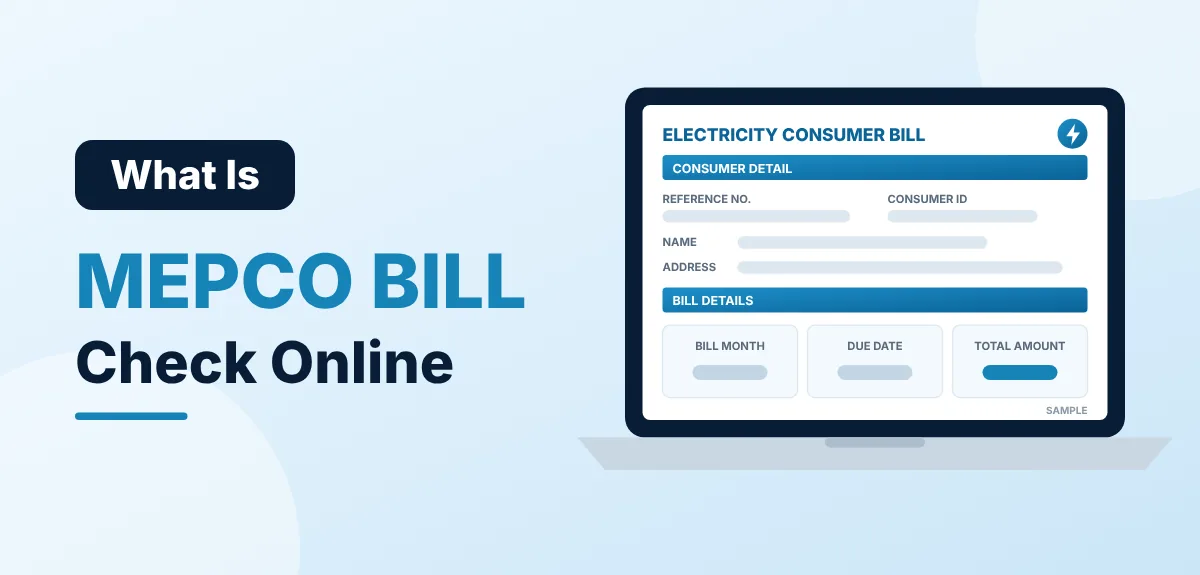
MEPCO bills are typically delivered to users’ locations in hard copy; however, if the bill is not received in this format, it can easily be viewed online via the official MEPCO website. Through the website, one can conveniently check details such as the meter reading, units consumed, due dates, and applicable taxes.
How to check MEPCO Bill online?
Checking your MEPCO bill online is easy; this is particularly useful if you haven’t received the physical paper bill at your location. You can view full details on the official MEPCO website, including units consumed, meter readings, applicable charges and taxes, and any outstanding balance from the previous month. To do this, simply visit the official website and enter your customer ID or reference number; MEPCO will then display your bill within seconds. You can also start from the MEPCO bill check tool at the top of this page.
Checking the MEPCO bill is easy, but a notable feature is that it can be printed or downloaded and saved, which proves useful for users when the bill’s due date arrives.
Checking your MEPCO bill is very easy; you just need to follow these steps.
- 01
Open the official website and go to the dashboard.
- 02
Click on the “Check Bill Online” option.
- 03
Enter your customer ID and submit the request; your current bill will appear within a few seconds.
- 04
You can view details such as the due date and print a duplicate copy of the bill if needed.
MEPCO Bill By Reference Number
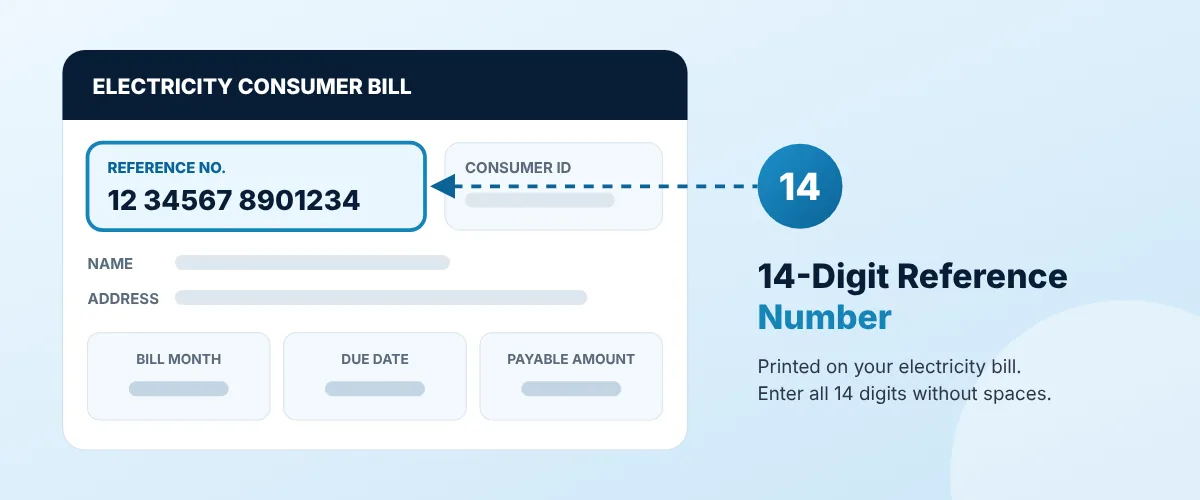
A reference number is a unique identifier assigned to each user; it consists of a distinct 14-digit sequence. This number appears on the physical electricity bill. If the original bill is not received for any reason, one can view the bill details online via MEPCO by entering this reference number. It allows for easy access to information regarding consumed units, taxes, and other relevant details.
MEPCO Service and Complaint Number
| Service | Contact Number / Code | Purpose |
|---|---|---|
| MEPCO Complaint Helpline | 118 | Electricity, billing or other complaints |
| SMS Complaint Service | 8118 | Register a complaint by SMS |
| MEPCO Toll-Free | 0800-00118 | Customer complaints or support |
MEPCO Bill Website Additional Features
Fast Bill Checking
Checking your MEPCO bill online is a quick and convenient service; if your bill does not arrive at your location or gets lost, you can easily check it online. To do this, it is essential to enter the reference number correctly.
Mobile-Friendly Design
The MEPCO online bill service works seamlessly across all types of technology, including mobile phones, tablets, laptops, and computers, allowing users to easily check their bill readings with convenience.
Bill Download Option
Along with checking your MEPCO bill, you can also easily download it to your laptop, tablet, or mobile phone; downloading the file allows you to conveniently view the billing date on time.
Bill History
You can view the current bill along with its history and past details; records of both the latest and current bills can be accessed.
Bill Calculator
If a calculator is available, users can estimate their bill amount based on the units consumed; they can distinguish the base bill amount from the additional charges and taxes to see the breakdown clearly.
Bill Download and Print
Users can download their current bill using any device, such as a computer, laptop, or mobile, and can also print a hard copy of it.
MEPCO Online Bill Payment Methods
Online Banking
Users can pay their bills using any online platform that supports transactions; however, the platform must offer a bill payment facility for this purpose.
Mobile Banking Apps
You can also use the bank app to pay the MEPCO bill; simply navigate to the ‘Bill’ section, enter the Customer ID, and make the payment.
ATM Payment
Some bank ATMs also support this feature, meaning bills can be paid directly through the ATM; this option is available at specific banks. If your bank account offers the facility to pay bills via ATM, using it is easy.
Bank Branches
Users can also pay their bills in person by visiting a bank branch and using the funds available in their account; it is important to keep the receipt issued by the bank safe.
Digital Wallets
When paying electricity bills via digital banking services like Easypaisa, JazzCash, SadaPay, or Nayapay, it is essential to use the correct reference number to avoid fraud or scams.
How to Download the MEPCO Bill?
- To download the MEPCO bill, first open the latest bill.
- Verify the bill details.
- You can then easily download it to your mobile or save it on your computer as a PDF file.
- It is mandatory to enter the bill’s consumer number or bill details.
MEPCO Bill SMS Service
The MEPCO bill can be seen online on its official website. After opening the website and following its registration process by entering your customer ID or mobile number, the monthly bill amount and due date can also be received through SMS.
Benefits of MEPCO Bill SMS Service
The MEPCO bill SMS service offers several benefits.
- Bill details reach users quickly; an SMS is received as soon as the information is uploaded to the website.
- There is no need to visit the website repeatedly.
- SMS alerts remind users of bill details and due dates, ensuring timely payments.
- If a complaint regarding a bill has been filed, notifications about it are also received instantly via SMS.
- It also helps avoid fake websites that merely waste time or facilitate fraud.
How to Read the MEPCO Electricity Bill?
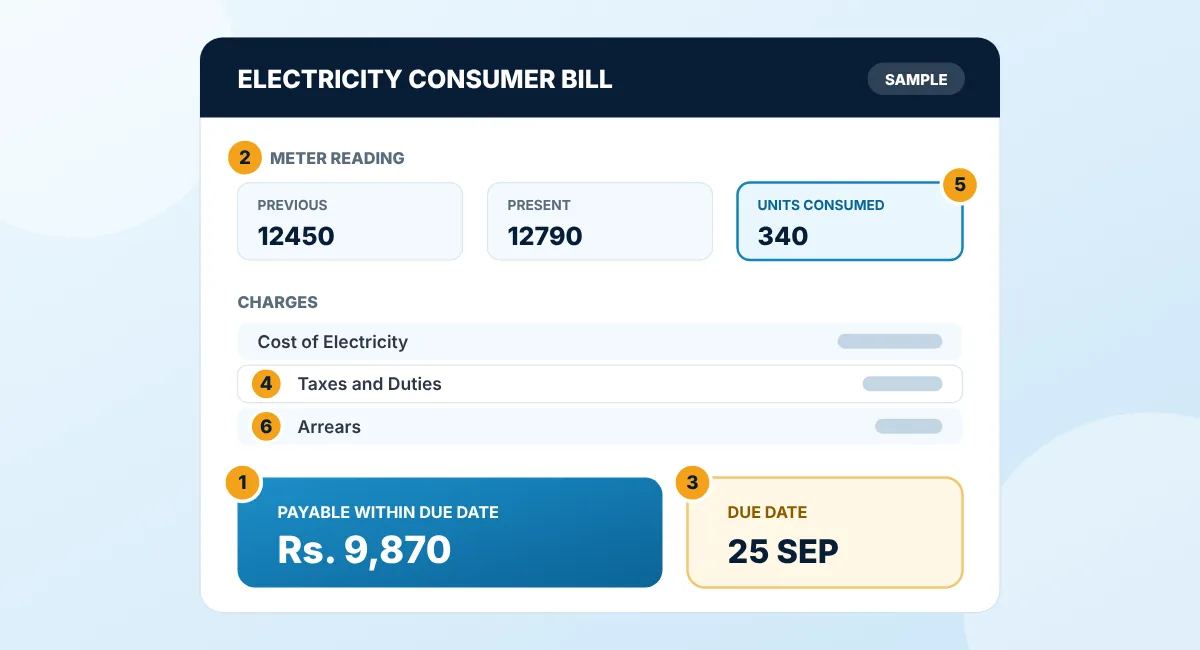
Bill Amount
Users can check their latest bill by entering their reference number.
Meter Reading
Meter reading displays details of the user’s bill, including past records and the number of units consumed. MEPCO provides various options for meter reading, allowing users to choose the method that suits them best.
Due Date
The MEPCO bill amount is displayed online before the physical bill arrives at your home. You can check the bill’s due date, which makes it much easier to pay the bill on time.
Taxes
When checking the bill on the MEPCO website, it separately lists the units consumed and displays a distinct column for the included taxes, allowing you to see the breakdown of taxes and the billing amount.
Units Consumed
Units consumed shows how much electricity your meter recorded during the billing month. This figure varies from month to month depending on your usage.
Arrears
The MEPCO online system displays outstanding arrears; if a user has an unpaid bill or outstanding taxes, it shows a warning or provides options regarding the dues, while also triggering an alert concerning the meter usage.
MEPCO Bill Amount and Due Date
Bill Amount
The bill amount includes certain charges and taxes; by using a calculator to separate these, one can determine the specific amount corresponding solely to the units consumed.
Due Date
This is the due date clearly printed on the electricity bill; paying after this date results in additional charges being added. Therefore, paying the electricity bill by the due date is the best option.
MEPCO Complaint Service
Users can contact the MEPCO online complaint service to resolve issues related to any of the company’s services, such as problems with meter readings, non-receipt of bills, or instances where a paid bill appears as unpaid. The complaint numbers are listed in the MEPCO helpline table above.
Common MEPCO Complaints
- Wrong or incorrect bill
- High electricity bill
- Incorrect meter reading
- Electricity supply interruption
- Power outage complaint
- Meter malfunction
- Bill not received
- Payment not updated
- Duplicate bill issue
- New connection issues
- Disconnection or reconnection issues
- Voltage fluctuation complaint
- Faulty meter complaint
- Complaint status inquiry
MEPCO Bill Check Overview
You can easily check your MEPCO electricity bills online. The official MEPCO website provides details for both new and old bills; simply enter the required information there. Avoid sharing your personal details on unofficial websites, as this could lead to security risks or issues with bill payments. Using the official MEPCO website not only helps resolve potential problems but also displays your billing history. Just enter your reference number on the official MEPCO site to check your bill.
FAQs About MEPCO
01Where can I find my MEPCO reference number?
The reference number is printed on the previously paid bill; you can simply look at it there and enter it.
02Why is my MEPCO bill not showing?
If the bill does not appear, it is highly likely that the reference number was entered incorrectly; alternatively, there could be internet connectivity issues or some other temporary technical problem.
03Is online MEPCO bill checking free?
Checking your MEPCO bill via the official website is free; however, if you use a third-party website or app instead, there may be service charges involved.
MEPCO Bill is an independent informational website and is not the official website of Multan Electric Power Company (MEPCO). The bill check tool on this page is free and opens your bill on the official bill portal. Read more on our About Us, Disclaimer and Privacy Policy pages, or contact us.