MEPCO Bill Payment Online 2026: Pay With JazzCash, Easypaisa, Banks & Raast QR
Standing in a bank queue to pay the electricity bill is no longer necessary. MEPCO bill payment can now be done in a few minutes from your phone, at any time of day, using a mobile wallet, a banking app or the QR code on your bill. This guide shows every official way to pay, step by step, and explains how to confirm that your payment has reached MEPCO.
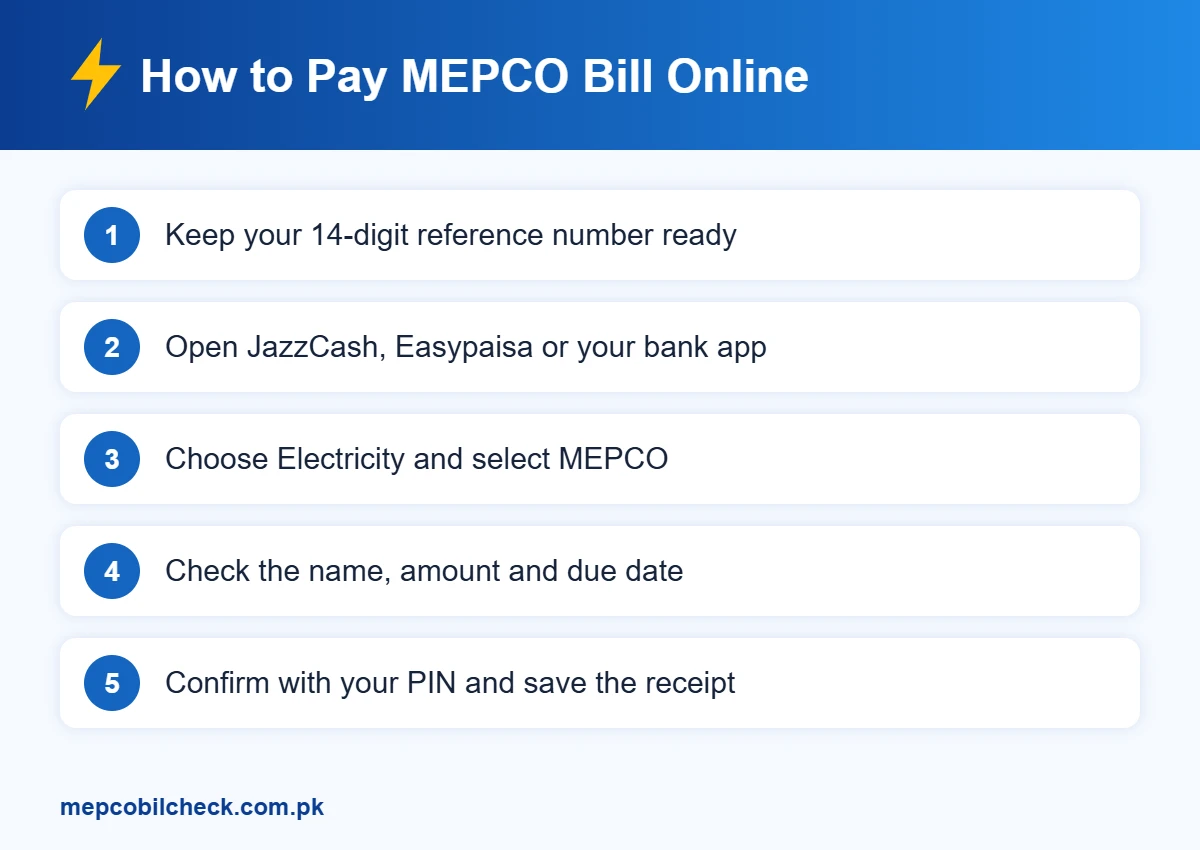
MEPCO Bill Payment Methods at a Glance
| Method | What you need | Best for |
|---|---|---|
| JazzCash app | 14-digit reference number | Quick mobile payment |
| Easypaisa app | 14-digit reference number | Quick mobile payment |
| Banking app or internet banking | Reference number and bank account | Paying from your account or card |
| Raast QR | Bank app with Raast and a QR bill | Instant payment where available |
| MEPCO SMART app | Reference number | Paying and tracking in one app |
| Bank branch or post office | Printed or downloaded bill | Cash payment |
Whichever method you use, the reference number is the key. If you do not have it, our MEPCO bill check by CNIC guide explains how to recover it.
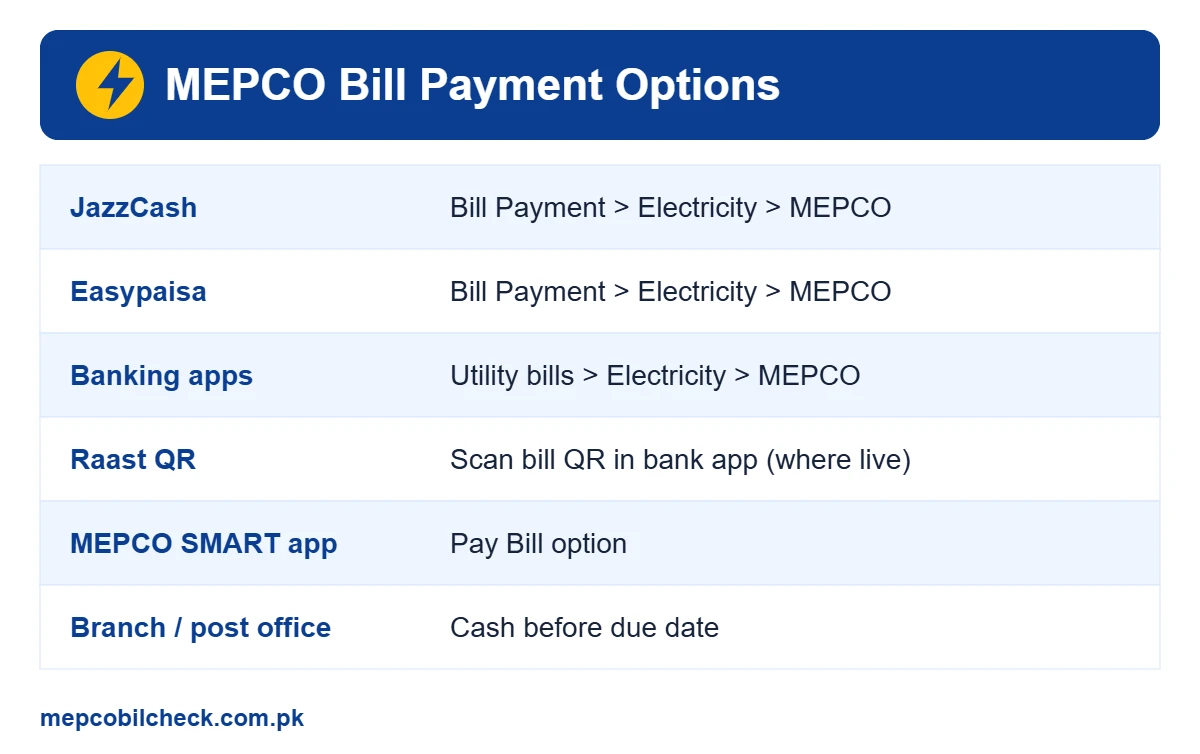
How to Pay Your MEPCO Bill With JazzCash
- Open the JazzCash app and sign in.
- Tap Bill Payment or Utility Bills, then choose Electricity.
- Select MEPCO from the list of companies.
- Enter your 14-digit reference number and continue.
- Check the consumer name, amount and due date shown on the screen.
- Confirm with your MPIN and save the receipt.
How to Pay Your MEPCO Bill With Easypaisa
- Open the Easypaisa app.
- Go to Bill Payment and select Electricity.
- Choose MEPCO and enter the reference number.
- Verify the bill details and the payable amount.
- Confirm the payment with your PIN.
- Take a screenshot of the success screen or download the receipt.
MEPCO Online Bill Payment Through Banking Apps
Most banks in Pakistan list MEPCO under utility or electricity bills in their mobile apps and internet banking. Allied Bank, for example, promotes MEPCO payments through its myABL app. The general steps are:
- Log in to your bank’s app or internet banking.
- Open Bill Payment and select Electricity.
- Choose MEPCO, enter the reference number, and fetch the bill.
- Confirm the amount and pay from your account.
Many banks also let you save MEPCO as a biller, so next month you can pay with two taps.
Pay Your MEPCO Bill With Raast QR
In 2026, Pakistan’s power sector started printing a simpler bill design with a QR code, and the Power Division directed distribution companies to roll out Raast payments in phases. In July 2026, FESCO launched Raast bill payment where consumers scan the QR code from their bank app with no extra charges, and the payment posts instantly. Where this option is active for MEPCO bills, the steps are:
- Open your bank app and choose Raast or Scan QR.
- Scan the QR code printed on your MEPCO bill.
- Check the name, reference number and amount.
- Approve the payment inside your bank app.
Only scan the QR code on your own official bill, never one sent on WhatsApp or SMS.
Pay MEPCO Bill at a Bank Branch or Post Office
Cash payment is still accepted. Take the printed bill, or download and print a copy with our MEPCO bill check online tool, and pay at a bank branch or post office before the due date. Keep the stamped counterfoil safely.
How to Confirm Your MEPCO Bill Payment
After paying, make sure the money has reached your account:
- Check the receipt: It should show your reference number, amount, date and a transaction ID.
- Check the next bill: The payment column in the 12-month history table shows what MEPCO received for each month.
- Allow posting time: Wallet and bank payments can take one to three working days to appear in MEPCO’s records.
- Report problems: If a payment is still missing after a few days, share the receipt through the MEPCO SMART app, at your customer service centre, or through the channels in our MEPCO complaint number guide.
MEPCO Bill Payment Due Date and Late Surcharge
Every bill shows two amounts: the amount payable within the due date and a higher amount payable after the due date, which includes the late payment surcharge. Pay at least two or three days before the due date so the payment posts on time. If you need more time, the MEPCO SMART app lists options to request a due date extension or installments.
Can You Pay Part of the MEPCO Bill?
Paying only part of the bill leaves the rest as arrears, which appear on the next bill and may attract surcharge. If the bill is too large, request installments through MEPCO instead of paying a random partial amount. For an idea of next month’s amount, try our free MEPCO bill calculator.
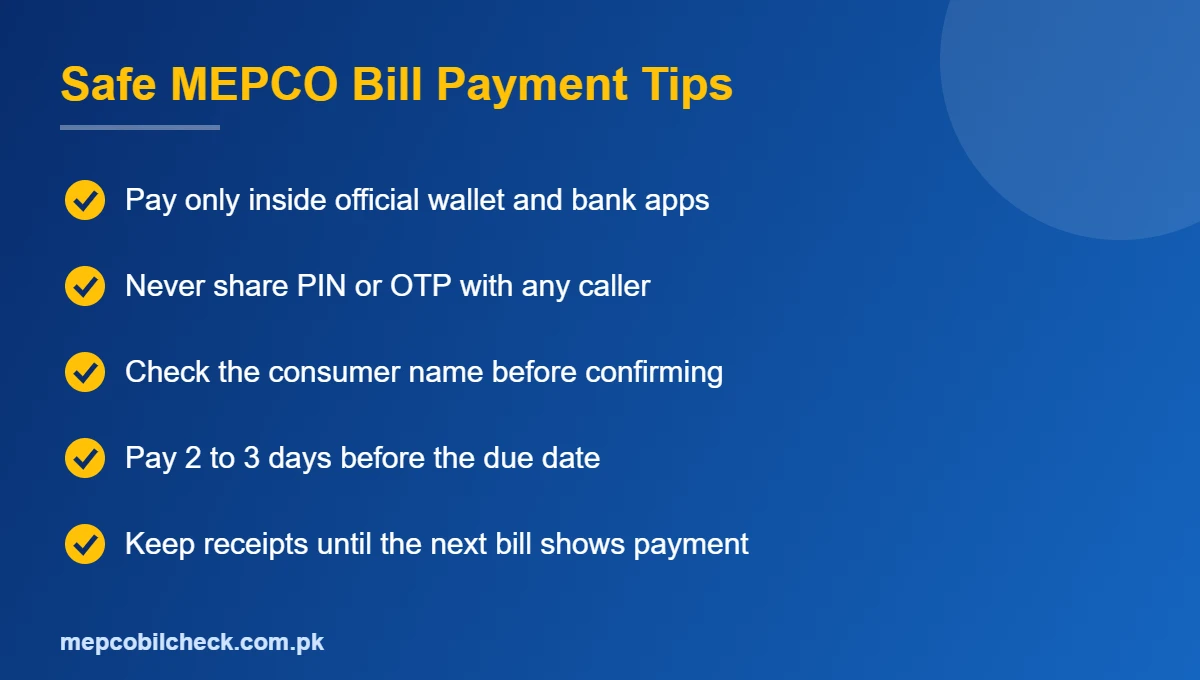
Safety Tips for MEPCO Online Bill Payment
- Pay only inside official wallet and bank apps, never through links in messages
- Never share your MPIN, card PIN or OTP with anyone, including callers who claim to be from MEPCO
- Check the consumer name before you confirm the payment
- Keep receipts for at least three months
- Remember that MEPCO does not collect bill payments through personal accounts
MEPCO Bill Payment Problems and Fixes
“Bill not found” in the app: The new bill may not be uploaded yet, or a digit is wrong. Re-check the 14 digits and try again later.
Amount different from the paper bill: Apps usually show the latest amount, including any changes after the due date. Compare the due date and the amount after due date.
Payment deducted but failed: Wait a few hours. If the amount is not reversed or posted, contact your bank or wallet helpline with the transaction ID.
Paid twice by mistake: The extra amount is normally adjusted in the next bill. Keep both receipts and confirm with your customer service centre.
Which MEPCO Bill Payment Method Is Best for You?
| Method | Speed | Receipt | Good to know |
|---|---|---|---|
| JazzCash / Easypaisa | Minutes | In-app receipt | Works without a bank account |
| Banking app | Minutes | In-app receipt and bank statement | Save MEPCO as a biller for next time |
| Raast QR | Instant where live | Bank app receipt | Being introduced in phases |
| ATM bill payment | Minutes | Printed slip | Available on many bank ATMs |
| Bank branch / post office | Same day | Stamped counterfoil | Only during working hours |
For most families, a wallet or banking app is the fastest MEPCO bill payment option, while a branch is useful if you prefer paying in cash.
MEPCO Bill Payment Through ATM
Many bank ATMs also support electricity bill payment. Insert your card, choose Bill Payment, select Electricity and MEPCO, and enter the reference number. Confirm the amount and keep the printed slip. ATM payments follow the same posting time as other online channels.
Paying the MEPCO Bill for Parents or Family
You can pay a MEPCO bill for any house as long as you have its reference number. This is useful when children in other cities, or Pakistanis working abroad who use Pakistani banking apps, pay bills for their parents in Multan, Bahawalpur or Dera Ghazi Khan. Save each family connection as a separate biller with a clear name, such as “Ammi Ghar MEPCO”, to avoid paying the wrong bill. After each MEPCO online bill payment, share the receipt with your family so they know the bill is cleared.
Monthly Checklist Before You Pay MEPCO Bill Online
- Open the latest bill with your reference number.
- Compare the present reading with your meter.
- Check whether you are still in the protected or non-protected category.
- Confirm the due date and the amount within due date.
- Pay through your preferred app and save the receipt.
Following this checklist every month helps you catch wrong readings before you pay and keeps your MEPCO bill payment record clean.
MEPCO Bill Payment Receipts: What to Keep
A good receipt protects you if a payment is missing later. Make sure every MEPCO bill payment receipt shows:
- The 14-digit reference number of the connection you paid
- The amount paid and the date and time of payment
- A transaction or trace ID from the wallet or bank
- The name of the app, bank or branch used
Save receipts in the same phone folder as your bill PDFs. If MEPCO ever shows a paid month as unpaid, this record makes the correction quick and simple.
Frequently Asked Questions
What is the easiest way to do MEPCO bill payment?
Mobile wallets like JazzCash and Easypaisa, or your banking app, are the easiest. You only need the 14-digit reference number.
Can I pay my MEPCO bill after the due date?
Yes, but you will pay the higher amount shown after the due date, which includes the late payment surcharge.
How long does it take for a MEPCO online bill payment to show?
Usually one to three working days. Raast payments are designed to post instantly where the service is active.
Can I pay the MEPCO bill without the paper bill?
Yes. Apps fetch the bill using the reference number, so the paper copy is not needed.
Is there a fee to pay the MEPCO bill online?
Most wallets and banks do not charge consumers for electricity bill payments, but charges depend on each provider, so check the confirmation screen before paying.
5 Comments