MEPCO Bill Check by CNIC 2026: Is It Possible? Easy Ways to Find Your Bill
Lost your old bill and wondering if you can do a MEPCO bill check by CNIC? You are not alone. Thousands of people search for this every month because they remember their CNIC but not the long 14-digit reference number. In this guide we give you the honest answer, explain why the official system works the way it does, and share five easy, safe ways to find your MEPCO bill using your CNIC and address.
Can You Check a MEPCO Bill by CNIC Online?
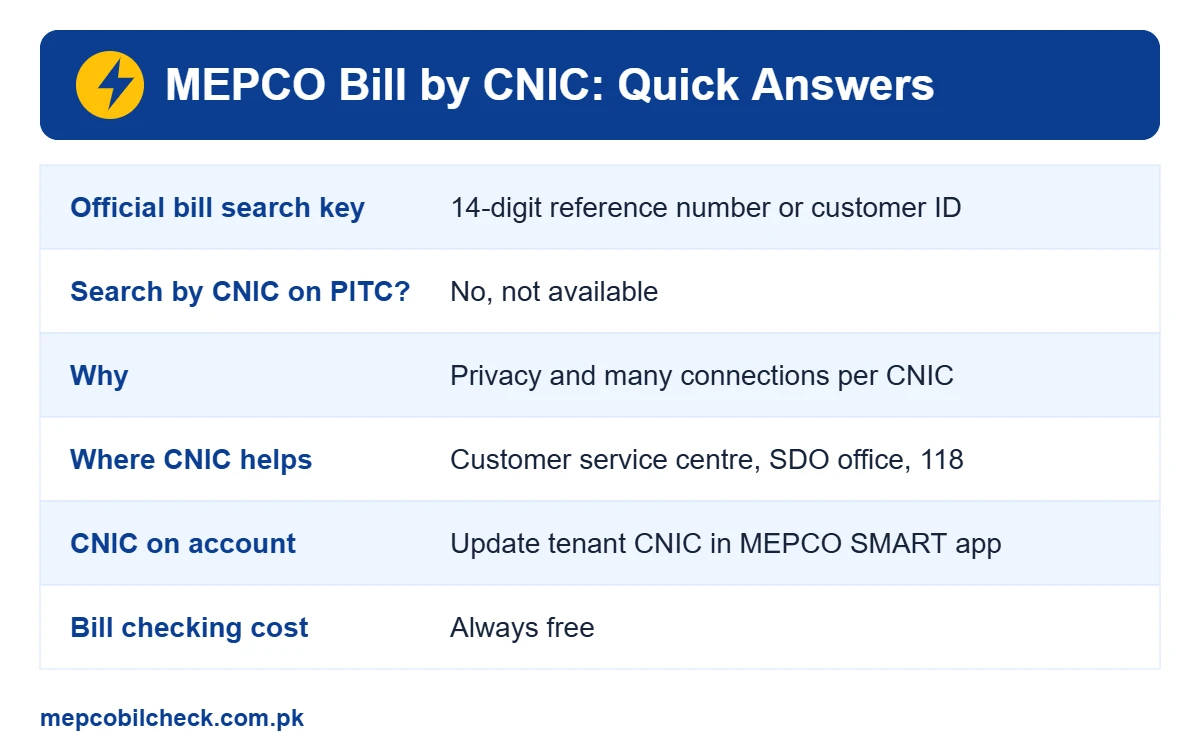
The short answer is no. The official PITC bill portal for MEPCO does not offer a search by CNIC number. To view or download a bill, you need the 14-digit reference number printed on the bill. MEPCO’s own website also lists the 10-digit customer ID as an option for duplicate bills, but neither method uses your CNIC.
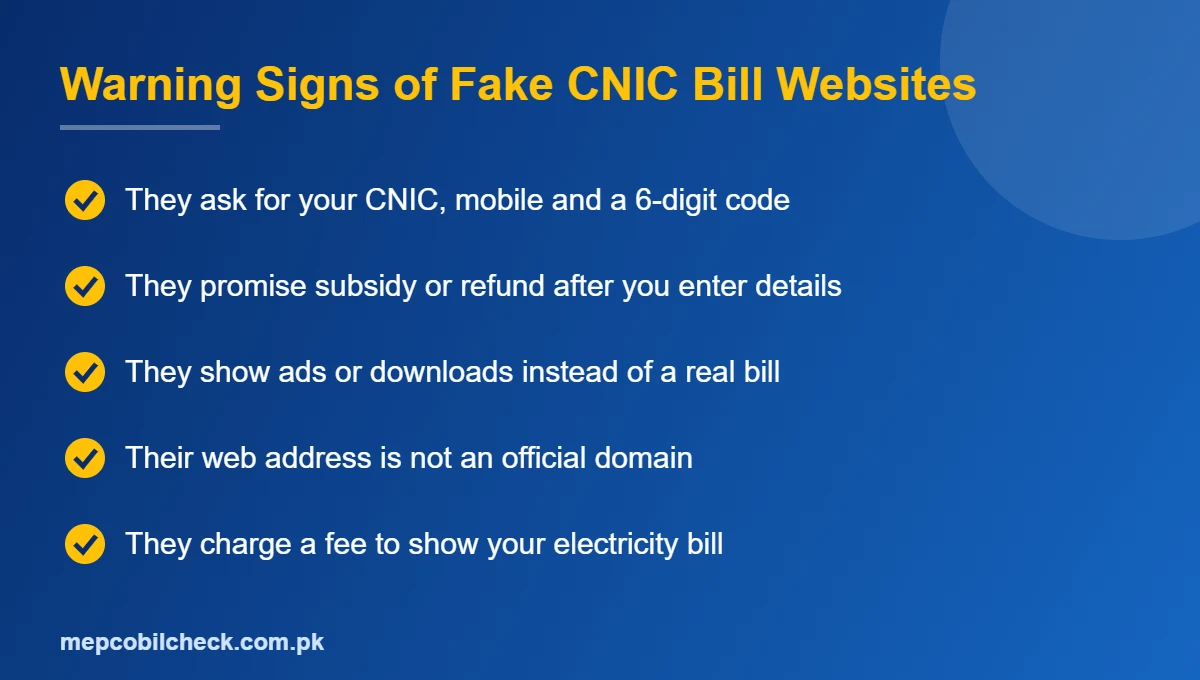
So if a website claims it can show your MEPCO bill by CNIC instantly, be careful. It is either collecting your personal data, showing ads, or simply sending you back to the reference number form.
The good news is that your CNIC is still very useful. It helps you prove your identity at MEPCO offices and recover your reference number quickly, as explained below.
Why the MEPCO Bill Is Not Linked to CNIC Search
There are practical and privacy reasons why a MEPCO bill online check by CNIC is not offered:
- One CNIC, many connections: A person may own several houses, shops or tube wells, each with its own meter and reference number.
- Owner vs tenant: The connection is often in the name of the owner, while a tenant pays the bill. A CNIC search would show bills to the wrong person or miss the right one.
- Old records: Many older connections were registered years ago, and their CNIC records may not be updated.
- Privacy and security: Showing a person’s addresses and bills just by typing a CNIC number would make it easy for anyone to misuse that data.
That is why the reference number remains the key for every online bill service, including our MEPCO bill check online tool.
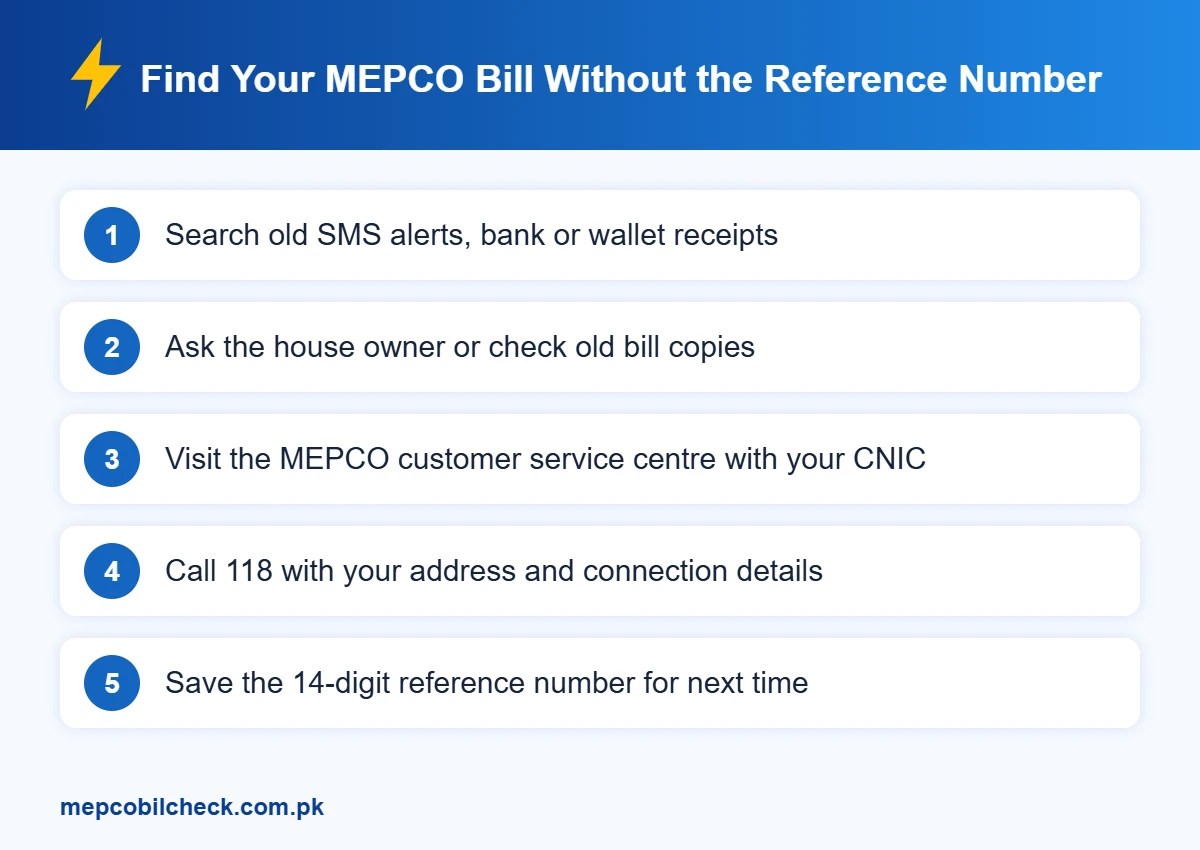
5 Easy Ways to Find Your MEPCO Bill Using Your CNIC
1. Check old messages and payment receipts
Before you go anywhere, search your phone. Your reference number is often saved in:
- Old SMS bill alerts from MEPCO or PITC
- JazzCash, Easypaisa or banking app payment history, under utility bills
- Bank or post office payment receipts
- Photos of old bills in your gallery or WhatsApp chats
Once you find the number, you can check your bill online in seconds.
2. Ask the house owner or check old documents
If you live in a rented house, the owner will usually have an old bill or the reference number. Rent agreements, property files and previous tenants’ records also often include a bill copy.
3. Visit the MEPCO customer service centre with your CNIC
This is the most reliable way. Take your original CNIC and your full address to the customer service centre or SDO office of your area. Staff can search the connection using the address, meter number or the name on the account and give you the reference number or a duplicate bill. If the connection is not in your name, bring the owner’s CNIC copy or authority letter as well.
4. Call the MEPCO helpline 118
Call 118 and explain that you need your bill details. Share your name, CNIC, full address and the nearest landmark. Depending on the case, the operator may guide you to the correct sub-division office where your record is kept. Our guide on the MEPCO complaint number lists every official contact channel.
5. Use the MEPCO SMART app
The official MEPCO SMART app, listed on the MEPCO website, includes an option to update tenant CNIC, name, phone and email for a connection. After your details are linked correctly, managing bills, complaints and requests becomes much easier.
How to Check Your MEPCO Bill Once You Have the Reference Number
- Open our free MEPCO bill check online tool or the official PITC MEPCO bill page.
- Type the 14-digit reference number without spaces.
- Press the search button.
- View the bill amount, due date, units and 12-month history.
- Download or print the bill if you need a copy.
Save the reference number in your phone notes or contacts as “MEPCO Ref” so you never need to search again.
Where Is the Reference Number on a MEPCO Bill?
On the printed bill, the reference number appears near the top, usually along with the consumer ID, tariff and sub-division name. It has 14 digits and is sometimes printed with spaces, like 00 00000 0000000. When you type it online, enter all digits together without spaces or dashes.
Step-by-Step: MEPCO Bill Check by CNIC at the Office
If you have no bill, no SMS and no receipt, an office visit is the surest form of MEPCO bill check by CNIC. Follow these steps to finish it in one trip:
- Find your sub-division. Ask a neighbour for any MEPCO bill from your street; the sub-division name printed on it is your office.
- Visit the customer service centre during working hours with your original CNIC.
- Tell the staff you need your reference number or a duplicate bill.
- Share your full address, the meter number (written on the meter body) and the name on the connection if you know it.
- Collect the duplicate bill or note the reference number, and check that the address matches your house.
- Save the number in your phone and check future bills online.
Documents to Carry for a MEPCO Bill by CNIC Request
- Original CNIC of the person on the connection, or your own CNIC if you are the tenant
- Owner’s CNIC copy or an authority letter, if the connection is not in your name
- Rent agreement or property document showing the address
- A photo of the meter showing the meter number and current reading
- Any old payment receipt, even if it is faded
Carrying these papers helps the staff find the right record quickly and avoids a second visit.
MEPCO Bill Check by CNIC: Myths vs Facts
| Myth | Fact |
|---|---|
| You can see any MEPCO bill by CNIC online | The official portal needs a reference number or customer ID |
| Paid apps can show the MEPCO bill with CNIC | No trusted app offers a CNIC search for MEPCO bills |
| Your CNIC is needed to view a bill | Viewing a bill needs only the reference number |
| You must pay to recover a lost bill | Duplicate bills are free online and at MEPCO offices |
| Subsidy links on WhatsApp are official | Scan only the QR code on your own official bill |
Knowing these facts protects your data and saves you time. A genuine MEPCO bill check by CNIC happens only with MEPCO staff who can verify your identity, never on a random website.
How CNIC Is Used for Electricity Subsidies in 2026
Your CNIC has become more important for electricity consumers this year. In May 2026, Pakistan’s Power Division introduced a QR code on bills that shows the subsidy amount and asks eligible consumers to register their details, so that subsidies reach deserving households. The government said this does not mean subsidies are being withdrawn.
At the same time, the Power Division warned about fake QR codes and subsidy links that steal personal data. So, only scan the QR code printed on your own official bill, and never share your CNIC, OTP codes or bank details on links received through random messages.
MEPCO Bill With CNIC for Tenants and Owners
If you are a tenant: The bill is usually in the owner’s name. You can still pay it with the reference number. For changes like a meter request or complaint follow-up, the office may ask for the owner’s CNIC copy and your rent agreement.
If you are the owner of several properties: Keep a simple list of each address with its reference number and meter number. This avoids confusion when bills arrive at different times.
If the owner has passed away: For a name change on the connection, the legal heirs usually need to visit the sub-division office with the death certificate, succession documents and CNIC copies. Ask the office for the exact checklist before you go.
Common Problems and Their Solutions
“I have no old bill at all.” Visit the customer service centre with your CNIC and address. This is the fastest route.
“The reference number shows no record.” Re-check all 14 digits. If it is correct, the bill may not be uploaded yet. Try again after a day.
“My bill shows someone else’s name.” This is normal for rented or purchased houses. Ownership change is a separate request handled by MEPCO.
“A website asked me to pay to see my bill.” Do not pay. Checking a MEPCO bill is always free on official and trusted tools.
Frequently Asked Questions
Can I do a MEPCO bill check by CNIC online?
No. The official MEPCO and PITC bill services use the 14-digit reference number or customer ID, not CNIC.
How can I get my reference number with CNIC?
Visit your MEPCO customer service centre or SDO office with your original CNIC and full address. Staff can locate your connection and provide the reference number or a duplicate bill.
Is there any app to check the MEPCO bill by CNIC?
No reliable app offers a MEPCO bill by CNIC search. Use the official MEPCO SMART app or trusted bill tools with your reference number.
Is it safe to enter my CNIC on bill websites?
Avoid entering your CNIC on unknown websites. Bill checking does not need your CNIC, so a site asking for it may be collecting data.
Can I pay my MEPCO bill without the original paper bill?
Yes. You only need the reference number to pay through JazzCash, Easypaisa, banking apps or a downloaded duplicate bill at a bank.
Why do so many people search for a MEPCO bill by CNIC?
Most people remember their CNIC but not a 14-digit number. That is why searches for a MEPCO bill by CNIC are so common. The practical solution is to recover the reference number once, using the methods above, and then save it permanently.
Will MEPCO add a MEPCO bill online check by CNIC in the future?
There is no official announcement about a CNIC-based bill search for MEPCO. If such a service is launched, it will appear on the official MEPCO or PITC websites, not on random social media links.
Can a neighbour help me with a MEPCO bill check by CNIC?
A neighbour’s bill cannot show your account, but it tells you the name of your sub-division office. Visit that office with your CNIC for a quick MEPCO bill with CNIC search by staff.
Final Words
A direct MEPCO bill check by CNIC is not available, but your CNIC is still the key to recovering your reference number safely. Check old messages first, ask the owner, or visit the customer service centre with your CNIC. Once you have the number, save it and use our free MEPCO bill check online tool every month. If you are confused about MEPCO’s different portals, our MEPCO MIS guide explains them in simple words.

6 Comments