MEPCO Duplicate Bill 2026: Download, Print & Save Your Bill as PDF
Did your paper bill get lost, torn or never arrive? You can get a MEPCO duplicate bill online in less than a minute. The duplicate copy is the same bill MEPCO issued for the month, with your units, charges, due date and payment history, and you can download it as a PDF, print it or use it to pay at a bank. This guide explains how to get a duplicate MEPCO bill, how to print and save it, and what to do when it does not open.
What Is a MEPCO Duplicate Bill?
A MEPCO duplicate bill is an online copy of your monthly electricity bill, generated by the PITC billing system that serves MEPCO and other former WAPDA companies. It carries the same information as the paper bill delivered to your home:
- Consumer name, address, reference number, customer ID and tariff
- Previous and present meter readings and units consumed
- Energy charges, fixed charges, fuel and quarterly adjustments
- GST and any advance income tax
- Amount payable within due date and after due date
- A 12-month history of units, bills and payments
Banks, offices and landlords generally accept a printed duplicate copy in place of the original bill.
How to Get Your MEPCO Duplicate Bill Online
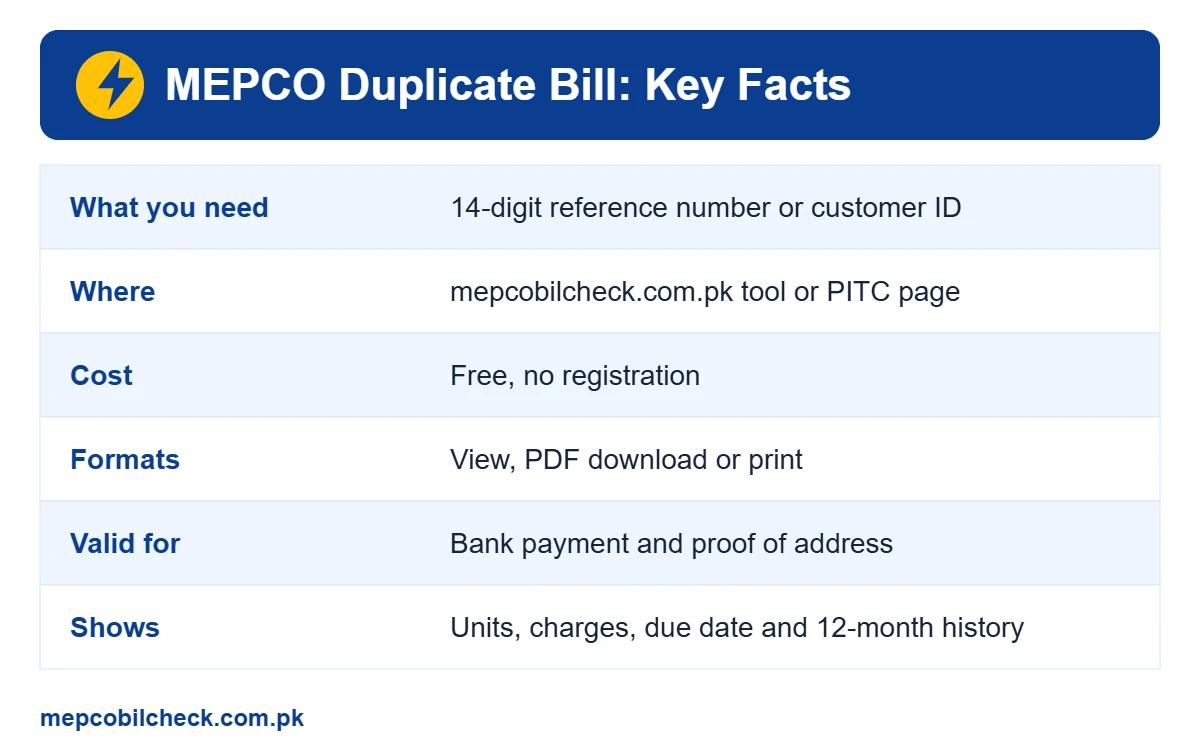
- Find the 14-digit reference number on an old bill, SMS alert or payment receipt.
- Open our free MEPCO bill check online tool or the official PITC MEPCO bill page.
- Choose Reference Number (or Customer ID) and type the digits without spaces.
- Press Check Bill to open the current bill.
- Review the amount and due date, then download or print it.
That is all you need for a MEPCO duplicate bill download. No registration, login or fee is required.
How to Download the MEPCO Duplicate Bill as a PDF
On a mobile phone (Android or iPhone):
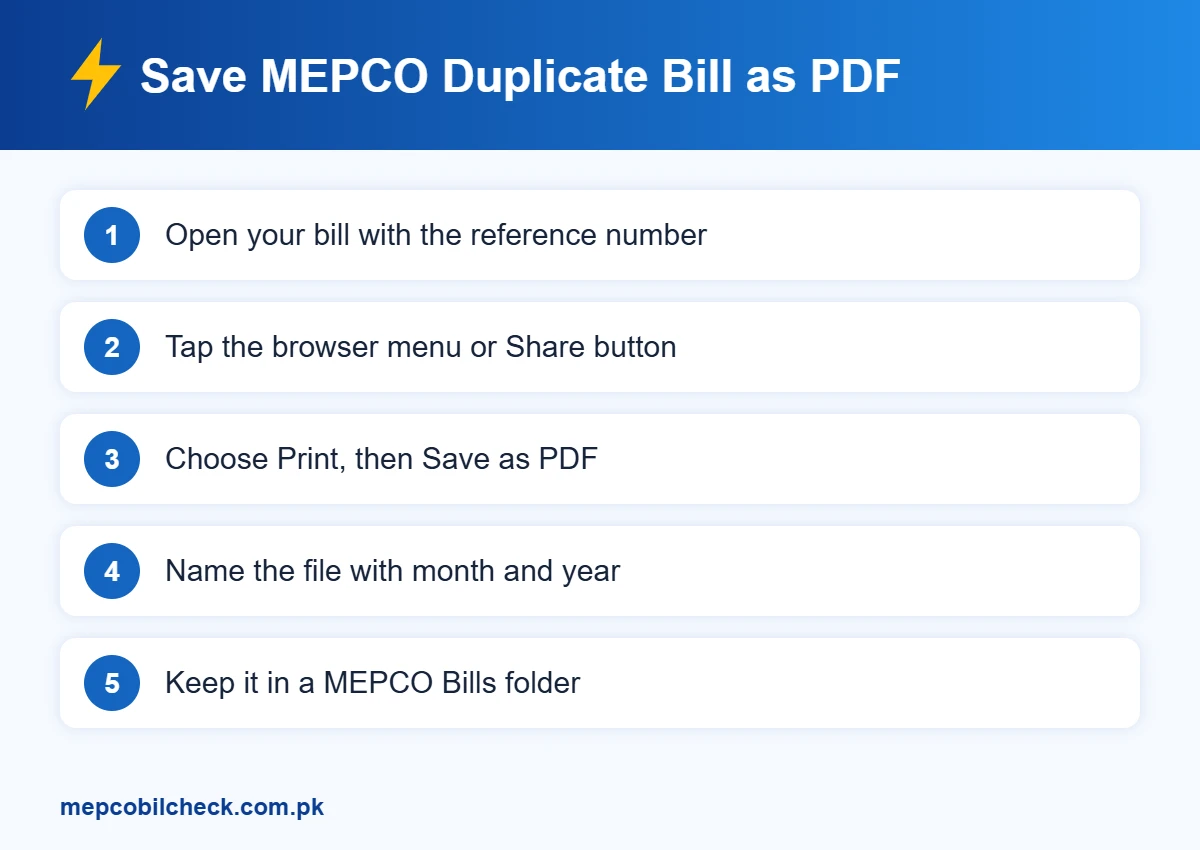
- Open the bill in Chrome or Safari.
- Tap the menu (three dots) or the Share button.
- Choose Print, then select Save as PDF.
- Save the file with a clear name, for example “MEPCO Bill Oct 2026”.
On a computer:
- Open the bill and press Ctrl + P (or Cmd + P on Mac).
- Select Save as PDF as the printer.
- Click Save and choose a folder.
How to Print the MEPCO Duplicate Bill
For a MEPCO duplicate bill print, connect your computer to a printer or open the saved PDF at a print shop. Use A4 paper in portrait mode and keep the scale at 100% so the barcode and QR code print clearly. A clear print is important if you plan to pay at a bank counter.
Where Is a MEPCO Duplicate Bill Needed?
- Bank or post office payment: when the original bill is lost
- Proof of address: for bank accounts, SIM verification or school admissions
- Rent and property work: landlords and buyers often ask for recent paid bills
- Complaints and corrections: MEPCO offices ask for the latest bill copy
- New connection forms: some forms ask for the reference number of a nearby connection
- Personal records: to track units and spending over the year
MEPCO Duplicate Bill vs Original Bill
| Point | Original paper bill | MEPCO duplicate bill |
|---|---|---|
| Information | Full bill details | Same details |
| How you get it | Delivered by meter reader | Downloaded online anytime |
| Cost | Free | Free |
| Can be used for payment | Yes | Yes, when printed or through apps |
| Risk of loss | Can be lost or damaged | Saved digitally on your phone |
MEPCO Duplicate Bill Not Opening? Try These Fixes
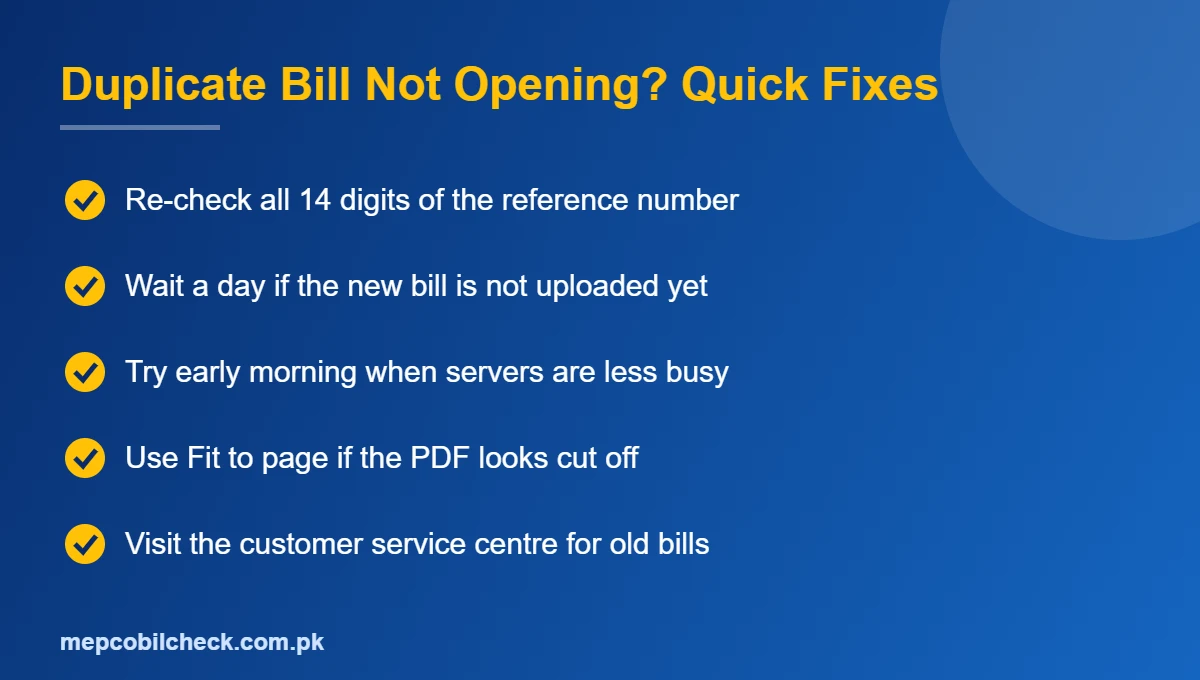
“Record not found”: Check all 14 digits again. A missing or extra digit is the most common reason.
Bill not updated: New bills appear a few days before the due date. If you see last month’s bill, try again after a day.
Page loading slowly: The PITC server can be busy near due dates. Try early in the morning or late at night.
PDF looks cut off: Change the print scale to “Fit to page” or switch to portrait mode.
Wrong name on the bill: The connection may still be in the previous owner’s name. A name change is a separate request at MEPCO.
How to Get an Old MEPCO Duplicate Bill
The online duplicate shows the current month in full, plus the last 12 months in the history table. If you need a full copy of an older bill, visit your MEPCO customer service centre or revenue office with your CNIC and reference number. For more on reading past bills, see our MEPCO old bill check guide.
Pay Your Bill After Downloading the Duplicate Copy
Once you have the duplicate bill, you can pay it in many ways: JazzCash, Easypaisa, your banking app, Raast QR where available, or cash at a bank branch with the printed copy. Our MEPCO bill payment guide explains each method step by step.
How to Read Your MEPCO Duplicate Bill
Once the duplicate copy opens, read it section by section so nothing surprises you:
- Top section: Check that the name, address, reference number and tariff belong to your connection.
- Reading details: Compare the present reading with your meter. The difference with the previous reading is the units you are paying for.
- Charges: Look at energy charges, fixed charges per kW, fuel price adjustment and quarterly adjustment.
- Taxes: GST and any advance income tax are listed separately.
- Arrears: Any unpaid amount from earlier bills appears here. If you paid it, keep the receipt ready.
- Amounts and due date: Note the amount within due date and the higher amount after due date.
- History table: The last 12 months show units, bill and payment, which helps you spot unusual jumps.
If anything looks wrong on the MEPCO duplicate bill, take a photo of your meter and contact MEPCO before the due date.
MEPCO Duplicate Bill by Customer ID
Besides the reference number, MEPCO’s official website lists the 10-digit customer ID as another way to get a duplicate bill. The customer ID is printed near the reference number on your bill. In our tool, simply switch to the Customer ID tab, type the 10 digits and press Check Bill. This is helpful if you saved the customer ID but not the reference number.
Is It Safe to Get a Duplicate MEPCO Bill From Other Websites?
Getting a duplicate MEPCO bill online is safe when the website only asks for the reference number or customer ID and then shows the official bill. Be careful with any site or app that:
- Asks for your CNIC, mobile number or a verification code to show a bill
- Charges money for a duplicate bill
- Forces you to download an unknown app
- Shows a bill that does not match your official PITC bill
Our tool sends you to the official PITC bill page and does not ask for personal data.
Keep a Digital Record of Every MEPCO Bill
Make a habit of saving each MEPCO duplicate bill on the day it is issued. Create a folder named “MEPCO Bills” on your phone or in cloud storage, save the PDF with the month and year in the file name, and add the payment receipt next to it. After one year, you will have a complete record of your units, bills and payments, which is useful for budgeting, solar planning, rent agreements and any billing dispute.
When Is the New MEPCO Duplicate Bill Available?
MEPCO reads meters in batches across the month, so different areas get their bills on different dates. The new duplicate bill usually becomes available online a few days before its due date, once the reading has been processed and the bill has been generated. If you check too early, you will still see last month’s bill.
A simple routine works well for most households:
- Note the due date on your current bill
- About a week before the same date next month, open the duplicate bill online
- If the month has not changed yet, check again after one or two days
Following this routine means you will always have the latest MEPCO duplicate bill in time to check the reading and pay before the due date, even if the paper bill never reaches your home.
Frequently Asked Questions
How can I get a MEPCO duplicate bill?
Enter your 14-digit reference number on our bill check tool or the PITC MEPCO bill page, then download or print the bill.
Is a MEPCO duplicate bill valid for payment at the bank?
Yes. A clear printed duplicate bill can be used at bank counters, and apps only need the reference number.
Can I get a duplicate MEPCO bill without the reference number?
Use the customer ID if you have it. Otherwise recover the reference number from old SMS alerts or receipts, or visit your MEPCO customer service centre with your CNIC.
Is the MEPCO duplicate bill download free?
Yes. Viewing, downloading and printing the bill online is completely free.
Can I save the MEPCO duplicate bill on my phone?
Yes. Use the browser’s Print option and choose Save as PDF to keep a copy on your phone.
2 Comments