MEPCO Bill Check by Name: Is It Possible? Real Ways to Find Your Bill (2026)
Lost your bill and searching for MEPCO bill check by name? Many people try to find their electricity bill by typing their own name or their father’s name into search engines. The honest answer is that there is no official electricity bill check by name for MEPCO consumers. But you can still find your bill quickly. This guide explains why name search is not available and gives six real ways to get your bill or reference number back.
Can You Do a MEPCO Bill Check by Name?
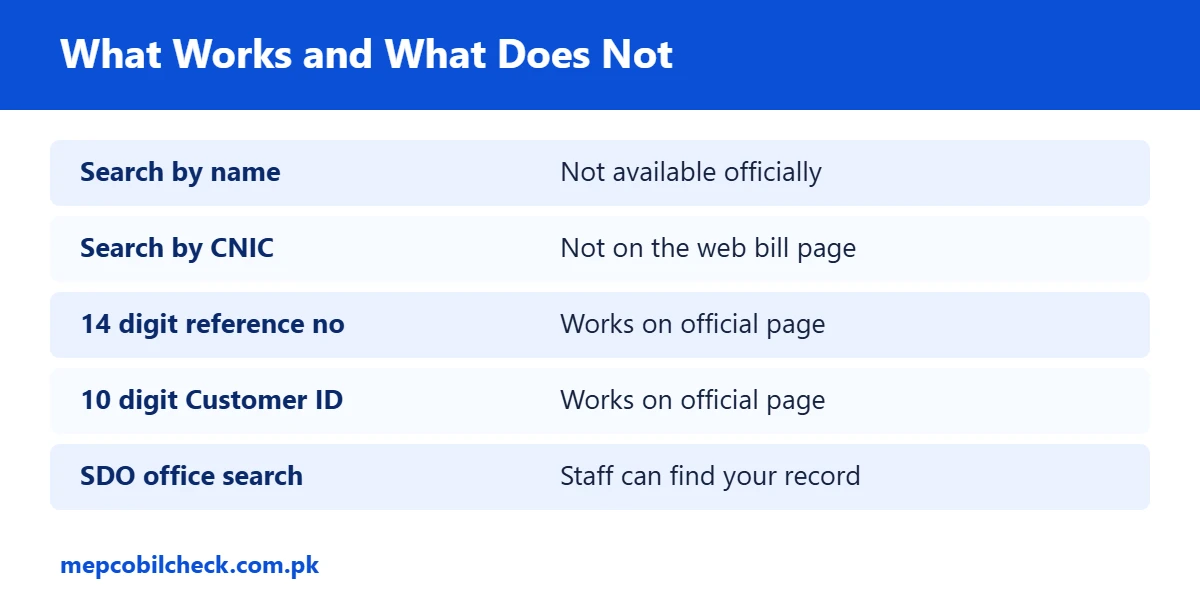
No. The official MEPCO web bill page, run by PITC, searches only by the 14 digit reference number or the 10 digit Customer ID. There is no option for an electricity bill check by name, father’s name, address or mobile number on the official page.
The same is true across the former WAPDA companies, so a WAPDA bill check by name is not possible on official pages either. Some websites claim they can find bills by name or CNIC, but they either do not work, show random data, or collect your personal information.
Why Do People Search for Electricity Bill Check by Name?
Most people look for an electricity bill check by name in a few common situations: the paper bill never arrived, the old bill was thrown away, the family moved into a new house, or an elderly parent pays the bill and nobody knows the number. Others want to check a relative’s bill from abroad. In all these cases, the real need is not a name search but a quick way to recover the reference number, which is exactly what the methods below do. Understanding this saves time, because trying a MEPCO bill check by name on random websites rarely works.
Why Is There No Name Search?
There are good reasons:
- Privacy: a bill shows your address, consumption and payment history. A name search would let anyone see this.
- Duplicate names: thousands of consumers share common names like Muhammad Ali or Ghulam Hussain in South Punjab.
- Owner vs user: many bills are in the name of a landlord, a late father or a previous owner, not the person who pays.
- Accuracy: a unique reference number makes sure you see and pay the right bill.
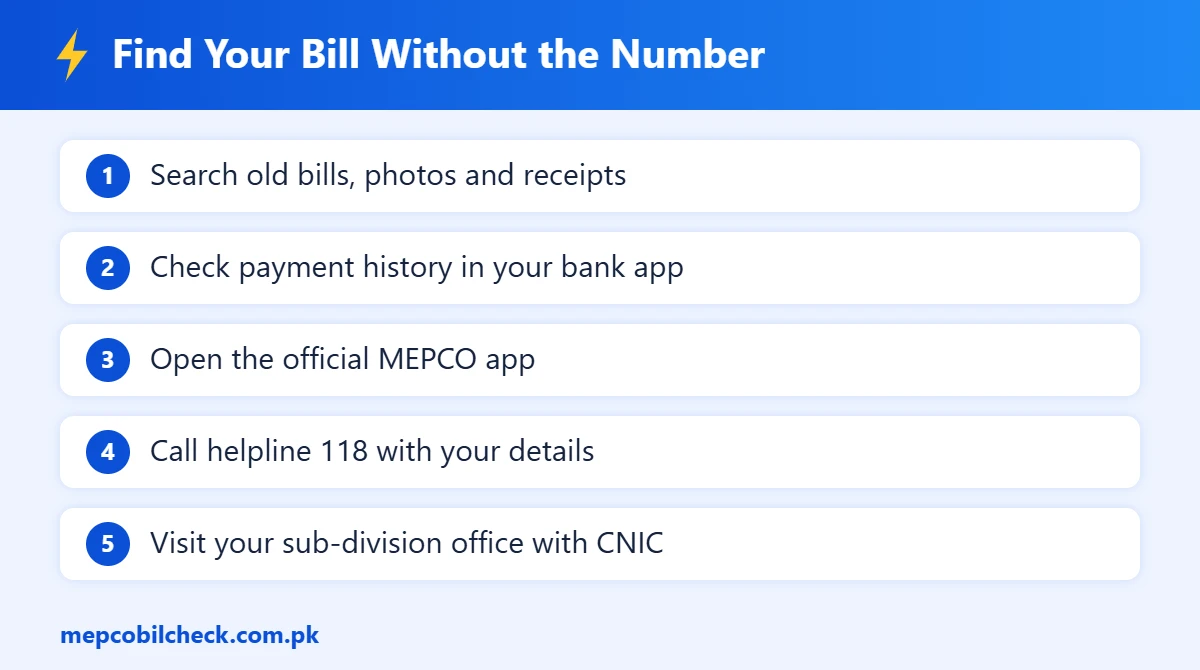
6 Real Ways to Find Your Bill Without the Number
1. Look for Old Bills, Photos and Receipts
Check old bill papers, photos on your phone, WhatsApp chats with family and bank or post office slips. The reference number is printed at the top-left of the bill and on the payment slip.
2. Check Your Banking App or Wallet
If anyone in the family paid online before, open the saved billers or payment history in their banking app, JazzCash or Easypaisa. The reference number is saved there.
3. Use the Official MEPCO App
The official MEPCO app lets consumers link their connection and update CNIC and phone details. If your connection is already linked to your details, you can view the bill there. Read our MEPCO bill app guide.
4. Call Helpline 118
Give your name, the name on the bill, full address and CNIC. Staff may help locate your record or guide you to your sub-division office. See our MEPCO complaint number guide for all contact options.
5. Visit Your Sub-Division Office
This is the most reliable option. Take your CNIC and, if possible, a neighbour’s bill from the same street. Office staff can search their records by name and address and give you your reference number.
6. Use a Neighbour’s Bill as a Clue
Neighbours on the same street usually share the same batch number and sub-division code, the first seven digits of the reference number. This helps the office find your record faster. Never pay using someone else’s number.
What to Expect at the Sub-Division Office
If online methods fail, the office visit is the surest replacement for a MEPCO bill check by name. Here is what usually happens:
- Go to the customer service counter of the sub-division that covers your area. The feeder and sub-division name is printed on any neighbour’s bill.
- Tell the staff the name on the connection, your full address and nearby landmarks.
- Show your original CNIC. If the bill is in a parent’s or landlord’s name, carry a copy of their CNIC too.
- Staff search the consumer records and give you the reference number, often with a printed duplicate bill.
- Write the number down and save it in your phone before you leave.
The visit is free. Do not pay agents outside the office who offer to “find” your bill for money.
Tenants and New Homeowners
If you rent a house or shop, ask the landlord for the reference number on the first day. If you bought a house, ask the seller for the last paid bill as part of the deal, because you will need it for any MEPCO name change later. Without the number, you will face the same problem every month, since a WAPDA bill check by name is not possible on official pages.
After You Find the Reference Number
Once you have the number, a bill check takes seconds:
- Open our MEPCO bill check online tool or the official MEPCO web bill page.
- Type the 14 digits without spaces.
- Choose U or R and press Search.
Our guide on MEPCO online bill enter 14 digit reference number explains each part of the number.
Common Mistakes When Searching for Your Bill
- Typing your name into the reference number box; the page accepts digits only.
- Using the meter number instead of the reference number; the meter number does not open the bill.
- Choosing the wrong U or R letter after finding the number.
- Paying a bill found on an unofficial site without checking the name and address first.
What About Bill Check by CNIC?
The official web bill page does not search by CNIC either. Read our detailed guide on MEPCO bill check by CNIC to understand what CNIC can and cannot do for your connection.
Official Search Options at a Glance
| Search method | Available officially? |
|---|---|
| Name or father’s name | No |
| CNIC | Not on the web bill page |
| Mobile number | No |
| 14 digit reference number | Yes |
| 10 digit Customer ID | Yes |
| Office record search by staff | Yes, at your sub-division |
Beware of Fake Name-Search Websites
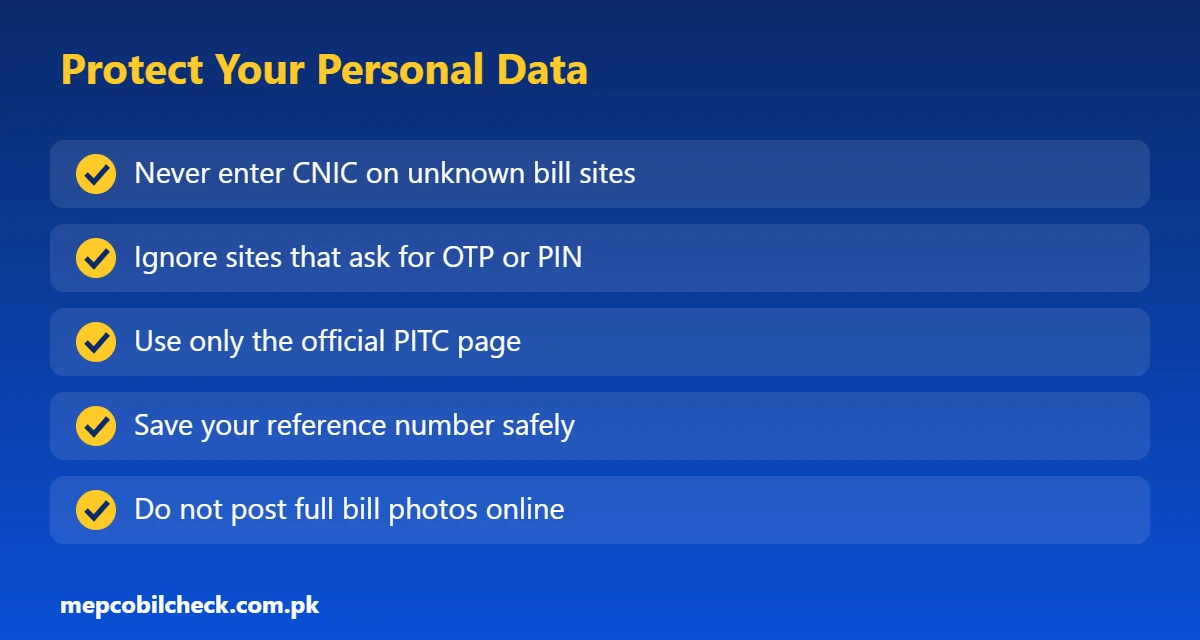
Because so many people search for electricity bill check by name, fake websites appear in search results. Warning signs:
- They ask for your CNIC, mobile number or OTP to “find” your bill.
- They show a bill instantly for any name you type, which is impossible.
- They ask for payment to unlock bill details.
- They push app downloads or ads before showing anything.
Never share your CNIC, OTP or card details on sites that promise a WAPDA bill check by name. A genuine electricity bill check by name does not exist on any official page, so such offers are a clear warning sign. The real bill page needs only the reference number or Customer ID.
Bill in Someone Else’s Name?
If the bill is in a late father’s name or a previous owner’s name, you can still pay it with the reference number. To move the connection into your name, follow our MEPCO name change guide. Updating the name makes future office visits and complaints easier.
Overseas Families Paying Bills at Home
Pakistanis working abroad often pay bills for their families and search for a MEPCO bill check by name when the family cannot find the bill. Ask a family member to send a clear photo of any old bill or payment slip, then save the reference number in your banking app. After that you can check and pay every month from anywhere. For official company information, visit the MEPCO website.
Save Your Reference Number for the Future
Once you recover the number, save it in three places: your phone notes, your banking app as a biller, and a photo of the bill. Our MEPCO e bill guide shows how to get your bill digitally every month so you never lose it again.
Quick Summary: MEPCO Bill Check by Name
- There is no official MEPCO bill check by name; the web bill needs the reference number or Customer ID.
- Find the number from old bills, payment apps, the MEPCO app, helpline 118 or your sub-division office.
- Avoid websites that claim name or CNIC search and ask for personal data.
- Save the number safely once you find it.
Frequently Asked Questions
Can I check my MEPCO bill by name?
No. The official page only accepts the 14 digit reference number or the 10 digit Customer ID.
How can I find my reference number if I lost my bill?
Check old receipts and payment apps, use the MEPCO app, call 118 or visit your sub-division office with your CNIC.
Is WAPDA bill check by name possible?
No. The same official system is used across the former WAPDA companies, and it does not search by name.
Are name-search bill websites safe?
Most are not reliable. Avoid any site that asks for CNIC, OTP or card details.
Can the SDO office find my bill by name and address?
Yes. Office staff can search their records with your name, address and CNIC and give you the reference number.
4 Comments