MEPCO Bill App 2026: MEPCO SMART Features, Download & Easy Use Guide
Searching for a reliable MEPCO bill app? Hundreds of apps on the Play Store use the MEPCO name, but only one is listed on MEPCO’s official website: MEPCO SMART. It does much more than show a bill. You can estimate your bill, pay online, register and track complaints, request installments, ask for a due date extension, apply for a new connection and even escalate a complaint to NEPRA. This guide explains every feature, how to download the right app, and which other apps are safe for paying your MEPCO bill.
Which Is the Official MEPCO Bill App?
The official MEPCO bill app is called MEPCO SMART. MEPCO’s website has a dedicated MEPCO mobile app page that links to the app on Google Play and the Apple App Store. Any other app with “MEPCO bill” in its name is usually made by a third party, even if it uses MEPCO’s logo or colours.
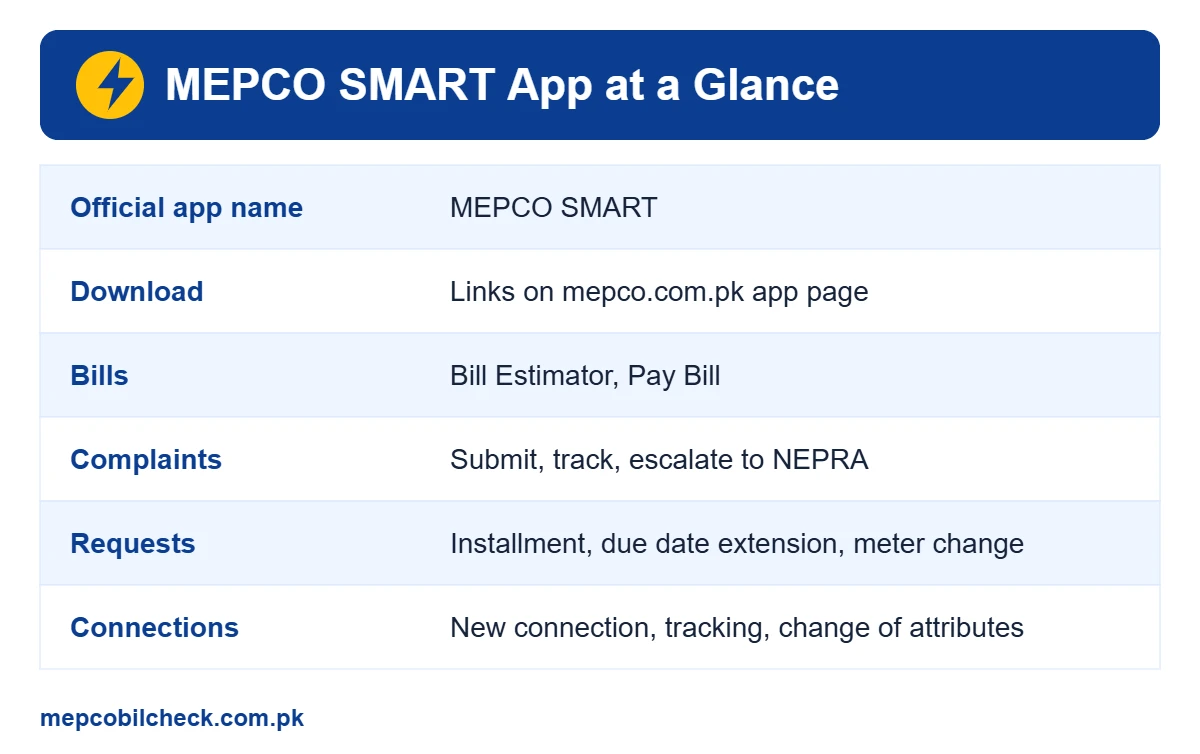
MEPCO SMART App Features
According to MEPCO’s official app page, the MEPCO SMART app offers these services:
| Feature | What it does |
|---|---|
| Bill Estimator | Estimates your bill using the latest energy rates |
| Pay Bill | Download and pay bills online |
| Complaints | Submit a new complaint |
| Track Complaints | Check progress with your complaint ID |
| NEPRA Complaints | Escalate an unresolved complaint to NEPRA |
| Request for Installment | Ask to pay a bill in installments |
| Due Date Extension | Request more time to pay a bill |
| Meter Change Request | Request replacement of a damaged meter |
| Update Tenant CNIC | Update name, CNIC, phone and email |
| Change of Attributes | Request change of owner name, load or tariff |
| New Connection | Apply for a new connection from anywhere |
| Track New Connection | Check the status of a connection application |
This makes the MEPCO SMART app the most complete MEPCO app for consumers, because it combines bill, complaint and connection services in one place.
How to Download the MEPCO SMART App
For Android phones:
- Open the MEPCO mobile app page on the official MEPCO website.
- Tap the Google Play link, or search for “MEPCO SMART” in the Play Store.
- Check the app name and the developer details before installing.
- Tap Install and open the app.
For iPhone:
- Open the App Store link from the MEPCO website.
- Make sure the app name is MEPCO SMART.
- Tap Get to download and install it.
Going through MEPCO’s own website is the safest way to avoid look-alike apps.
How to Use the MEPCO Bill App (Step by Step)
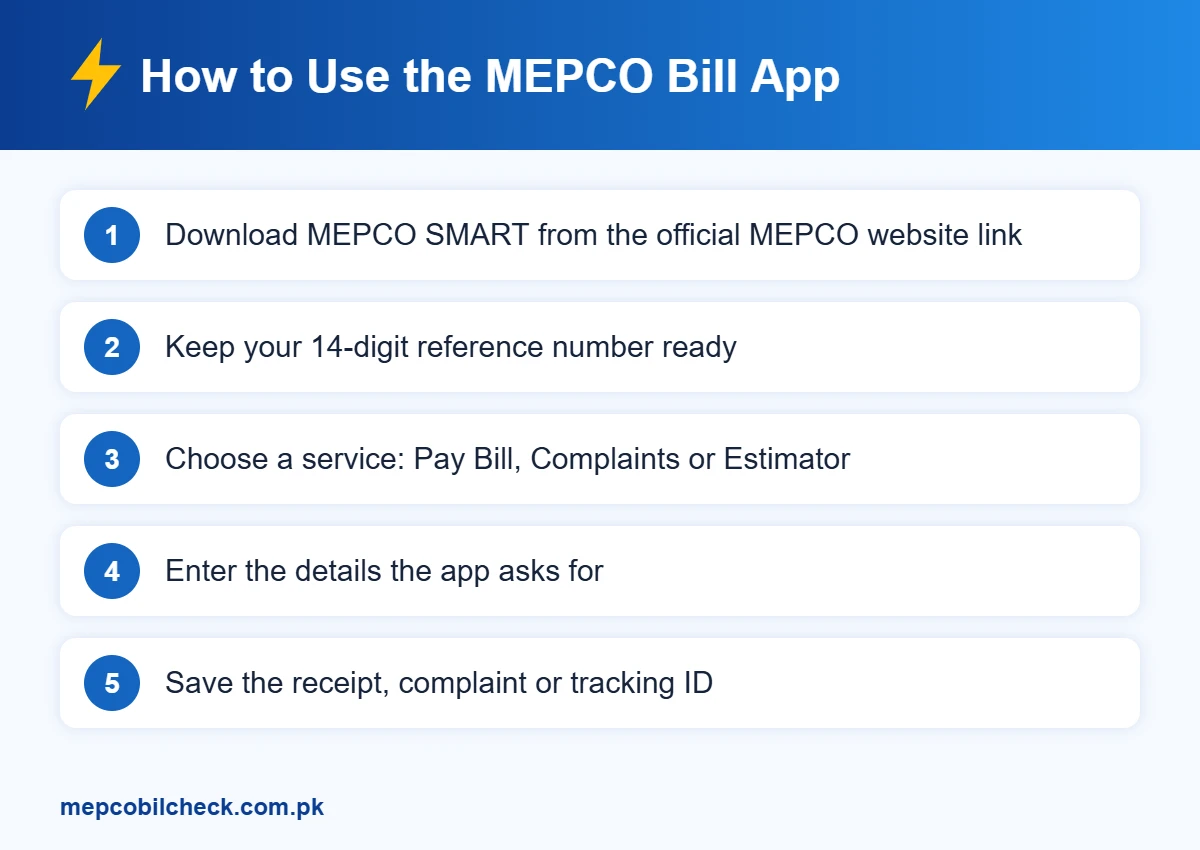
Most services in the MEPCO bill app are linked to your connection, so keep your 14-digit reference number ready. The general steps are:
- Open the MEPCO SMART app.
- Choose the service you need, such as Pay Bill, Complaints or Bill Estimator.
- Enter your reference number and any details the app asks for, such as your mobile number.
- Review the information shown for your connection.
- Submit the request or payment and save the confirmation or tracking ID.
Do not have your reference number? Our MEPCO bill check by CNIC guide shows how to recover it.
Pay Your Bill and Request Installments in the App
The Pay Bill option lets you download and pay your bill online. If a bill is too large to pay in one go, for example after a heavy summer month or a detection charge, the app’s Request for Installment and Due Date Extension options let you ask MEPCO for relief without visiting an office. Approval depends on MEPCO’s rules, so apply before the due date and keep checking the status.
Register and Track Complaints With the MEPCO App
The Complaints option lets you report supply failures, billing problems and meter issues from your phone. You get a complaint ID that you can follow in Track Complaints. If MEPCO does not solve the problem, the NEPRA Complaints option helps you escalate it to the regulator. For phone and web options as well, read our MEPCO complaint number guide.
New Connection and Load Change Through the App
Building a new home or shop? The New Connection and Track New Connection options let you apply and follow your file without repeated office visits. If you need a higher load, a tariff change or a change of owner name, use Change of Attributes. Our MEPCO new connection guide explains the documents and the demand notice fee.
Other Apps to Pay Your MEPCO Bill
The MEPCO SMART app is not the only way to pay. These trusted apps also accept MEPCO bills with your reference number:
- JazzCash: Choose bill payment, select electricity and MEPCO, and enter the reference number.
- Easypaisa: Go to bill payment, select electricity and MEPCO, and enter the reference number.
- Banking apps: Most banks offer MEPCO under utility bills. Allied Bank, for example, promotes MEPCO payments through its myABL app.
- Raast QR: Where the option is live, scan the QR code on your bill with your bank app. Read our MEPCO bill QR code guide for details.
Always save the payment receipt until the next bill shows the payment.
How to Spot a Fake MEPCO Bill App
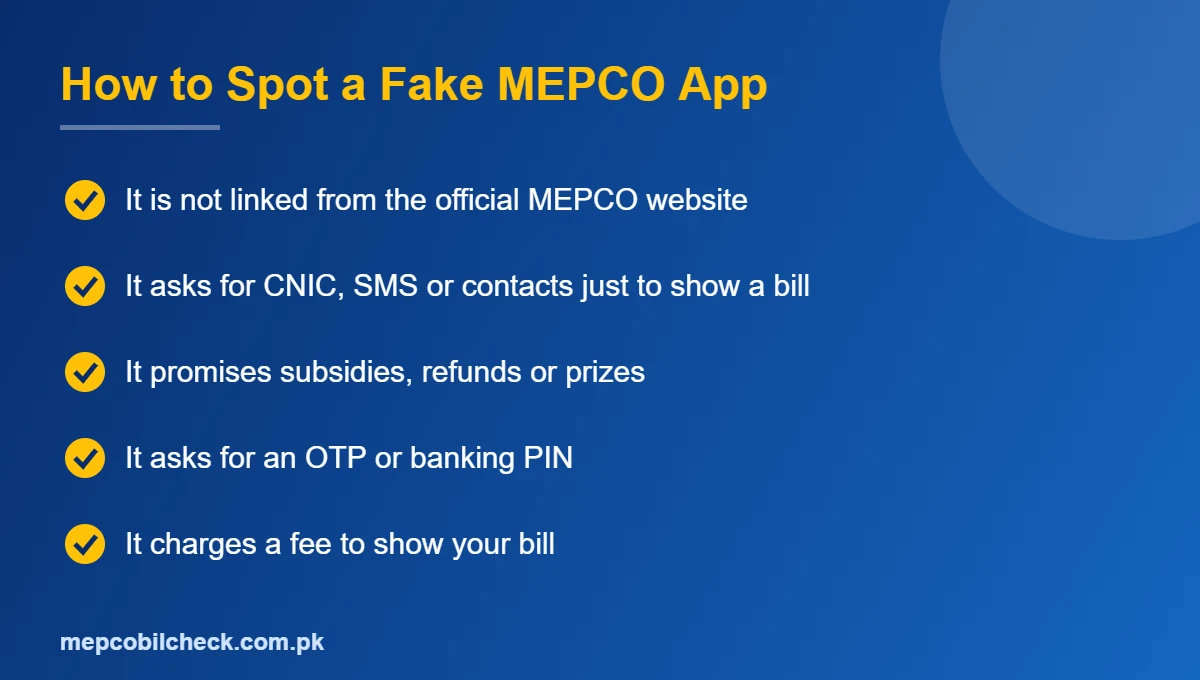
Many unofficial apps copy MEPCO’s name. Some are harmless bill viewers, but others show heavy ads, ask for too many permissions or collect personal data. Watch for these signs:
- The app is not linked from MEPCO’s official website
- It asks for your CNIC, contacts, SMS or location just to show a bill
- It promises subsidies, refunds or prizes
- It asks for an OTP or banking PIN
- It charges a fee to show or download your bill
If you already installed a suspicious app, uninstall it, change passwords you entered, and inform your bank if you shared any banking details.
MEPCO Bill App vs Website: Which Is Better?
| Task | Best option |
|---|---|
| Quick bill check and download | Our MEPCO bill check online tool or the PITC portal |
| Paying the bill | MEPCO SMART, JazzCash, Easypaisa or your bank app |
| Complaints with tracking | MEPCO SMART app or the CCMS portal |
| Installments and due date extension | MEPCO SMART app |
| New connection | ENC portal or MEPCO SMART app |
| Bill estimate | MEPCO SMART Bill Estimator or our MEPCO bill calculator |
| Load shedding timings | PITC feeder page; see our MEPCO load shedding schedule guide |
For most families, the best setup is simple: keep the MEPCO SMART app for services and complaints, and bookmark a bill check page for quick monthly checks.
Who Should Use the MEPCO Bill App?
The MEPCO bill app is useful for almost every consumer, but it helps some people the most:
- Families who pay bills online and want the bill, payment and receipt in one place
- Landlords and property owners who manage several connections and need quick complaint tracking
- Shop owners and businesses who cannot visit MEPCO offices during working hours
- People building new homes who want to apply for and track a new connection
- Consumers with large bills who may need an installment or a due date extension
Tips to Get the Most From the MEPCO SMART App
- Save your reference number in the app or your phone notes so every service is quicker
- Use the Bill Estimator in the middle of the month to control usage before the bill arrives
- Take screenshots of every request and complaint ID
- Apply for installments or a due date extension before the due date, not after it
- Keep the app updated so new MEPCO app features and fixes reach you
- Check your bill with the MEPCO mobile app or a bill check page as soon as it is issued
Common Problems With the MEPCO App
App does not open or keeps loading: Update the app, clear its cache, and check your internet connection. Servers can be busy near due dates.
Reference number not accepted: Re-check all 14 digits without spaces. Make sure the connection belongs to MEPCO, not another company.
Payment deducted but bill shows unpaid: Wait one to three working days, then share the receipt through the Complaints option or visit your customer service centre.
Cannot find the app in the Play Store: Use the link on MEPCO’s official app page to reach the correct listing.
Frequently Asked Questions
What is the official MEPCO bill app?
The official MEPCO bill app is MEPCO SMART, listed on MEPCO’s website with links to Google Play and the Apple App Store.
Can I pay my MEPCO bill through the MEPCO SMART app?
Yes. The Pay Bill option lets you download and pay your bill online. You can also pay with JazzCash, Easypaisa or your bank app.
Can I register a complaint in the MEPCO app?
Yes. Use the Complaints option, save your complaint ID and follow it in Track Complaints. You can escalate to NEPRA through the app if needed.
Is the MEPCO SMART app free?
The app is free to download from the official stores. Bill payments follow the normal payment rules of your bank or wallet.
Can I apply for a new connection in the MEPCO mobile app?
Yes. The New Connection option lets you apply, and Track New Connection shows the status of your application.
Final Words
The MEPCO SMART app is the one MEPCO bill app worth installing, because it brings bill payment, estimates, complaints, installments and new connection services together in one official place. Download it only through MEPCO’s website, avoid look-alike apps, and keep your reference number saved. For a quick monthly bill check without logging in, use our free MEPCO bill check online tool.
One Comment