MEPCO Online Bill Enter 14 Digit Reference Number: Where to Find It (2026)
Trying to see your electricity bill but stuck at the box that says MEPCO online bill enter 14 digit reference number? You are not alone. Thousands of people search for this every day because the online bill page only opens when you type the exact number printed on your bill. This guide shows where the MEPCO reference number is printed, what each part of the 14 digit reference number means, how to enter it correctly (including the U or R letter) and what to do if you have lost your bill.
What Is the MEPCO 14 Digit Reference Number?
Every MEPCO electricity connection has its own 14 digit reference number. Think of it as the account number of your meter. MEPCO offices, the official web bill page run by PITC (Power Information Technology Company), banks and mobile wallets all use this number to find your bill. Without it, the system cannot tell your connection apart from the roughly 8.8 million other MEPCO connections across South Punjab.
Your bill also shows a second number called the Customer ID, which has 10 digits. Both numbers point to the same connection, and the official portal accepts either one. Most people use the MEPCO reference number because it is printed in bold at the top of every bill and on the payment slip.
Where to Find the MEPCO Reference Number on Your Bill
Take any old or new MEPCO bill and look at the top-left section. You will see a box of connection details:
- Reference No: a 14 digit number, usually printed with spaces like 05 15111 1234567, followed by the letter U or R
- Customer ID: a 10 digit number printed near the reference number and again on the payment slip at the bottom
- Tariff, sanctioned load and meter number: useful details, but not used for the online bill search
The payment slip (the part you hand over at the bank) repeats the reference number, so even a torn bill can help. If you pay online, your banking app or JazzCash and Easypaisa history also keeps the 14 digit reference number you used last time.
What Do the 14 Digits Mean?
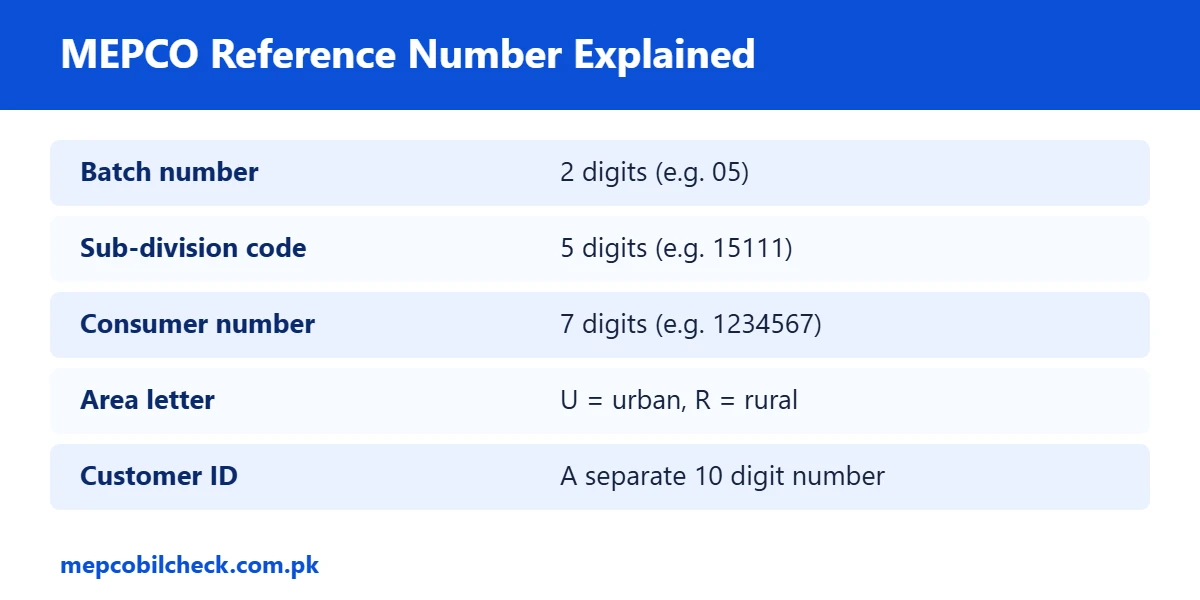
The MEPCO reference number is not random. It is built from three blocks plus a letter:
| Part | Digits | Example | What it shows |
|---|---|---|---|
| Batch number | 2 | 05 | The billing batch (reading cycle) your connection belongs to |
| Sub-division code | 5 | 15111 | Your MEPCO sub-division office; MEPCO codes usually start with 15 |
| Consumer number | 7 | 1234567 | Your connection’s own number inside that sub-division |
| U or R | Letter | U | Urban or rural area |
Knowing this structure helps you spot typing mistakes. If you type 13 or 15 digits, or skip the batch number at the start, the portal will not find your bill.
MEPCO Online Bill Enter 14 Digit: Step by Step
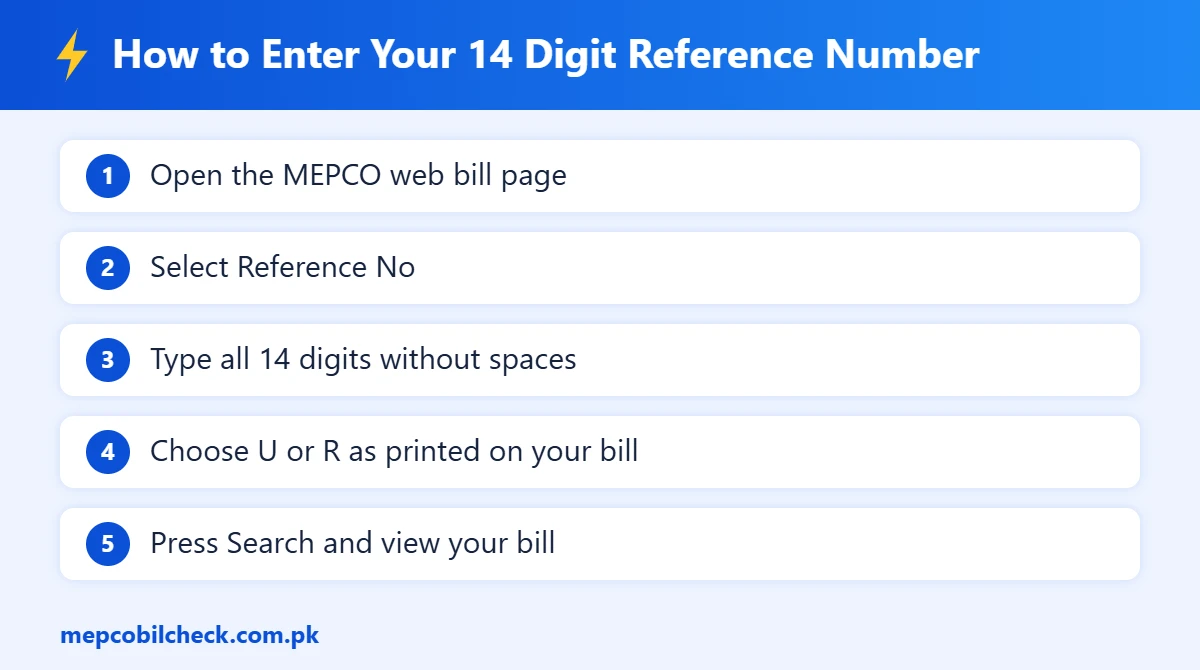
Here is the exact method on the official MEPCO web bill page:
- Open our MEPCO bill check online tool or the official MEPCO Web Bill page by PITC.
- Select Reference No. Choose Customer ID only if you want to search with the 10 digit ID instead.
- Type all 14 digits without spaces or dashes. The box accepts only 14 characters.
- Pick U or R from the small drop-down, exactly as printed after your number.
- Press Search. Your latest bill opens with units, amount, due date and bill history.
- Use the print or save-as-PDF option if you need a copy.
The whole process takes less than a minute. If you need a printed copy for an office or bank, see our guide on the MEPCO duplicate bill.
What You See After You Enter the Number
After the MEPCO online bill enter 14 digit search, the web bill shows the same information as your paper bill:
- Consumer name and address
- Billing month, reading date, issue date and due date
- Previous and present meter reading and the units consumed
- Current bill, arrears and the amount payable within and after the due date
- A 12-month history of units and payments
If something looks wrong, such as a reading much higher than usual, read our guide on MEPCO bill correction before you pay.
Common Mistakes When Entering the 14 Digit Reference Number
Most “bill not found” errors come from small typing mistakes. Check these before you try again:
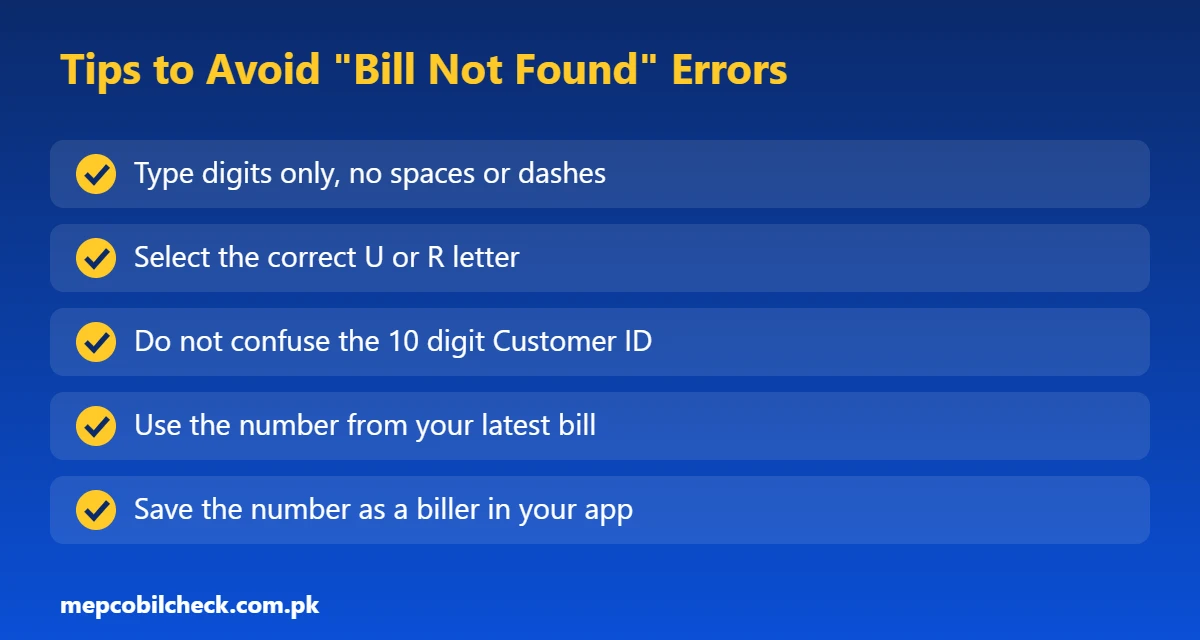
- Spaces or dashes typed in the box. Enter digits only.
- The letter typed in the number box. The U or R goes in the drop-down, not after the digits.
- Wrong U or R choice. Urban and rural numbers are separate records, so the wrong letter shows an error.
- Customer ID typed as reference number. The ID has 10 digits; the reference number has 14.
- Old number after a connection change. The number normally stays the same, but if your connection was split or re-numbered, use the number on your newest bill.
- Server busy near due dates. Try again after a few minutes or early in the morning.
Entering the 14 Digit Reference Number on Mobile
Most people check their bill on a phone. A few tips make it smoother:
- Use Chrome or another updated browser and turn the phone sideways if the bill looks small.
- Long-press the number box and paste the reference number if you saved it in notes or WhatsApp.
- Bookmark the bill page after your first search so you can return in one tap.
- If the PDF does not open, use the browser’s Print option and choose Save as PDF.
- Switch to mobile data if public Wi-Fi blocks the page.
Lost Your Bill? How to Get the MEPCO Reference Number
Lost the paper bill? You can still find your MEPCO reference number in several ways:
- Old bill photos or payment receipts. Bank receipts and payment SMS messages usually show the number.
- Banking or wallet app. If you paid online before, open the saved biller or payment history.
- MEPCO SMART app. The official app shows the bill and connection details for linked connections. Read our MEPCO bill app guide.
- Helpline 118 or your sub-division office. Give your name, address and CNIC and staff can look up your record. See our MEPCO complaint number guide for contact options.
- A neighbour’s bill on the same street. It shows the same batch and sub-division code, which helps the office find your record faster. Never use someone else’s number to pay.
There is no official MEPCO search by name alone. Some websites claim to find a bill by CNIC or name, so read our honest guide on MEPCO bill check by CNIC before you share personal data anywhere.
Reference Number vs Customer ID vs Meter Number
| Number | Length | Where printed | Used for |
|---|---|---|---|
| Reference number | 14 digits + U/R | Top-left of bill and payment slip | Online bill, payment, complaints |
| Customer ID | 10 digits | Bill details and payment slip | Online bill (alternative search) |
| Meter number | Varies | Meter body and bill | Meter change, readings, detection cases |
Only the first two numbers can open your bill online. The meter number cannot be used on the web bill page.
Using the MEPCO Reference Number to Pay Your Bill
The same 14 digit reference number is what you type in your banking app, JazzCash, Easypaisa or at a bank counter. Before you pay, the app shows the consumer name and amount, so you can confirm it is your own bill. Always match the name and due date with your printed bill. For every payment option, read our MEPCO bill payment guide.
Tip: save the MEPCO reference number as a biller in your app with a clear name such as “Home MEPCO”. Next month you can pay in seconds, and you will still have a record if the paper bill gets lost.
Keep Your Reference Number Safe and Handy
Your MEPCO reference number is not secret like a password, but anyone who enters it can see your name, address and payment history. Share it only with family members, your landlord or official MEPCO staff, and avoid posting full bill photos in social media groups.
Quick Summary: MEPCO Online Bill Enter 14 Digit
- The 14 digit reference number is printed at the top-left of your bill, followed by U or R.
- Enter the digits without spaces, then choose U or R separately.
- If the bill does not open, check for spaces, the wrong letter or a 10 digit Customer ID typed by mistake.
- Lost your bill? Use payment history, the MEPCO SMART app, helpline 118 or your sub-division office.
Frequently Asked Questions
Where is the MEPCO reference number on the bill?
It is in the top-left details box of your bill, labelled Reference No, and it is repeated on the bank payment slip at the bottom.
Do I type the U or R with the 14 digit reference number?
No. Type only the 14 digits in the number box, then choose U or R from the separate drop-down on the official web bill page.
Can I check my MEPCO bill without the reference number?
Yes. You can use the 10 digit Customer ID on the official page. If you have neither, get the number from an old bill, your payment app, helpline 118 or your sub-division office.
Does the MEPCO reference number change every month?
No. It stays the same for your connection. It may change only in special cases such as a split or re-numbered connection, so always use the number on your latest bill.
Is it safe to share my MEPCO reference number?
It is not a password, but it reveals your name, address and bill details. Share it only with people you trust or with official MEPCO staff.
4 Comments