MEPCO Demand Notice 2026: Check, Download, Fee & Payment Guide
If you have applied for a new electricity connection, a higher load or a new meter type, the next important paper you will receive is the MEPCO demand notice. Until you pay it, your file cannot move to installation. This guide explains what a demand notice is, what charges it includes, how to check and download it, how to pay it safely, and what happens after payment, so your connection is installed without unnecessary delays.
What Is a MEPCO Demand Notice?
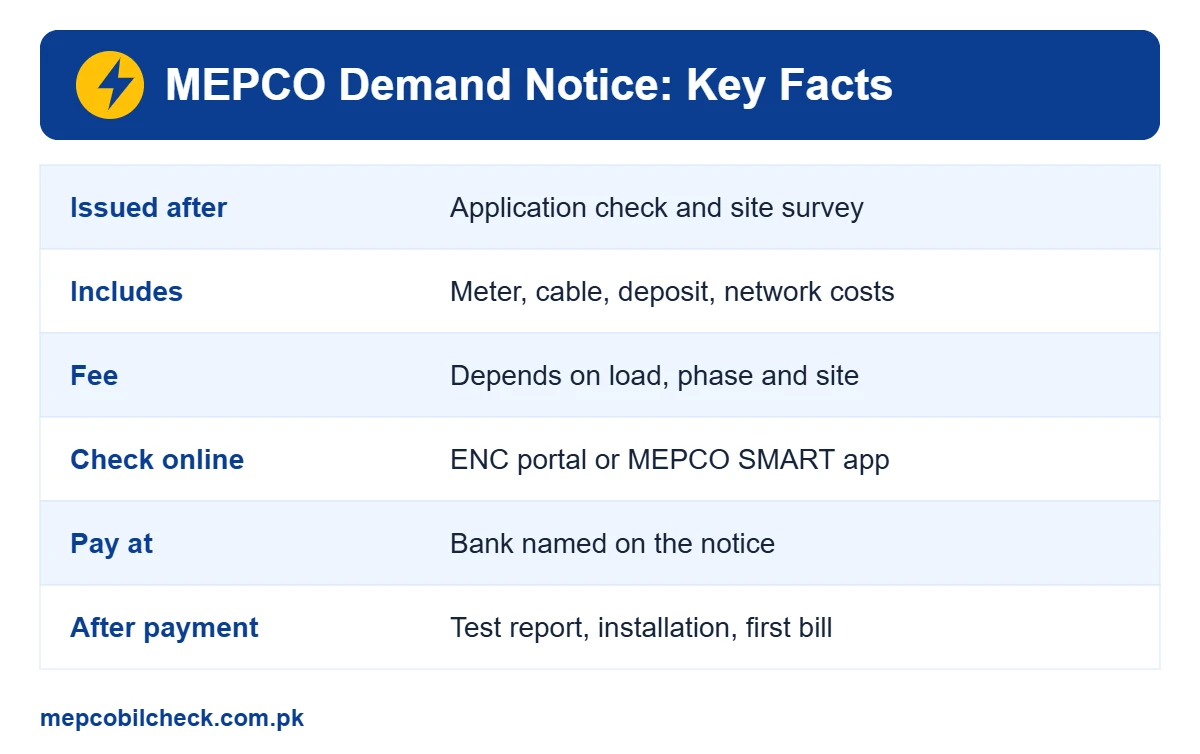
A MEPCO demand notice is an official letter, or a computer-generated slip, that tells you how much you must pay before MEPCO can provide a service. It is issued after your application has been checked and the site has been surveyed. A demand notice is commonly issued for:
- A new domestic, commercial, agricultural or industrial connection
- An extension of sanctioned load
- A change from single-phase to three-phase supply
- A TOU or bidirectional meter
- Shifting a meter or service line, where charges apply
The demand notice shows your application details, the amount due, the bank where you can pay and the time within which payment should be made.
What Charges Does a Demand Notice Include?
The exact amount depends on your case, but a MEPCO demand notice can include:
| Charge | What it covers |
|---|---|
| Connection or service charges | Processing the connection |
| Meter cost | Single-phase, three-phase, TOU or two-way meter |
| Service cable | Cable from the pole to your meter |
| Security deposit | Refundable deposit based on load and tariff |
| Line or transformer extension | Only if new network work is needed for your site |
| Other charges | Any applicable fees or taxes |
There is no single fixed MEPCO demand notice fee for everyone. A small domestic connection close to existing lines costs much less than an agricultural or industrial connection that needs a new transformer.
When Is the Demand Notice Issued?
The demand notice comes after these earlier steps of the connection process:
- You apply online through the national ENC portal, the MEPCO SMART app or the MEPCO office.
- MEPCO checks your documents.
- A team surveys the site, the nearest pole and the transformer capacity.
- MEPCO calculates the cost and issues the demand notice.
Our MEPCO new connection guide explains the full application process and documents.
How to Check Your MEPCO Demand Notice
You can follow your file and demand notice status in these ways:
- ENC portal: Sign in on enc.com.pk with the account you used to apply and open your application.
- MEPCO SMART app: Use the Track New Connection option with your application details.
- Sub-division office: Visit with your application number and CNIC and ask for a copy of the demand notice.
Keep the demand notice number safe. You will need it at the bank and for follow-up.
How to Pay the MEPCO Demand Notice
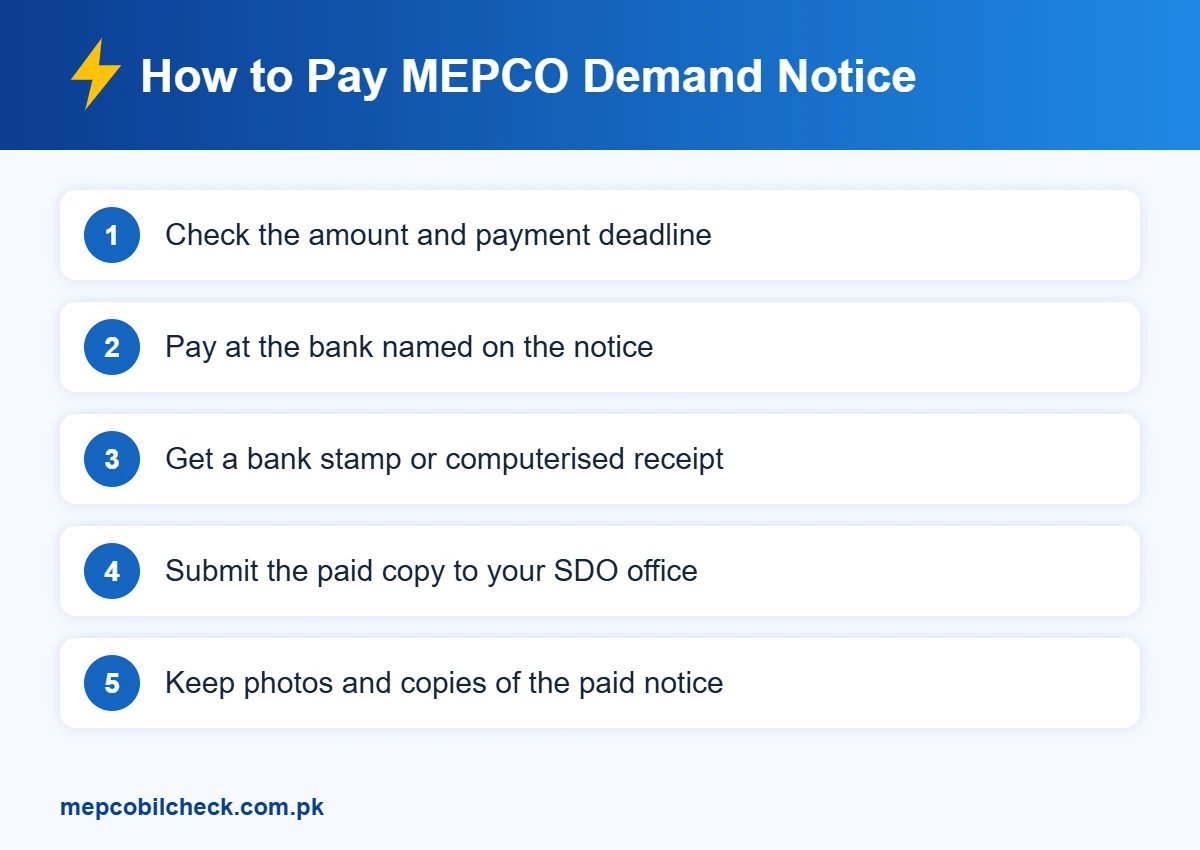
- Check the amount and the payment deadline printed on the demand notice.
- Pay at the bank branch named on the notice, or through the official digital payment option shown on the ENC portal, if available.
- Make sure the bank stamps your copy or gives a computerised receipt.
- Submit the paid copy to your sub-division office, or upload it if the portal asks.
- Keep a photo and a photocopy of the paid demand notice.
Never pay a demand notice in cash to a person, even if they say they work for MEPCO or can “speed up” your file. Official payments are made only through banks or official channels.
What Happens After You Pay?
After payment, the file moves to the installation stage:
- You submit the wiring test report from a licensed contractor, if not already submitted
- Any agreement or undertaking is signed
- MEPCO schedules installation of the service cable and meter
- The connection is energised and your consumer details are entered in the billing system
Under NEPRA’s billing rules, the first bill of a new connection should be issued within two months. When it arrives, save the new 14-digit reference number and check every month with our MEPCO bill check online tool.
Common Problems With Demand Notices
Demand notice not issued for a long time: Follow up at the SDO office with your application date. If the delay is unreasonable, register a complaint and escalate through the channels in our MEPCO complaint number guide.
Amount seems too high: Ask for a breakdown of each charge. Check whether line or transformer extension has been added and why.
Payment deadline missed: Contact the office immediately. You may need a revised demand notice.
Paid but no progress: Show the bank-stamped copy at the office and ask for the next date. Keep a record of every visit.
Someone offers a “cheaper” demand notice: This is a red flag. Only use the notice issued by MEPCO for your application.
Demand Notice for Solar and Meter Changes
If you are installing solar under the new 2026 net billing rules, MEPCO may issue charges for the two-way meter and interconnection. Similarly, a three-phase or TOU meter upgrade can come with a demand notice. Read our guides on MEPCO net metering and MEPCO meter change for those cases.
Tips to Avoid Demand Notice Delays
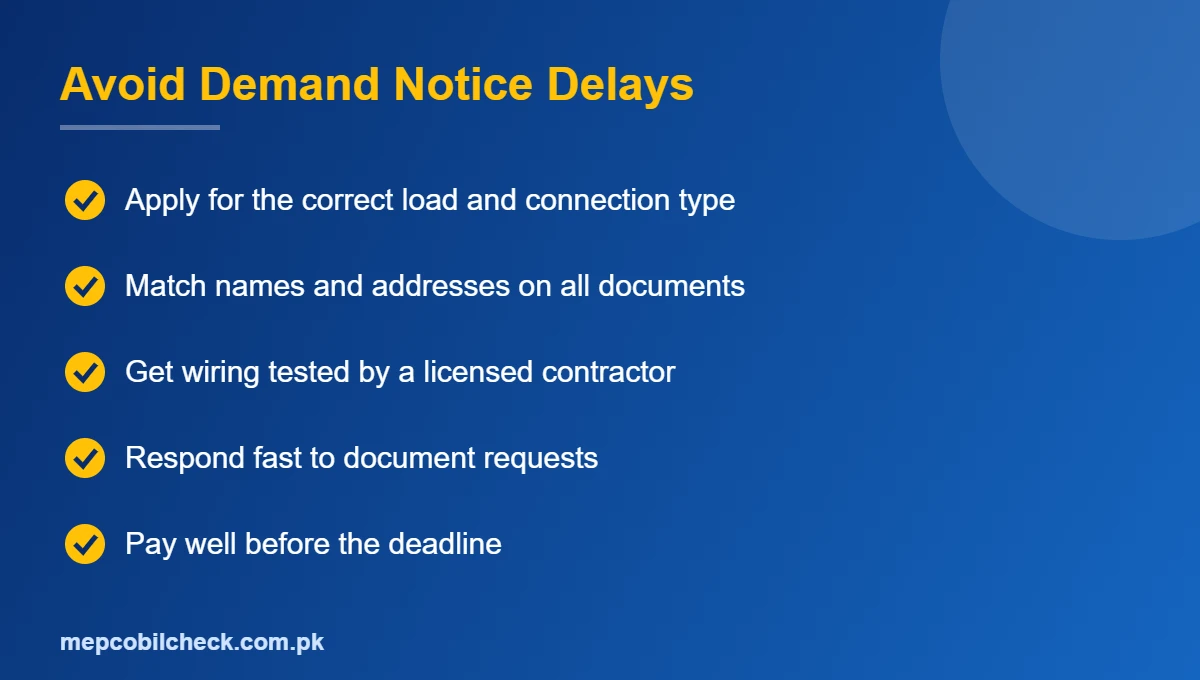
- Apply for the correct connection type and load from the start
- Make sure names and addresses match on all documents
- Get your wiring done and tested by a licensed contractor before the survey
- Respond quickly if MEPCO asks for missing documents
- Pay the demand notice well before its deadline
How to Read Each Part of the Demand Notice
A MEPCO demand notice can look confusing at first. Check these fields one by one:
- Applicant name and address: Must match your CNIC and property documents exactly.
- Application or file number: Use it for every follow-up and complaint.
- Demand notice number and date: Needed at the bank and the office.
- Connection type and tariff: For example, domestic, commercial or agricultural.
- Sanctioned load: The kW load you applied for. It affects fixed charges on future bills.
- Charges breakdown: Meter, cable, security deposit and any network work.
- Total amount and payment deadline: Pay before this date to avoid a revised notice.
- Bank details: The branch or channel where payment is accepted.
If any of these details are wrong, ask the office to correct the demand notice before you pay.
Is the Security Deposit Refundable?
The security deposit on a MEPCO demand notice is held against your future bills. In general, it is adjusted or refunded when the connection is permanently disconnected and all dues are cleared. Keep the paid demand notice safely for years, because it is your proof of the deposit amount. If you sell the property, mention the connection and deposit in the sale documents.
Demand Notice for Agricultural Tube Wells
Tube well connections in South Punjab often need longer service lines or a dedicated transformer, so their demand notice can be much higher than a domestic one. Ask MEPCO for the survey report and the cost of each item. Where several farmers share one area, the cost of network work may be planned together, so ask your sub-division office about the options before paying a large MEPCO demand notice fee.
Who to Contact About Your Demand Notice
For questions about your MEPCO demand notice, start with the sub-division office that surveyed your site, because it prepared the cost estimate. You can also use:
- MEPCO customer care, listed on the official MEPCO website, for follow-up on delays
- The MEPCO SMART app’s tracking option to see the current stage of your file
- The ENC portal account you used to apply, for online status updates
Always mention your application number and demand notice number. Clear details help the staff find your file quickly and give you an accurate answer.
Quick Summary: MEPCO Demand Notice
- A MEPCO demand notice shows the amount you must pay before a new connection or upgrade is installed.
- The demand notice MEPCO issues can include meter, cable, security deposit and network costs.
- There is no fixed MEPCO demand notice fee; it depends on load, phase and site work.
- You can check the MEPCO demand notice on the ENC portal, in the MEPCO SMART app or at the SDO office.
- Pay only at the bank or official channel shown on the notice and keep the stamped copy.
Frequently Asked Questions
What is a MEPCO demand notice?
It is an official notice that lists the charges you must pay before MEPCO installs a new connection, increases load or provides certain services.
How can I check my MEPCO demand notice?
Use your account on the ENC portal, the Track New Connection option in the MEPCO SMART app, or visit your sub-division office with your application number.
How much is the MEPCO demand notice fee?
It depends on the connection type, load, meter, cable, security deposit and any network work. Ask for a breakdown if you are unsure.
Where do I pay the MEPCO demand notice?
At the bank branch named on the notice or through an official digital option shown on the portal. Never pay cash to an individual.
What happens after paying the demand notice?
You submit the paid copy and test report, MEPCO schedules installation, and your first bill should arrive within two months of the new connection.


One Comment