MEPCO Bill QR Code 2026: How to Scan, Check Subsidy & Pay Safely
Have you noticed a square barcode on your latest electricity bill? That is the new MEPCO bill QR code. In 2026, Pakistan’s power distribution companies started printing a simpler bill design with a QR code, and the government also began using QR codes to show subsidy details and to verify eligible households. This guide explains what the MEPCO QR code does, how to scan it safely, how it links to subsidy registration and digital payments, and how to avoid the fake QR scams that appeared this year.
What Is the QR Code on the MEPCO Bill?
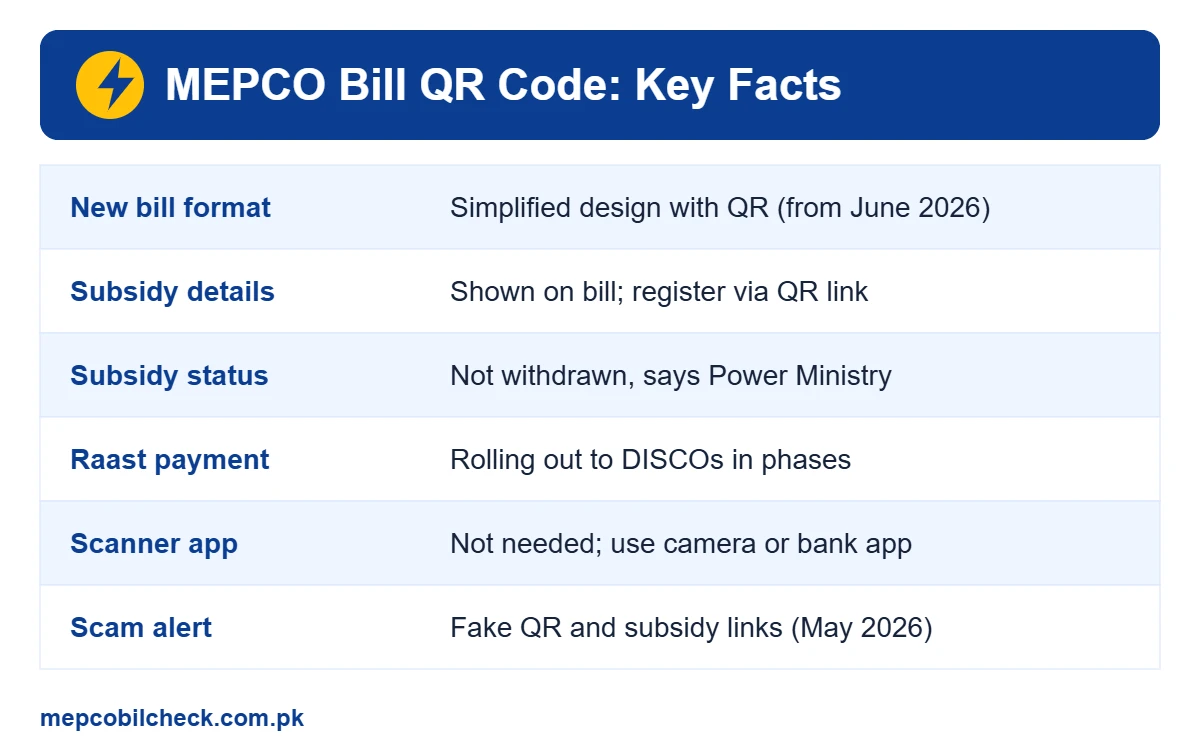
In June 2026, distribution companies introduced a simplified electricity bill under the Ministry of Energy’s consumer reform plan. According to Profit (Pakistan Today), MEPCO was among the first companies, along with LESCO and GEPCO, to start printing bills in the new format. The redesigned bill shows the total payable amount, due date and units consumed more clearly, removes clutter, and carries a QR code on every bill.
Scanning the MEPCO bill QR code with a phone gives access to extra billing information and digital services. Earlier, in May 2026, the Power Division had also announced that QR codes on bills would be used to show the exact subsidy amount for subsidised consumers and to help verify deserving households.
What Happens When You Scan the MEPCO Bill QR Code?
Depending on your bill and the services available in your area, scanning the MEPCO QR code can help you with:
- Bill information: Extra details about your account and bill that do not fit on the printed page.
- Subsidy details and registration: Subsidised consumers can see the subsidy amount and complete registration through the official link the QR code opens.
- Digital payment: The Power Division has directed all distribution companies to roll out Raast payments in phases. Where this is live, you can pay by scanning the QR code from your bank app.
Because the rollout happens in phases, not every MEPCO bill may support every service yet. Always follow the instructions printed next to the QR code on your own bill.
How to Scan the MEPCO Bill QR Code (Step by Step)
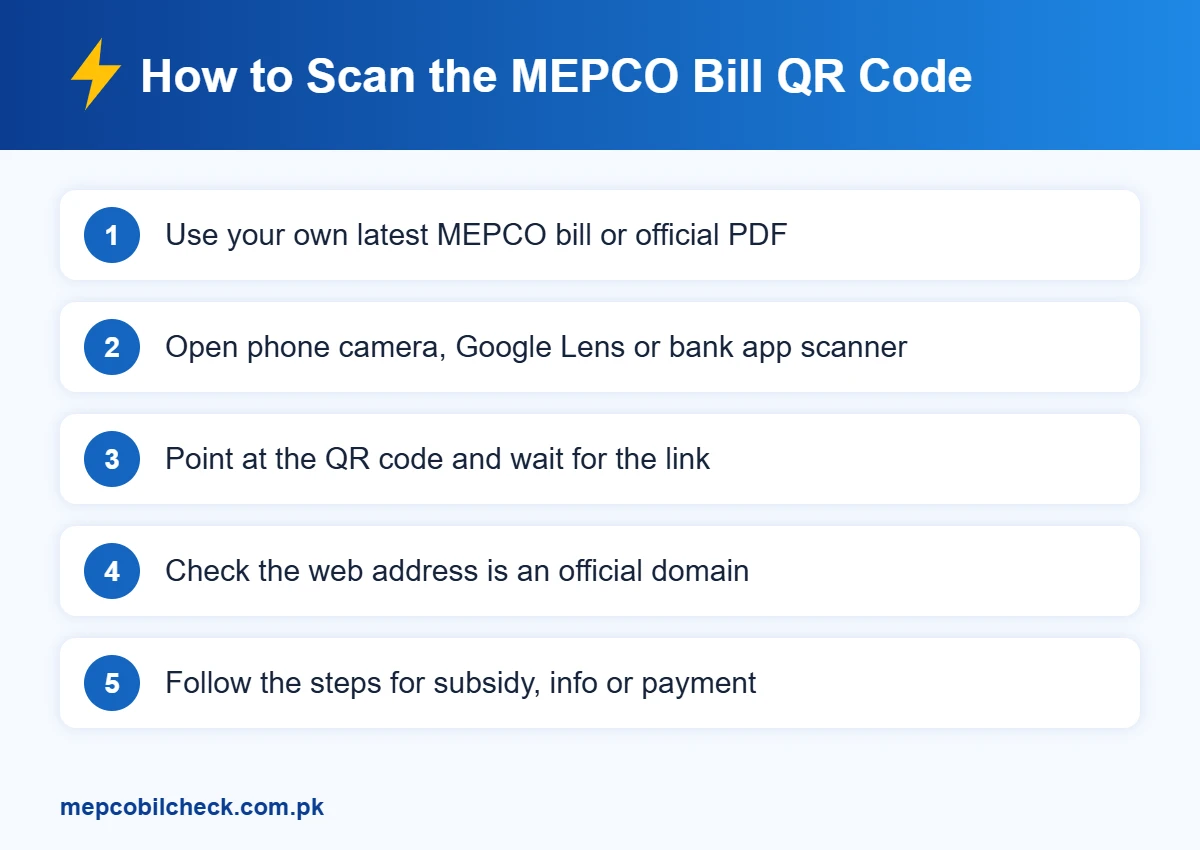
- Take your latest original MEPCO bill, either the paper copy or the official PDF.
- Open your phone camera, Google Lens or the QR scanner in your banking app.
- Point the camera at the QR code and hold steady until a link or option appears.
- Before tapping, read the web address carefully. It should belong to an official government or PITC domain.
- Open the link and follow the steps for bill details, subsidy registration or payment.
- Never enter banking PINs or passwords on a page opened from a QR code; for payments, use your own bank app.
If you do not have a paper bill, you can download the latest bill with your reference number from our MEPCO bill check online tool and scan the QR code from the PDF on another screen.
MEPCO QR Code and Electricity Subsidy Registration
On 7 May 2026, the Power Division announced that consumers receiving government subsidies would see the exact subsidy amount on their monthly bills, along with a QR code. Consumers were asked to scan the code and complete registration through the online link so that subsidies reach deserving households and misuse of public money is prevented. The Ministry of Energy clarified that this does not mean subsidies are being withdrawn.
On 31 May 2026, Federal Power Minister Awais Ahmed Khan Leghari said the government is not withdrawing subsidies for protected consumers, that consumers using fewer than 200 units will continue to receive subsidies, and that eligible consumers would keep getting relief through the new QR code based system.
What this means for MEPCO consumers:
- If your bill shows a subsidy amount, scan the MEPCO bill QR code and complete the registration through the official link.
- Your monthly units still decide your slab and protected status. You can check your last six months in our MEPCO old bill check guide.
- If you find an error in the subsidy amount or registration, contact the MEPCO helpline 118 or the channels in our MEPCO complaint number guide.
How to Pay Your MEPCO Bill With a QR Code
Raast is the State Bank of Pakistan’s instant payment system. In July 2026, FESCO launched bill payments through Raast, where consumers scan the QR code printed on the bill using the Raast option in their bank’s mobile app, with no extra charges, and the payment posts to the billing system instantly. The Power Division directed all distribution companies to introduce Raast payments in phases.
For MEPCO consumers, the steps are simple wherever the option is active:
- Open your bank’s mobile app and choose Raast or Scan QR.
- Scan the QR code on your MEPCO bill.
- Check the consumer name, reference number and amount on the screen.
- Confirm the payment with your app PIN inside the bank app.
- Save the payment receipt or screenshot.
If your bill or bank app does not show the Raast option yet, you can still pay with the 14-digit reference number through JazzCash, Easypaisa, internet banking or any bank branch.
Do You Need a Special MEPCO Bill Scanner App?
No. You do not need to download a separate MEPCO bill scanner app. Your phone camera, Google Lens or your bank app’s scanner can read the QR code. Many apps on app stores use the words “MEPCO bill scanner” but are made by third parties, show heavy ads or ask for unnecessary permissions. The only official mobile app listed on MEPCO’s website is the MEPCO SMART app.
How to Spot Fake MEPCO QR Codes and Subsidy Links
On 22 May 2026, the Power Division warned consumers about fake QR codes and suspicious online links related to electricity bill subsidies. According to the warning reported by Dawn, scammers ask victims to open a link, fill in a four-step form and then enter a six-digit verification code on the same page, in order to steal personal data.
Protect yourself with these rules:
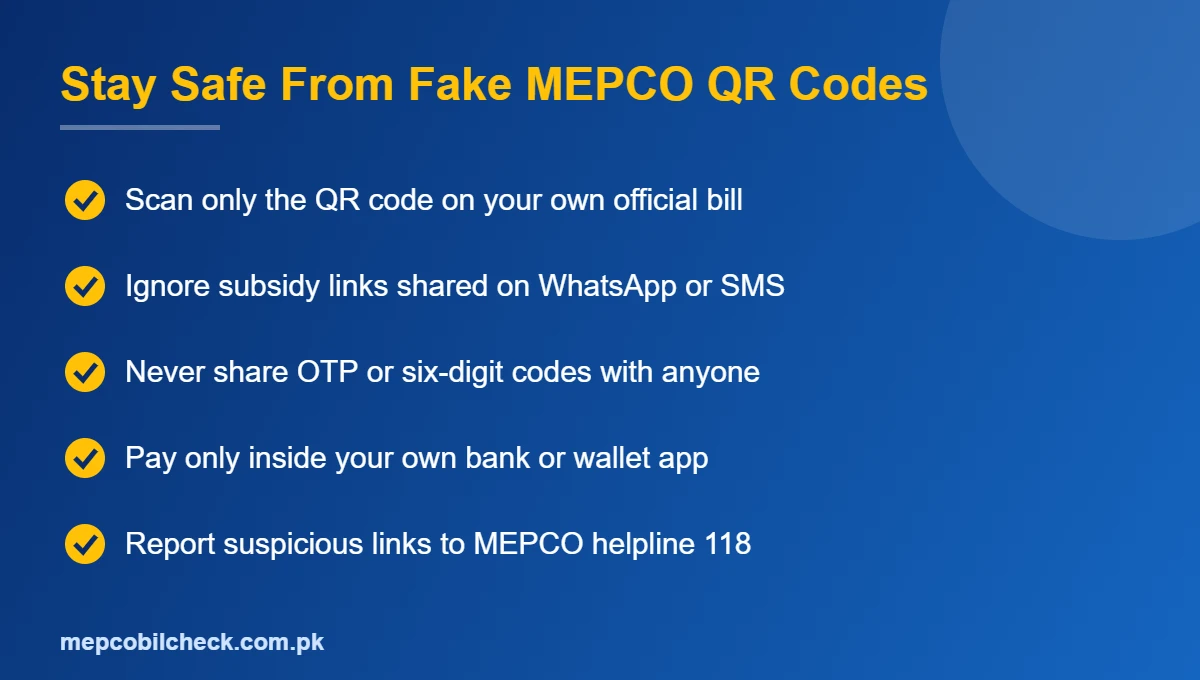
- Scan only the QR code printed on your own official MEPCO bill
- Ignore QR codes and subsidy links shared on WhatsApp, Facebook or SMS
- Never share an OTP or six-digit verification code with any website or caller
- Check that the web address is an official domain before entering any detail
- Remember that checking your bill and registering for a subsidy are free
If you think you entered details on a fake page, change your passwords, inform your bank immediately, and report the link to MEPCO.
MEPCO Bill QR Code Not Working? Try These Fixes
Code does not scan: Clean the camera lens, improve the lighting, and hold the phone 15 to 20 cm away. A folded or wet bill may not scan, so try the PDF copy.
Link does not open: The server may be busy near due dates. Try again later or on Wi-Fi.
Wrong details appear: Make sure you scanned your own latest bill, not an old one or a neighbour’s bill.
No payment option: Raast payments are being introduced in phases. Use the reference number with your bank or wallet until the option appears.
Other Ways to Check Your MEPCO Bill Without Scanning
If you prefer not to scan a QR code, the simplest way to see your bill is still the 14-digit reference number. Enter it on our MEPCO bill check online tool to view and download the bill. To estimate next month’s bill before it arrives, try our free MEPCO bill calculator. Lost your reference number? Our MEPCO bill check by CNIC guide explains how to recover it safely.
Frequently Asked Questions
What is the QR code on the MEPCO bill for?
The MEPCO bill QR code gives access to additional billing information and digital services. It is also used to show subsidy details and registration for subsidised consumers, and for Raast payments where available.
How do I scan the MEPCO QR code?
Use your phone camera, Google Lens or a bank app scanner. Check the web address before opening it and follow the official steps.
Is MEPCO subsidy registration through the QR code mandatory?
The Power Division urged subsidised consumers to register through the QR code to avoid future eligibility issues. If your bill shows a subsidy amount, completing registration is recommended.
Can I pay my MEPCO bill by scanning the QR code?
Raast QR payments are being introduced across distribution companies in phases. If your bank app shows the Raast option for your bill, you can pay by scanning it.
Is there an official MEPCO bill scanner app?
No separate scanner app is needed. MEPCO’s official app is MEPCO SMART, and any phone camera or bank app can read the QR code.
Final Words
The MEPCO bill QR code makes subsidy checks, bill information and digital payments easier, but it also attracted scammers this year. Scan only the code on your own official bill, check every link before opening it, and never share OTP codes. For your latest bill, history and payment details, use our free MEPCO bill check online tool anytime.