WAPDA Bill Online Check 2026: Easy Way to See Your MEPCO Electricity Bill
Many people in Multan, Bahawalpur, Dera Ghazi Khan and the rest of South Punjab still say “WAPDA bill” when they talk about their electricity bill. If you want a quick WAPDA bill online check, the good news is that it takes less than a minute on your phone. In this guide you will learn why your WAPDA bill now comes from MEPCO, how to do a WAPDA bill check with your reference number, other ways to see the bill and what to do if the bill does not open.
Is the WAPDA Bill the Same as the MEPCO Bill?
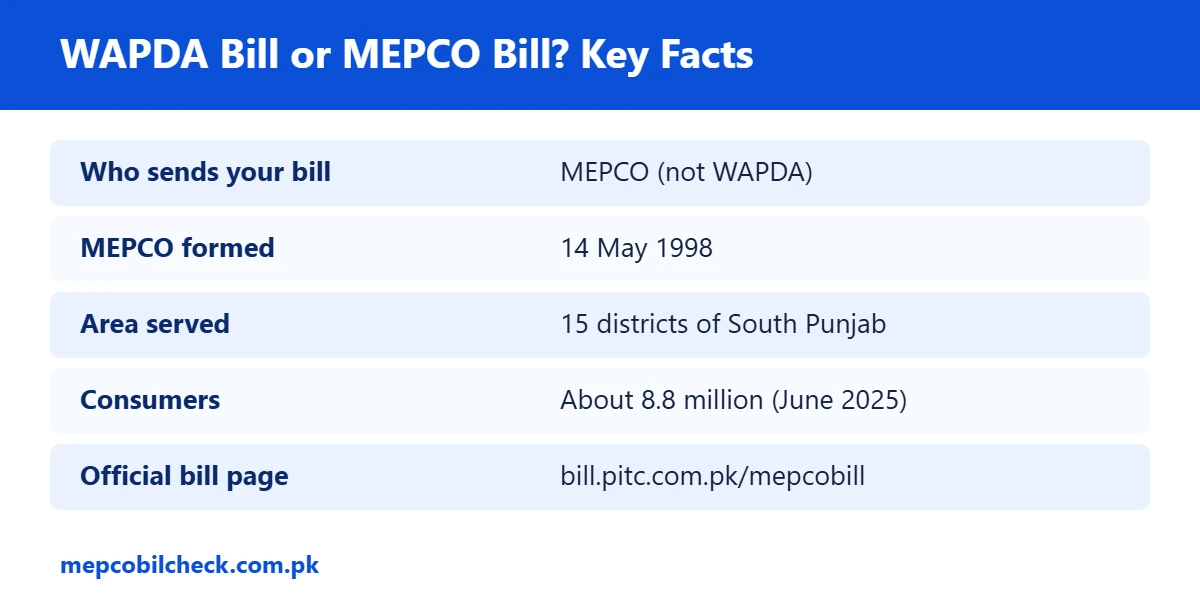
Yes, for South Punjab they are the same thing. Pakistan’s Water and Power Development Authority (WAPDA) once handled power generation, transmission and billing for the whole country. In the late 1990s its power wing was split into separate companies. Multan Electric Power Company (MEPCO) was incorporated on 14 May 1998 and took over electricity distribution and billing in South Punjab.
Today WAPDA mainly looks after dams, water projects and hydropower. The bill on your door is printed and collected by MEPCO, even if older people in your family still call it the WAPDA bill. Our article on the MEPCO full form explains the company’s role in more detail.
Which Areas Use MEPCO for the WAPDA Online Bill?
MEPCO serves around 8.8 million connections in 15 districts of South Punjab, managed through nine operation circles: Multan, Khanewal, Sahiwal, Bahawalpur, Bahawalnagar, Muzaffargarh, Dera Ghazi Khan, Rahim Yar Khan and Vehari. Districts include Multan, Khanewal, Lodhran, Vehari, Sahiwal, Pakpattan, Bahawalpur, Bahawalnagar, Rahim Yar Khan, Muzaffargarh, Layyah, Dera Ghazi Khan and Rajanpur, along with newer districts such as Kot Addu and Taunsa.
If your house is in any of these areas, your WAPDA online bill is a MEPCO bill and the steps below will work for you.
What You Need for a WAPDA Bill Check
You need only one thing: the 14 digit reference number printed at the top-left of your bill, followed by the letter U (urban) or R (rural). The 10 digit Customer ID also works on the official page. If you are not sure where these numbers are, read our guide on MEPCO online bill enter 14 digit reference number.
You do not need to create an account, share your CNIC or pay any fee to see your bill.
WAPDA Bill Online Check: Step by Step
Follow these steps on any phone or computer:
- Open our MEPCO bill check online tool or the official MEPCO Web Bill page run by PITC.
- Keep Reference No selected.
- Type the 14 digits without spaces or dashes.
- Choose U or R from the drop-down, matching your bill.
- Press Search. The bill opens with your name, units, amount and due date.
- Print it, save it as PDF or note the payable amount.
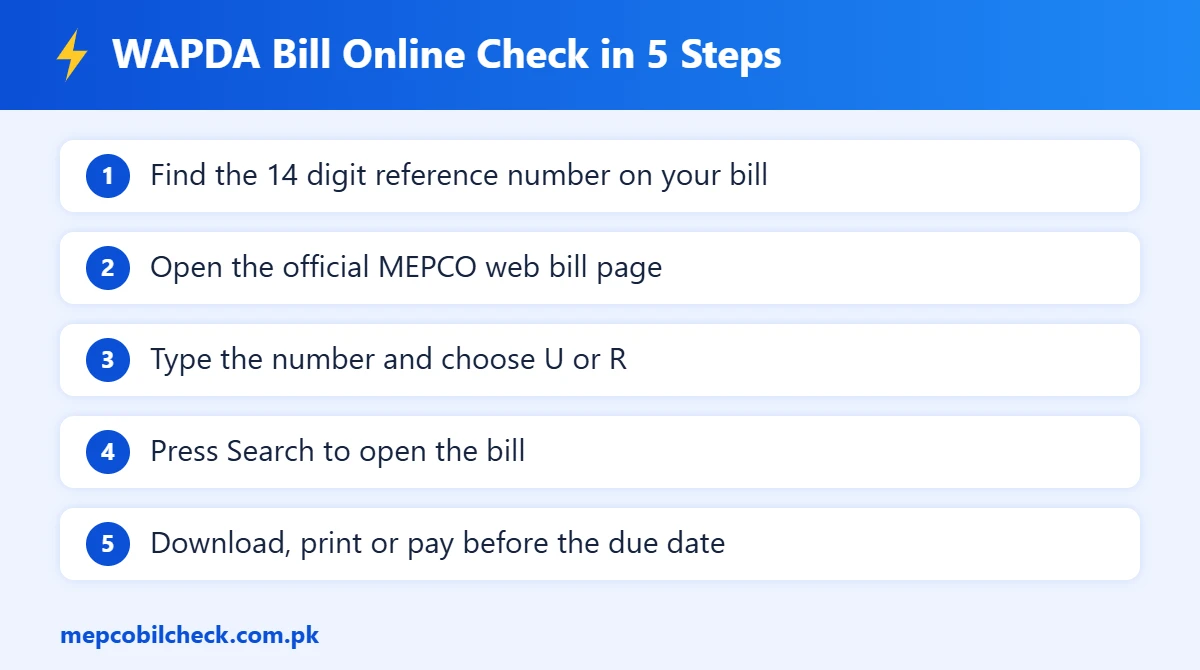
That is the whole WAPDA bill online check. The page shows the latest bill as soon as MEPCO issues it, which is often before the paper copy reaches your home.
Other Ways to Do a WAPDA Bill Check
The website is the fastest method, but you have other options:
- MEPCO SMART app: check the bill, pay online, request installments and register complaints. See our MEPCO bill app guide.
- Banking apps and wallets: JazzCash, Easypaisa and most bank apps show the current amount and due date when you enter the reference number under electricity bills.
- Bank counters and post offices: staff can tell you the payable amount from the reference number.
- MEPCO office or helpline 118: useful if the bill is missing or the online page shows an error.
What the WAPDA Online Bill Shows
When the WAPDA online bill opens, check these parts carefully:
| Section | What to check |
|---|---|
| Consumer details | Name, address, tariff and sanctioned load |
| Reading details | Previous reading, present reading and units used |
| Charges | Energy cost, fixed charges, fuel adjustment and taxes |
| Arrears | Any unpaid amount from earlier months |
| Payable amount | Amount within due date and after due date |
| History | Units and payments for the last 12 months |
If the units look much higher than usual, compare them with the bill history and your meter. Our guide on why your electricity bill is so high explains the most common reasons.
Download or Print Your WAPDA Bill
Offices, schools and banks often ask for a recent electricity bill as proof of address. After the WAPDA bill check, use the print button on the bill page. On a phone, choose Print and then Save as PDF. Our MEPCO duplicate bill guide covers printing, PDF saving and common errors in detail.
Pay the Bill on Time
Every bill has a due date, and paying after it adds a late payment surcharge. You can pay through banking apps, JazzCash, Easypaisa, bank branches and post offices using the same reference number. See the full list in our MEPCO bill payment guide. If you cannot pay the full amount, MEPCO can allow installments in genuine cases, as explained in our MEPCO bill installment article.
WAPDA Bill Online Check Not Working? Try These Fixes
If the bill does not open, the problem is usually simple:
- Wrong digits: recheck all 14 digits and remove spaces.
- Wrong U or R: choose the letter printed on your bill.
- New bill not issued yet: the page shows last month’s bill until the new one is generated.
- Busy server near the due date: wait a few minutes and try again.
- Fake websites: some sites copy the WAPDA name and show ads or old data. Use the official PITC page or a trusted guide site.
If nothing works, call helpline 118 or file a billing complaint. Our MEPCO complaint number guide lists every option.
Reading Date, Issue Date and Due Date Explained
Three dates on the bill confuse many people. The reading date is when the meter reader recorded your meter. The issue date is when MEPCO generated the bill, and this is roughly when the WAPDA online bill becomes visible on the web page. The due date is the last day to pay without a surcharge. Under NEPRA rules, consumers get a reasonable gap between receiving the bill and the due date, so if your paper bill keeps arriving late, an online check helps you avoid paying extra.
A good habit is to do a WAPDA bill check a few days after your usual reading date every month. You will see the bill early, have time to question any mistake and still pay comfortably before the due date.
WAPDA Bill Check for Tenants and Landlords
If you rent a house or shop, the bill is usually in the owner’s name, but you are the one paying it. Ask your landlord for the reference number on the first day and save it in your phone. A monthly WAPDA bill check then lets you confirm that the previous tenant left no arrears and that every payment you make is recorded.
Landlords with several properties can save each reference number with a clear label, such as “Shop 2” or “Upper portion”, and check all bills in a few minutes. If you need to move the connection into a new owner’s name, follow our MEPCO name change guide.
Why the WAPDA Online Bill Changes Every Season
Bills in South Punjab rise sharply in summer because of fans, coolers and air conditioners, and drop in winter. The tariff is slab based, so crossing a slab, such as moving from 200 to 201 units, can raise the bill much more than one extra unit suggests. Monthly fuel adjustments and quarterly adjustments set by NEPRA also change the final amount. Checking the WAPDA online bill every month helps you spot these changes early and manage your use.
Estimate Next Month’s Bill
A WAPDA bill check tells you what you owe now. To plan ahead, use our free MEPCO bill calculator. Enter your expected units to see the estimated bill under the current tariff, and check our MEPCO per unit rate guide to understand the slab rates.
Simple Tips to Avoid Bill Problems
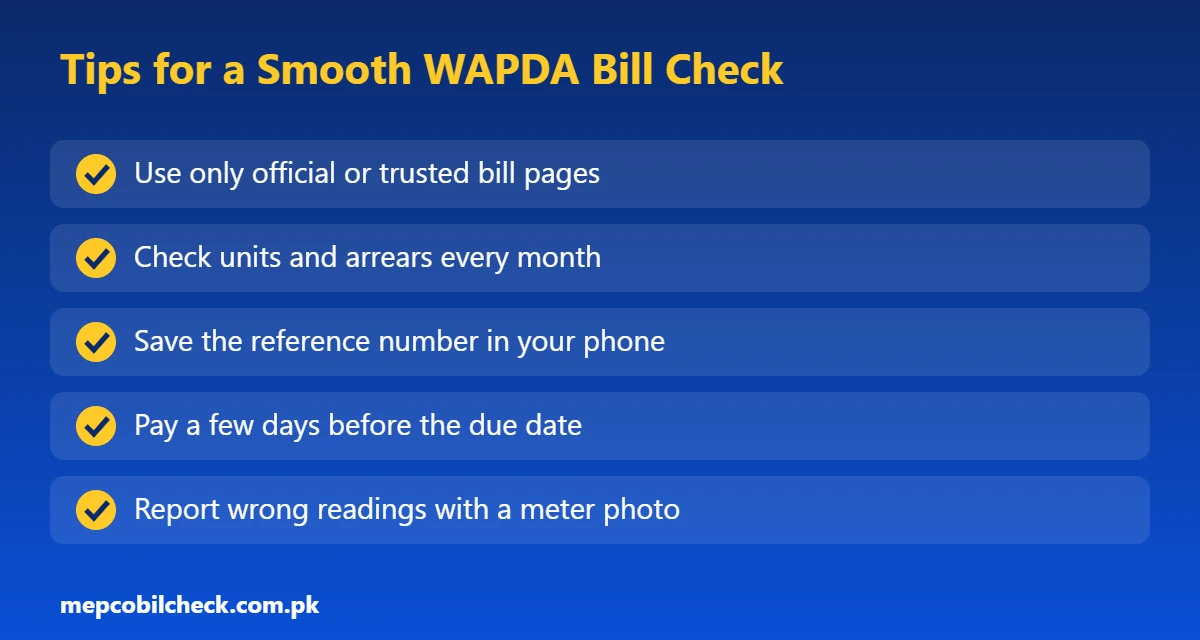
- Check your WAPDA online bill as soon as it is issued instead of waiting for the paper copy.
- Compare units with the same month last year, not just last month, because summer and winter use differ.
- Take a dated photo of your meter around the reading date as evidence.
- Keep payment receipts or screenshots for at least a year.
- Never pay cash to anyone claiming to reduce your bill unofficially.
Quick Summary: WAPDA Bill Online Check
- In South Punjab, the WAPDA bill is the MEPCO bill.
- You need the 14 digit reference number (or 10 digit Customer ID) and the U or R letter.
- The official PITC web bill page shows your latest bill free of cost.
- You can also check through the MEPCO SMART app, banking apps, wallets and helpline 118.
Frequently Asked Questions
How can I do a WAPDA bill online check for free?
Open the official MEPCO web bill page or our bill check tool, enter your 14 digit reference number, choose U or R and press Search. There is no fee.
Why does my WAPDA bill say MEPCO?
Because MEPCO has handled electricity distribution and billing in South Punjab since 1998. WAPDA now focuses on water and hydropower projects.
Can I do a WAPDA bill check by name or CNIC?
No official page searches by name. You need the reference number or Customer ID. If you lost them, contact your MEPCO sub-division office or helpline 118.
When does the new WAPDA online bill appear?
The new bill appears online soon after MEPCO generates it, usually a few days after your meter reading date and before the paper bill arrives.
Is it safe to use third-party WAPDA bill websites?
Use only trusted sites that send you to the official PITC data. Avoid sites that ask for passwords, payment card details or unnecessary personal information.