MEPCO E Bill 2026: Get Your Electricity Bill on Phone, SMS & App Alerts
Paper bills get lost, arrive late or end up with a neighbour. That is why more families in South Punjab now rely on the MEPCO e bill, a digital copy of their electricity bill on the phone. MEPCO offers several official ways to get your bill and reminders digitally: the PITC web bill, the official mobile app, MEPCO bill SMS alerts and due-date reminders in banking apps. This guide shows how each one works, how to update your mobile number and how to avoid scams.
What Is the MEPCO E Bill?
The MEPCO e bill is simply your monthly electricity bill in digital form. It carries the same reference number, units, charges and due date as the paper bill, because both come from the same billing system run by PITC (Power Information Technology Company). You can view it, save it as a PDF, print it and pay it without waiting for the paper copy.
Today there are four main digital channels:
- The official PITC web bill page
- The official MEPCO mobile app
- MEPCO bill SMS and other alerts to your registered mobile number
- Bill reminders in banking apps and mobile wallets
Option 1: PITC Web Bill (Fastest)
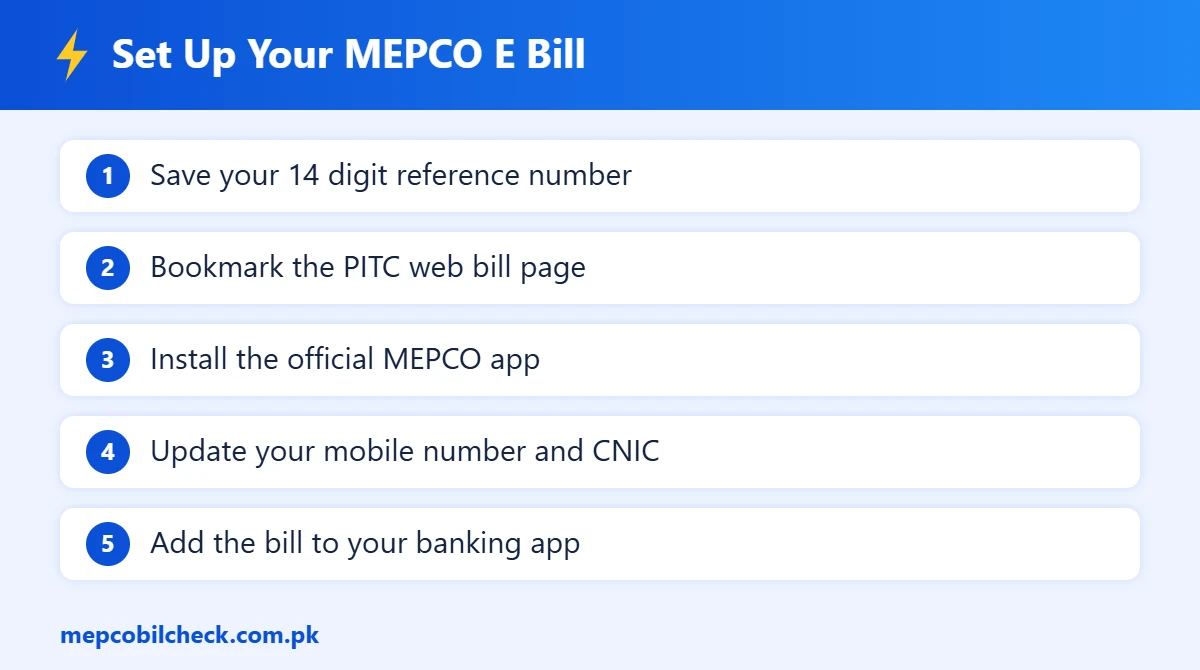
The official MEPCO web bill page is the core of the MEPCO e bill system. Enter your 14 digit reference number, choose U or R and press Search. The bill opens as soon as it is generated, usually a few days after your meter reading date.
Bookmark the page or add it to your phone’s home screen. Each month you can open the bill in seconds and save a PDF. Our MEPCO web bill guide explains every field and the printing options, and our MEPCO online bill enter 14 digit guide shows where to find your number.
Option 2: The Official MEPCO App
The official MEPCO mobile app page lists services such as Pay Bill (download and pay), Bill Estimator, Request for Installment, Due Date Extension, complaints and an option to update tenant CNIC, name, phone and email. Once your connection is linked, you can check the bill and important notifications inside the app.
Download the app only from the link on the MEPCO website, because many unofficial apps use the MEPCO name. Our MEPCO bill app guide walks through setup.
Option 3: MEPCO Bill SMS and Alerts
MEPCO and PITC send SMS messages to registered mobile numbers for billing and service updates, such as bill information, payment reminders and planned shutdowns. Many consumers also use PITC’s SMS short code 8118 for billing queries by sending their reference number. SMS formats and services can change, so follow the latest instructions printed on your bill or announced by MEPCO.
To receive MEPCO bill alerts, your correct mobile number must be linked to your connection. If you never get any SMS, your number is probably missing or outdated in MEPCO’s records.
How to Update Your Mobile Number and CNIC
Updating your details is the key step for MEPCO bill SMS and app notifications:
- Through the app: use the Update Tenant CNIC option to update name, CNIC, phone number and email.
- At your sub-division office: take your latest bill and original CNIC and ask the customer service staff to update your mobile number.
- Through customer care: call helpline 118 or write to the email listed on the MEPCO website with your reference number, name and new mobile number.
The MEPCO website itself shows a banner asking consumers to update or verify their CNIC, so it is worth doing even if you already get your bill on time.
If you share one connection with relatives, for example a joint family house, decide who will keep the registered number. MEPCO bill alerts can go to only the number in the record, so one person should take charge of checking the bill and forwarding it to others each month.
Option 4: Banking App and Wallet Reminders
Almost every banking app, JazzCash and Easypaisa lets you save your electricity bill as a biller using the reference number. After saving it, the app shows the latest amount and due date and many apps send reminders before the due date. You can pay with one tap and keep a digital receipt. See all options in our MEPCO bill payment guide.
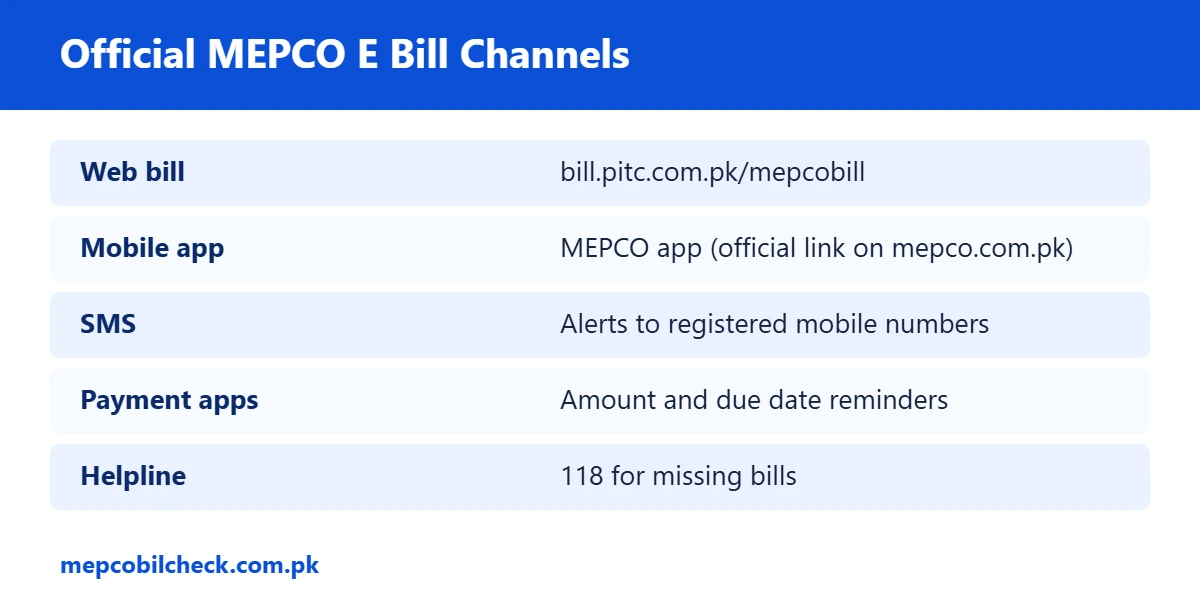
MEPCO E Bill Channels Compared
| Channel | What you get | Best for |
|---|---|---|
| PITC web bill | Full bill, PDF, 12-month history | Everyone |
| MEPCO app | Bill, payment, installments, complaints | Regular users |
| SMS alerts | Short updates and reminders | Basic phones |
| Banking apps | Amount, due date, one-tap payment | Online payers |
| Helpline 118 | Help with missing bills | Problems and errors |
Can I Get My MEPCO Bill on Email or WhatsApp?
MEPCO’s official site does not currently list a separate email subscription or a WhatsApp bill service for home consumers. The simplest way to keep your MEPCO e bill in your email is to save the PDF from the PITC page each month and email it to yourself, or share it in a family group. Bulk users such as offices and housing societies can ask MEPCO about the MIS system; read our MEPCO MIS guide.
Be very careful with WhatsApp numbers that claim to be MEPCO and ask you to pay a bill or a “meter fee” through a personal account. These are common scams. MEPCO’s official contact details are listed on its website, as explained in our MEPCO official website guide.
Understanding MEPCO Bill Alerts and Notices
Not every message about your connection means the same thing. Learn the difference so you act at the right time:
- Bill issued: the new bill is ready. Open the PITC page and check units and amount.
- Due date reminder: pay before this date to avoid the late payment surcharge.
- Payment confirmation: banks and wallets send a receipt when payment succeeds. Save it until the next bill shows the payment.
- Disconnection notice: if a bill stays unpaid, MEPCO must give a clear written notice before disconnection. Pay immediately or contact your office to avoid losing supply. Our MEPCO reconnection guide explains the rules and fees.
- Shutdown alerts: planned maintenance messages tell you when supply will be off in your area.
Organise Your E Bills in One Folder
A simple system saves time later. Create a folder on your phone or in your email named “MEPCO bills” and save each month’s PDF with a clear name such as “Home-MEPCO-2026-11.pdf”. Keep payment receipts in the same folder. When you need proof of address, apply for a name change or question a detection bill, every document is ready in seconds. Our electricity bill online check guide shares a quick monthly checklist for verifying each bill before you file it away.
Help Elderly Parents Go Paperless
Many older people still wait for the paper bill and pay at the bank counter. You can make life easier for them: save their reference number in your own phone, check their MEPCO e bill every month and pay through your banking app. Show them the payment receipt so they feel confident. If they prefer paper, print the web bill for them each month so they never miss a due date.
Benefits of Going Digital
- No missed bills: see the bill even if the paper copy never arrives.
- More time to pay: check on the issue date instead of a few days before the due date.
- Easy records: PDFs for address proof, admissions, visas and disputes.
- Works from abroad: overseas family members can check and pay.
- Faster complaints: spot wrong readings early and report them before the due date.
What to Do If Your Bill Does Not Arrive
If neither the paper bill nor any MEPCO bill alerts arrive, first check the PITC web bill page. If the new bill is not there several days after your usual reading date, call 118 or file a complaint on the CCMS portal. Our MEPCO complaint number guide lists every channel. You can always print a copy from the web page, as explained in our MEPCO duplicate bill guide.
Stay Safe With Digital Bills
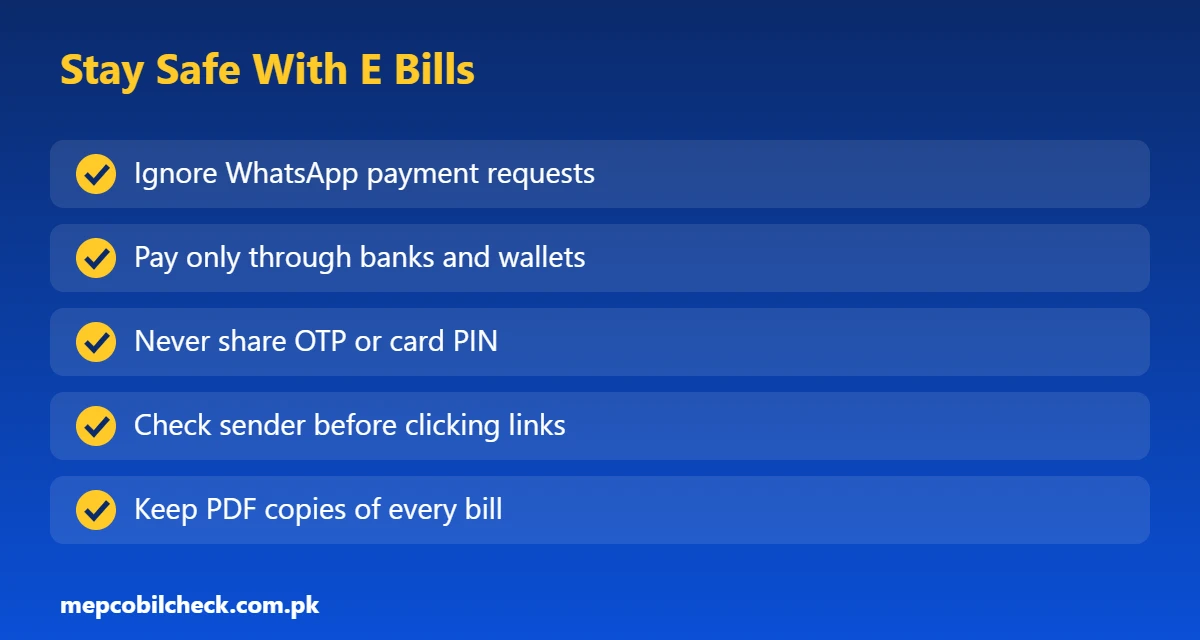
- Do not click links in SMS or WhatsApp messages from unknown numbers.
- Viewing a bill never needs an OTP, password or card PIN.
- Pay only through banks, wallets, post offices or the official app.
- Report suspicious messages using the MEPCO name to the official helpline.
Quick Summary: MEPCO E Bill
- The MEPCO e bill is the digital copy of your bill, available on the official PITC web bill page.
- The official app, MEPCO bill SMS updates and banking app reminders add convenience.
- Update your mobile number and CNIC through the app, your sub-division office or helpline 118.
- Ignore WhatsApp or SMS requests to pay through personal accounts.
Frequently Asked Questions
How do I get my MEPCO e bill?
Open the PITC web bill page, enter your 14 digit reference number, choose U or R and press Search. You can save the bill as a PDF.
How can I receive MEPCO bill SMS alerts?
Make sure your correct mobile number is linked to your connection through the app, your sub-division office or helpline 118.
Does MEPCO send bills on WhatsApp?
MEPCO’s website does not list an official WhatsApp bill service for home users. Treat WhatsApp payment requests as suspicious.
Is the MEPCO e bill valid for payment?
Yes. Banks and wallets need only the reference number, which is printed on the e bill.
Is the MEPCO e bill free?
Yes. Viewing and downloading your bill online costs nothing.
One Comment