Electricity Bill Online Check 2026: Easy Guide for MEPCO Consumers (Bijli Ka Bill)
An electricity bill online check is now the quickest way to know how much you owe, how many units you used and when the bill is due. For homes and shops in South Punjab, the bill comes from MEPCO, and you can see it on your phone in under a minute, often before the paper copy arrives. This guide explains how to do a bijli ka bill online check, how to verify every charge, how overseas family members can check and pay, and what to do when the numbers do not look right.
Why Do an Electricity Bill Online Check?
Waiting for the paper bill has real costs. Bills sometimes arrive late, get lost or are left with a neighbour. An online check helps you:
- See the bill on the day it is issued
- Get extra days to arrange payment before the due date
- Spot wrong readings early, while there is time to complain
- Save a PDF copy for offices, banks or school admissions
- Keep track of several connections from one phone
What You Need for an Electricity Bill Check
For a MEPCO electricity bill check you need the 14 digit reference number from the top-left of your bill and the letter U or R printed after it. The 10 digit Customer ID also works. Our step-by-step guide on MEPCO online bill enter 14 digit shows exactly where both numbers are printed.
No login, CNIC or fee is required to see your own bill.
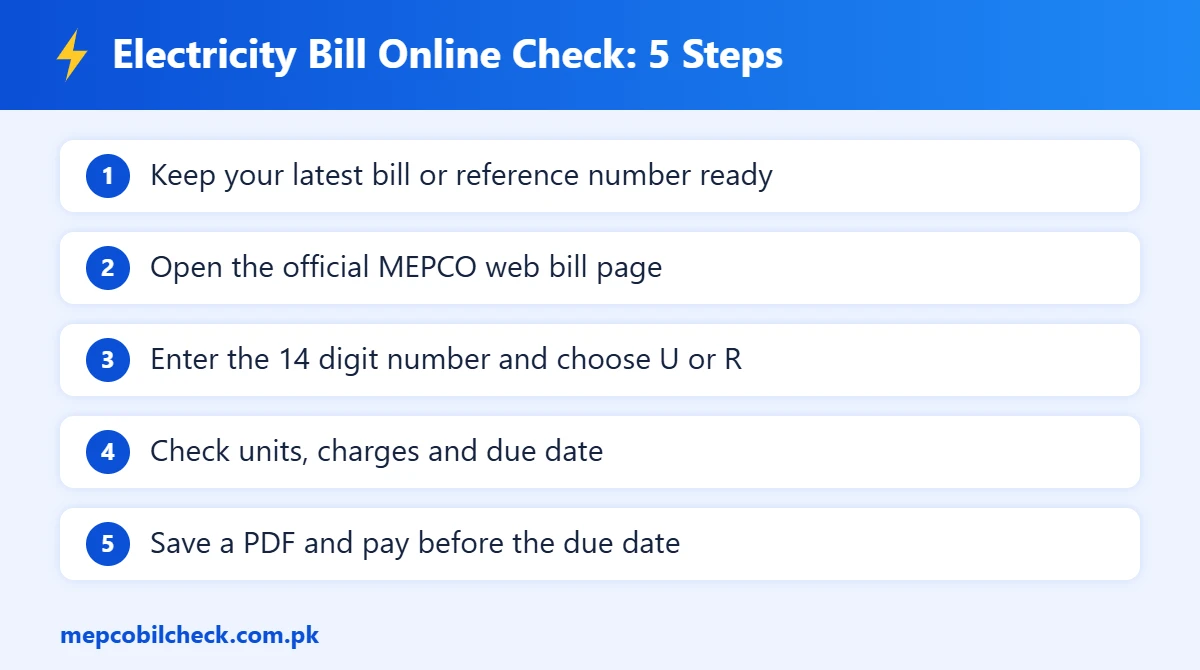
Electricity Bill Online Check: Step by Step
- Open our MEPCO bill check online tool or the official MEPCO Web Bill page, which is run by the Power Information Technology Company (PITC).
- Keep Reference No selected and type the 14 digits without spaces.
- Choose U or R from the drop-down.
- Press Search to open your current bill.
- Check the units, the amount and the due date, then print or save the bill as a PDF.
Many people in South Punjab still call this a WAPDA bill. It is the same bill, as we explain in our WAPDA bill online check guide.
Bijli Ka Bill Online Check Karne Ka Tarika
Agar aap Roman Urdu mein samajhna chahte hain, to bijli ka bill online check karna bohat asaan hai:
- Apne purane bill se 14 hindson wala reference number dekhein.
- MEPCO web bill page ya hamara bill check tool kholein.
- Number bina space ke likhein aur U ya R select karein.
- Search dabayein. Aap ka bill, units aur due date samne aa jayegi.
Is bijli ka bill online check ke liye koi fee nahi hai. Mukammal Roman Urdu guide ke liye hamara article MEPCO bill check karne ka tarika parhein.
How to Verify Your Bill After the Online Check
Seeing the total is only half the job. A bill can be correct in amount but still hide a problem, such as a wrong reading or a missed payment. Take two minutes after every electricity bill online check to verify these points:
- Units: subtract the previous reading from the present reading. The result should match the units billed.
- Reading date: a gap much longer than a month can push you into a higher slab.
- Slab and category: protected status depends on your past usage, so check the tariff line.
- Fuel adjustment: NEPRA sets this every month. For example, about Rs 1.11 per unit was charged in October 2026 bills for August fuel costs.
- Arrears: make sure past payments are not shown as unpaid.
- Taxes: GST at 18% applies, and non-filers with domestic bills above Rs 25,000 also pay advance income tax.
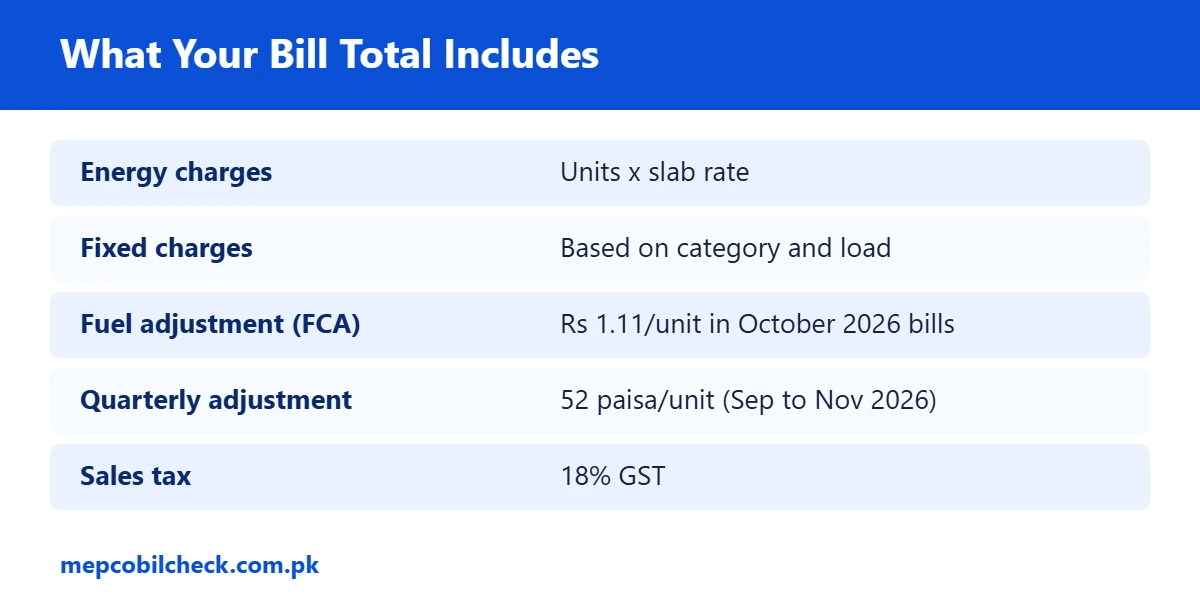
To understand each charge, read our guides on the MEPCO per unit rate, the FPA in electricity bill and electricity duty on MEPCO bill, which was removed from domestic bills in July 2025.
Other Ways to Check Your Electricity Bill
| Method | Best for | What you see |
|---|---|---|
| PITC web bill page | Full bill and PDF copy | Complete bill with history |
| MEPCO SMART app | Regular users | Bill, payment, complaints |
| Banking app or wallet | Quick amount check | Amount and due date |
| Bank counter or post office | People without internet | Payable amount |
| Helpline 118 or SDO office | Missing bills and errors | Help from MEPCO staff |
Read our MEPCO bill app guide to learn what the official app can do.
Electricity Bill Check for Overseas Pakistanis
Many families in South Punjab have a member working in the Gulf, Europe or elsewhere who pays the home electricity bill. An electricity bill online check works from any country. Ask your family to send a clear photo of the bill once, save the reference number and check the new bill every month on the web page. Most Pakistani banking apps and some international remittance apps can then pay the bill directly using the same number.
Checking Bills for Several Connections
If you manage bills for your house, your parents’ house and a shop, keep a simple list in your phone’s notes with each reference number and a label. A monthly electricity bill check for all of them takes only a few minutes. Landlords can also catch unpaid tenant bills before arrears pile up.
When the Bill Looks Too High
If the online bill shows more units than expected:
- Read your meter today and compare it with the present reading on the bill.
- Compare with the same month last year in the bill history.
- Check whether the reading period was longer than usual.
- Look at the fuel adjustment and arrears lines.
- If the reading is wrong, apply for correction before paying, with a dated meter photo.
Our guides on why your electricity bill is so high and MEPCO bill correction explain the process.
Common Electricity Bill Check Errors and Fixes
Sometimes the bill page does not open or shows a message instead of your bill. These fixes solve most problems:
- “Invalid reference number”: remove spaces and dashes and recount the digits. There must be exactly 14.
- Bill shows last month: the new bill has not been generated yet. Check again after a day or two.
- Page keeps loading: the server may be busy near due dates. Refresh after a few minutes or try early morning.
- PDF will not download: use the browser’s Print option and choose Save as PDF.
- Name on bill is different: the connection may still be in the previous owner’s name. This does not stop you from paying, but you can update it through a name change.
If the problem continues, call helpline 118 or use the options in our MEPCO complaint number guide.
Keep a Record of Every Bill
The web bill shows a 12-month history of units and payments, but it is still wise to keep your own record. Save each month’s PDF in a folder on your phone or email it to yourself. A record helps when you apply for a new connection, prove your address, dispute a detection bill or claim a refund for overbilling. For older bills that no longer appear online, read our MEPCO old bill check guide.
Stay Safe From Fake Bill Websites
Because so many people search for an electricity bill online check every month, some websites copy the MEPCO name and fill pages with ads, old data or fake “bill reduction” offers. Protect yourself:
- Never enter passwords, card numbers or OTP codes on a bill-check page. Viewing a bill needs only the reference number.
- Do not pay anyone who promises to reduce your bill for cash.
- Use the official PITC page, the MEPCO SMART app or a trusted guide site that links to official data.
- Pay only through banks, wallets, post offices or official channels.
Use Fewer Units in Peak Hours
If you have a time-of-use meter, units used during peak hours cost more. Shifting washing machines, irons and water motors to off-peak hours can cut your bill. See the current timings in our MEPCO peak hours guide and estimate savings with the MEPCO bill calculator.
Paying After Your Electricity Bill Online Check
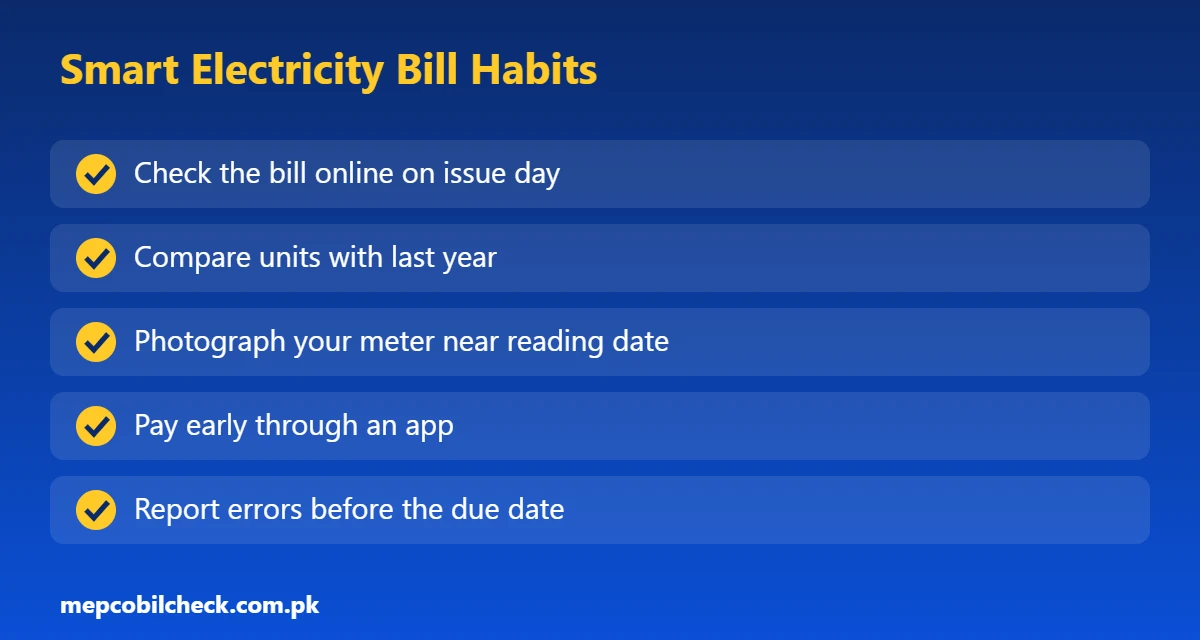
Once the bill is verified, pay it through a banking app, JazzCash, Easypaisa, a bank branch or a post office using the reference number. Paying a few days early avoids the late payment surcharge and the rush on the last day. All options are listed in our MEPCO bill payment guide. For official tariff decisions, you can also follow NEPRA.
Quick Summary: Electricity Bill Online Check
- Use the 14 digit reference number and the U or R letter to open your MEPCO bill online.
- Verify units, reading dates, fuel adjustment, arrears and taxes every month.
- The bijli ka bill online check is free and works from anywhere, including abroad.
- If the bill is wrong, apply for correction before the due date.
Frequently Asked Questions
How do I do an electricity bill online check for MEPCO?
Open the official MEPCO web bill page or our tool, enter your 14 digit reference number, choose U or R and press Search.
Is the bijli ka bill online check free?
Yes. Checking your bill on the official page costs nothing and needs no login.
Can I check my electricity bill without a reference number?
You can use the 10 digit Customer ID instead. If you have neither, get the number from an old bill, your payment app or your MEPCO sub-division office.
Why is my online bill different from the paper bill?
They should be the same. If the online bill was revised after a correction, the online copy shows the latest amount, so always pay according to the updated online bill.
Can overseas Pakistanis do an electricity bill check?
Yes. The web bill page works from any country, and many banking apps let you pay the bill using the reference number.