How to Read Electric Meter 2026: Check Your MEPCO Units at Home
Most bill disputes start with one question: was my meter read correctly? Learning how to read electric meter displays takes about two minutes and gives you control over your bill. With a quick electric meter reading every week, you can track units, stay below important slab limits and catch mistakes before the bill arrives. This guide explains MEPCO meter reading for every common meter type, shows how to calculate units and explains what to do when a reading looks wrong.
Why Read Your Own Electric Meter?
- Verify your bill: compare your own reading with the present reading printed on the bill.
- Avoid slab jumps: domestic consumers who stay at 200 units or less for six months are treated as protected and pay lower rates. One month above 200 units can change that.
- Control summer bills: weekly readings show when air conditioners and coolers are pushing you into a higher slab.
- Spot faults early: a blank display or strange blinking can mean a faulty meter.
- Keep evidence: a dated photo is the best proof in a billing complaint.
When Does MEPCO Read Your Meter?
MEPCO meter reading happens roughly once a month. The batch number at the start of your 14 digit reference number puts your connection in a reading cycle, which is why your neighbours on the same route are usually read on the same day. The reading date is printed on every bill, so you can predict next month’s date within a day or two. Taking your own electric meter reading a day before that date gives you the closest comparison with the official reading. If the gap between two reading dates is much longer than a month, your units can spill into a higher slab, and you have the right to ask why.
Types of Meters Used by MEPCO
| Meter type | Where used | What you read |
|---|---|---|
| Old electromechanical meter | Older homes (now rare) | Number wheels behind a glass window |
| Digital single-phase meter | Most homes | kWh total on an LCD screen |
| Three-phase digital meter | Larger homes and shops | kWh total plus other screens |
| Time-of-use (TOU) meter | Higher-load connections | Peak and off-peak registers |
| Smart or bidirectional meter | Solar and AMI areas | Import and export registers |
How to Read Electric Meter Displays Step by Step
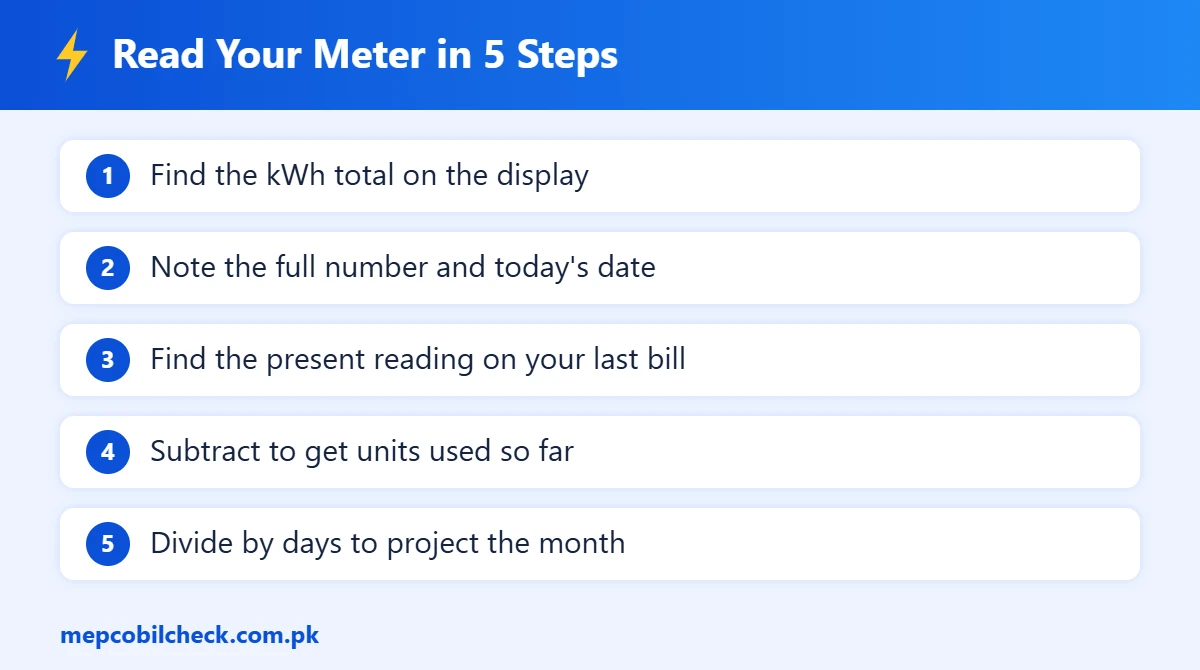
- Look at the screen. Most digital meters scroll through several screens automatically, or you press a button to change screens.
- Find the kWh total. This is the cumulative number of units used since the meter was installed. It usually shows “kWh” or “Total” next to the number.
- Write down the whole number. Ignore digits after the decimal point; bills use whole units.
- Note the date and time. Your reading is only useful with a date.
- Take a clear photo with the date visible on your phone.
How to Calculate Your Units
Units used = today’s reading – present reading on your last bill.
For example, suppose your last bill showed a present reading of 15,420 on 5 October. On 20 October your meter shows 15,590.
- Units used in 15 days = 15,590 – 15,420 = 170 units
- Daily average = 170 / 15 = about 11.3 units
- Projected units for 30 days = 11.3 x 30 = about 340 units
In this example the home is on track to cross 300 units, which means higher slab rates. A quick electric meter reading halfway through the month gives you time to cut use before the reading date. Estimate the cost with our MEPCO bill calculator and see slab rates in our MEPCO per unit rate guide.
Reading a Time-of-Use (TOU) Meter
TOU meters record units used during peak hours and off-peak hours separately, because peak units cost more, so how to read electric meter registers on a TOU model is slightly different. The display usually shows:
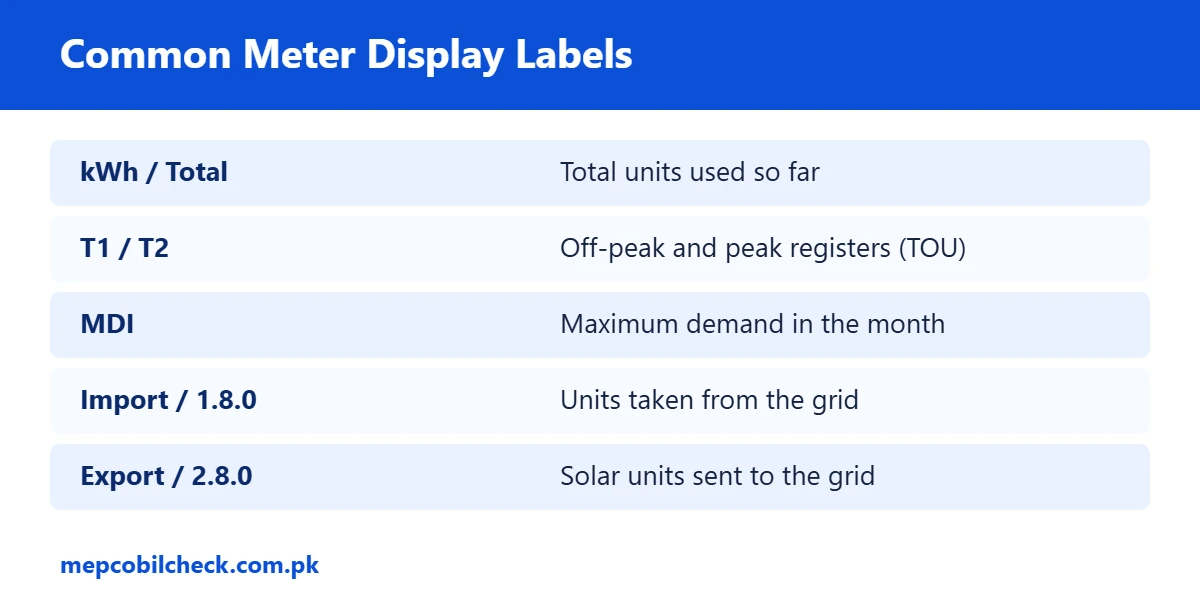
- T1 or Off-peak: units used outside peak hours
- T2 or Peak: units used during peak hours
- Total: the sum of both
- MDI: the highest load recorded during the month, used for some larger connections
To save money, shift heavy appliances such as water motors, irons and washing machines to off-peak hours. Current timings are listed in our MEPCO peak hours guide.
Reading a Green (Bidirectional) Meter
Solar users with a bidirectional meter need two readings: import (units taken from MEPCO) and export (units sent to the grid). Many meters label these Import kWh and Export kWh, or use codes such as 1.8.0 for import and 2.8.0 for export, though labels vary by model. Our MEPCO green meter guide explains how these readings appear on the bill under the 2026 net billing rules.
Reading an Old Electromechanical Meter
If you still have an old meter with number wheels, read the digits from left to right. If a wheel sits between two numbers, write the lower number. These meters also have a rotating disc; the faster it turns, the more power you are using. MEPCO has been replacing these meters with digital ones, so contact your office if yours is damaged or very old.
Check the MEPCO Meter Reading Photo on Your Bill
The meter reader records your reading on a handheld device and takes a photo of the meter, which is printed on the bill. During every MEPCO meter reading check:
- Compare the number in the photo with the present reading on the bill.
- Compare the present reading with your own reading taken near the same date.
- Check that the meter number in the photo matches your meter.
If the numbers do not match, apply for correction before the due date. Our guides on how to read MEPCO bill sections and MEPCO bill correction explain what to do.
Use the Pulse Light to Find Hidden Load
Most digital meters have a small red light marked with a number such as “imp/kWh”. It blinks as electricity passes through the meter. Try this test:
- Switch off every appliance and the main switch inside the house, but leave the meter connected.
- Watch the pulse light for a minute.
- If it keeps blinking, there may be leakage, a wiring fault or a load connected before your main switch.
Ask a licensed electrician to check your wiring, and contact MEPCO if you suspect a meter fault.
Signs of a Faulty Meter
- Blank, dim or flickering display
- Pulse light blinking when everything is switched off
- Units rising much faster than usual with no new appliances
- Burn marks, heat or a burning smell near the meter
- Readings that do not change even when you use power
Report a faulty meter through helpline 118 or your sub-division office. If a wrong MEPCO meter reading or faulty meter issue is not resolved by the company, you can escalate the complaint to the regulator, NEPRA. A faulty meter can lead to estimated bills, so act quickly. Read our MEPCO meter change guide for the replacement process.
How to Read Electric Meter Boxes in Shops and Rented Homes
In markets, plazas and multi-storey buildings, many meters sit together in one panel. Before you take an electric meter reading, match the meter number printed on your bill with the number on the meter body, so you do not read your neighbour’s meter by mistake. Tenants should do this on the first day of the tenancy and photograph the starting reading, which protects them if the previous tenant left unpaid units. Shopkeepers with three-phase or TOU meters should note every register, not just the total, because peak units cost more.
Safety Rules for Reading Your Meter
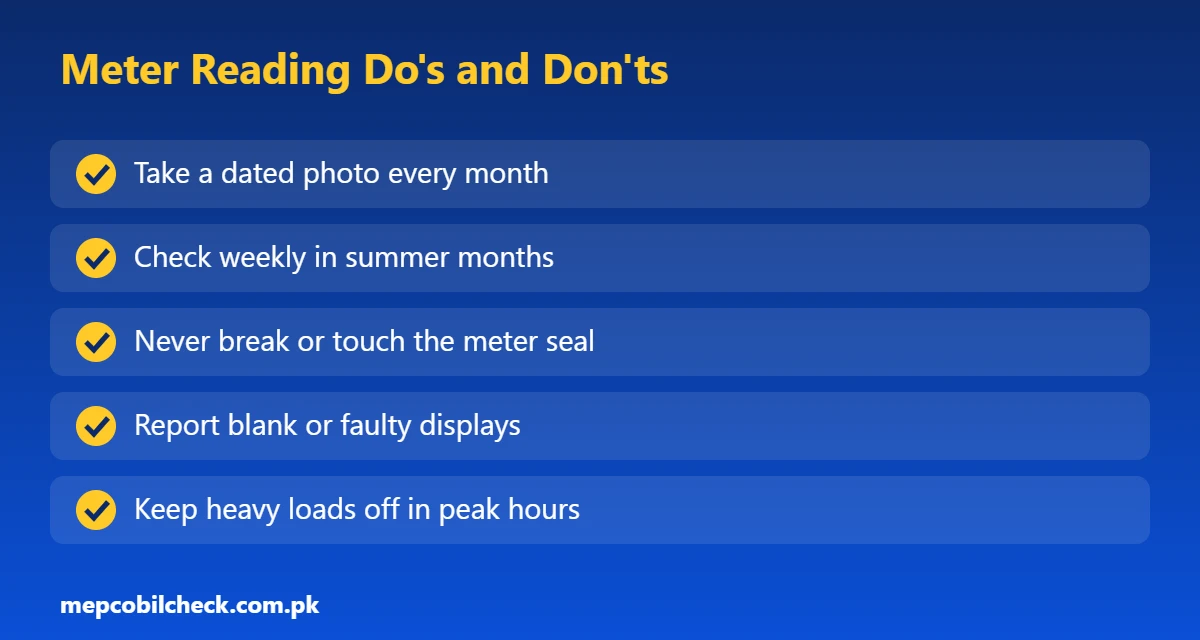
- Read the meter from outside the box; never open the cover or break the seal.
- Do not touch wires, especially in rain or with wet hands.
- Use your phone camera’s zoom if the meter is high up.
- Never let anyone tamper with the meter. Tampering is illegal and can lead to a MEPCO detection bill, fines and disconnection.
Make Meter Reading a Monthly Habit
Knowing how to read electric meter screens is only useful if you do it regularly. Set a reminder on your phone for the day before your usual reading date and take a dated photo of the meter. In summer, add a weekly check. Over a few months you will build a personal record that makes it easy to spot wrong bills and shows exactly how your family’s use changes with the seasons. For a full routine, combine this with our electricity bill online check guide.
Quick Summary: How to Read Electric Meter
- Find the kWh total on the display and write down the whole number with the date.
- Units used = today’s reading – present reading on the last bill.
- TOU meters show peak and off-peak registers; green meters show import and export.
- Check the meter photo on your bill and report faults or mismatches quickly.
- Take an electric meter reading every month and keep the dated photos as evidence.
Frequently Asked Questions
How do I read my electric meter units?
Find the kWh or Total screen on the display and note the whole number. Subtract the present reading on your last bill to get the units used since then.
What do T1 and T2 mean on my meter?
On time-of-use meters they are separate registers for off-peak and peak units. Labels vary, so check which one your bill calls peak.
Can I complain if my MEPCO meter reading is wrong?
Yes. Take a dated photo of the meter, compare it with the bill and apply for correction at your sub-division office or through the complaint portal before the due date.
How often should I take an electric meter reading?
Once a month, a day before your usual reading date, is enough for most homes. In summer, a weekly electric meter reading helps you stay below slab limits.
Why does the red light on my meter blink?
It blinks as electricity passes through the meter. If it blinks when everything is off, check for leakage or wiring faults.
Is it legal to open my electric meter?
No. Opening the cover or breaking the seal counts as tampering and can lead to detection charges. Only MEPCO staff may open the meter.



One Comment