MEPCO Bill Paid or Not? How to Check Payment Status Online in 2026
Paid your electricity bill but not sure it reached MEPCO? Or paying for a parent or tenant and want to confirm? Checking MEPCO bill paid or not takes less than a minute online. This guide shows how to check your MEPCO bill status, where the payment appears, how long posting takes and what to do if a MEPCO paid bill still shows as unpaid.
Why Check Whether Your Bill Is Paid?
- Avoid double payment: family members sometimes pay the same bill twice.
- Avoid arrears: a payment that did not post shows up as arrears next month, with a surcharge.
- Avoid disconnection: unpaid bills can lead to a disconnection notice.
- Tenants and landlords: both sides want proof that the bill was cleared.
- Paying for someone else: overseas family members and children paying for parents want confirmation.
Method 1: Check MEPCO Bill Status on the Web Bill
The official web bill shows a payment history for the last 12 months.
- Open the official MEPCO web bill page or our MEPCO bill check online tool.
- Enter the 14 digit reference number without spaces. See our MEPCO online bill enter 14 digit guide if you cannot find it.
- Choose U or R and press Search.
- Scroll to the history table and look at the payment column for the month you paid.
- Match the amount with your receipt.
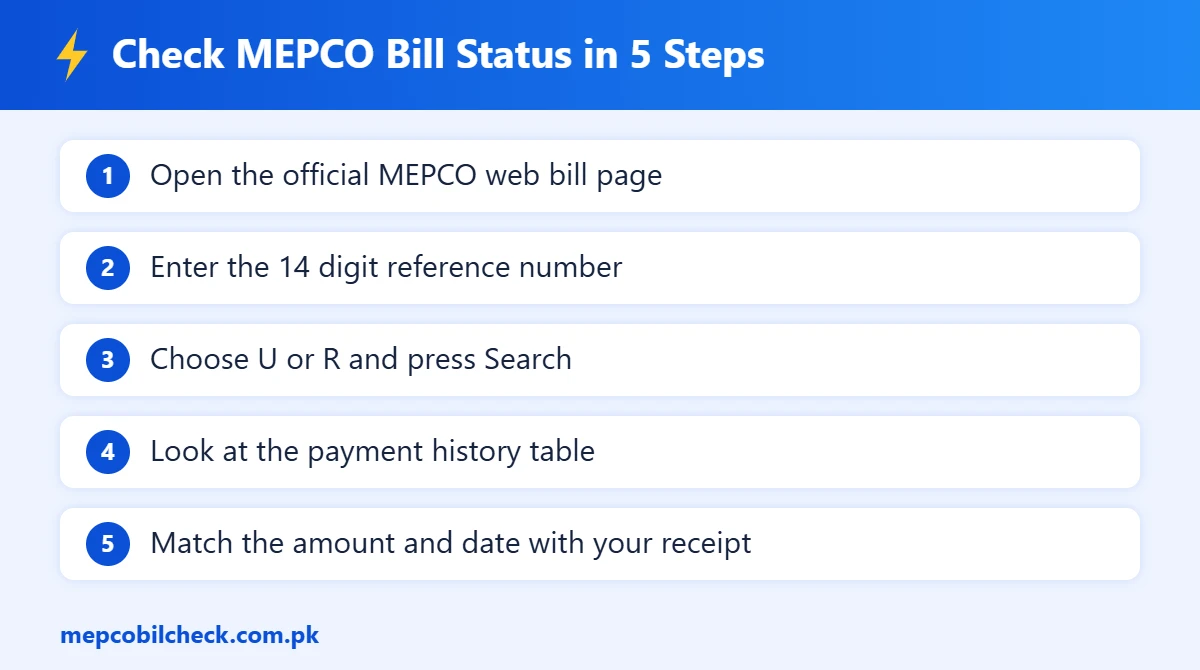
If you paid the current bill, the payment usually appears in the history within a few days. Once the next bill is issued, the payment is listed as received and the arrears line should be zero.
Understanding the Payment History Table
The history table on the web bill has one row for each of the last 12 months. For every month you will usually see the units billed, the bill amount and the amount paid. To read your MEPCO bill status correctly:
- A payment equal to the bill amount means the bill was cleared in full.
- A smaller payment means part of the bill is still due and will appear as arrears.
- A blank or zero payment means MEPCO has not recorded any payment for that month yet.
- A larger payment may mean an advance or an arrears payment from an earlier month.
If you are checking MEPCO bill paid or not for the current month, remember that the newest payment can take a few days to appear.
Method 2: Check Your Banking App or Wallet
When you pay through a banking app, JazzCash or Easypaisa, the app shows a success message, a transaction ID and often sends an SMS. Open the payment history in the app to confirm the MEPCO paid bill. If you try to pay the same reference number again, many apps show the bill as already paid or show a zero amount.
Method 3: Check the Next Bill
Your next bill lists the previous payment and any arrears. If you paid in full before the due date, the arrears should be zero. If an amount you already paid appears as arrears, keep your receipt and complain before paying again.
Method 4: Ask MEPCO
Call helpline 118 or visit your sub-division office with the reference number and your receipt. Staff can confirm whether the payment was posted to your account. Our MEPCO complaint number guide lists every contact option.
How Long Does Payment Take to Show?
| Payment method | Proof you get | When it reflects |
|---|---|---|
| Banking app | Transaction ID, SMS | Usually within a few days |
| JazzCash / Easypaisa | Receipt in app, SMS | Usually within a few days |
| Bank branch | Stamped bill slip | Usually within a few days |
| Post office | Stamped slip | Can take longer |
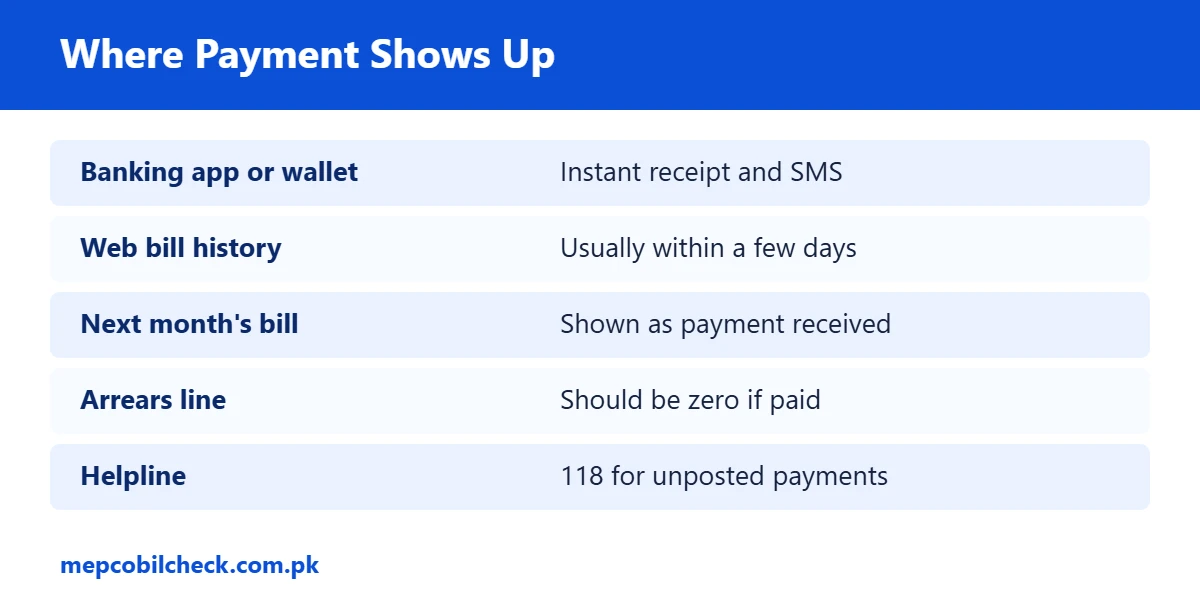
Payments made on the last day or near closing time can take longer to post. That is why paying a few days early is safer.
Common Reasons a Payment Does Not Show
Most missing payments have a simple cause:
- Posting delay: the bank collected the money but the update has not reached the billing system yet.
- Wrong reference number: the payment went to another connection.
- Failed transaction: the app showed an error, but money was deducted and later reversed.
- Partial payment: only part of the amount was paid, so the remaining balance shows as unpaid.
- Payment after bill generation: if you paid after the next bill was generated, the new bill may still show the old amount as arrears.
Bill Shows Unpaid but You Paid? Do This
- Do not pay again immediately. First collect your proof.
- Find your receipt: transaction ID, date, amount and reference number.
- Check the reference number: make sure you paid the right connection. A one-digit mistake sends money to someone else’s bill.
- Contact your bank or wallet if the money left your account but the receipt failed.
- Complain to MEPCO with the receipt at your sub-division office, on the CCMS portal or through helpline 118.
- Keep a copy of everything until the next bill shows the payment.
If your bill was wrong in the first place, read our MEPCO bill correction guide.
Is a Bank Receipt Enough Proof?
Yes. A receipt with the transaction ID, date, amount and reference number is strong proof of payment. A stamped bank or post office slip is equally valid. Store digital receipts in a folder on your phone or email them to yourself, and keep paper slips with the bill until the next bill confirms the payment. If MEPCO ever disputes a payment, this record settles the matter quickly. You can also download a copy of the bill itself from the official page, as explained in our MEPCO duplicate bill guide, and keep it with the receipt. For the official company website and contact details, visit mepco.com.pk.
Paid the Wrong Reference Number?
This happens more often than people think, especially when two numbers are saved in the same app. Contact your bank immediately with the transaction ID. Then visit your MEPCO sub-division office with the receipt; the office can guide you on adjusting the payment between the two accounts. Act quickly, because your own bill remains unpaid until the issue is solved.
Check MEPCO Bill Status for Tenants and Landlords
Tenants should send the landlord a screenshot of every receipt. Landlords can check the MEPCO bill status online each month using the reference number. Before a tenant leaves, check that the last bill is paid and that no arrears remain. If ownership is changing, see our MEPCO name change guide.
Checking MEPCO Bill Paid or Not for Parents and From Abroad
Many people pay bills for elderly parents or from overseas. Save the parent’s reference number in your phone, pay through your banking app and send them a screenshot of the receipt. Each month, open the web bill to confirm the MEPCO paid bill entry in the history table. If you manage several connections, keep a simple list with each reference number and check the MEPCO bill status of all of them after the due date. It takes a few minutes and prevents surprise arrears.
What Happens If the Bill Is Really Unpaid?
If the bill is unpaid after the due date, a late payment surcharge is added. If it stays unpaid, MEPCO can issue a disconnection notice under NEPRA’s rules. Pay as soon as possible or ask for installments in genuine cases through our MEPCO bill installment guide. If supply has already been cut, our MEPCO reconnection guide explains the steps and fees.
Tips to Avoid Payment Problems
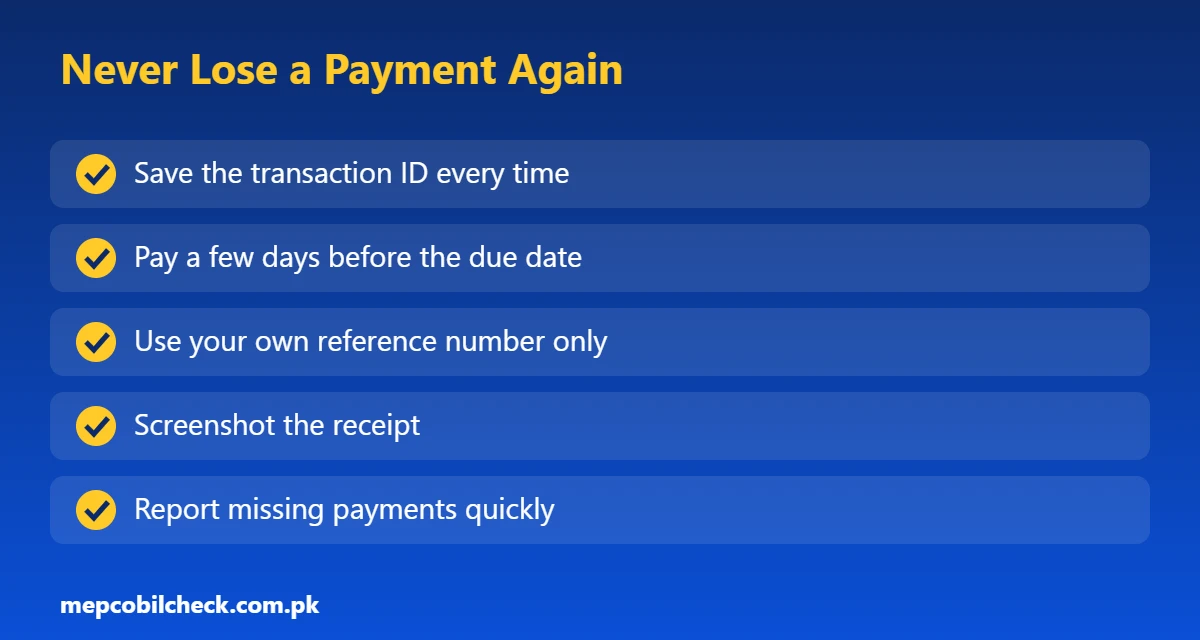
- Save the transaction ID or screenshot after every payment.
- Pay a few days before the due date, not on the last evening.
- Save each reference number with a clear name in your app.
- Check the next bill to confirm the payment was received.
- Report any missing payment quickly while records are fresh.
See all safe payment options in our MEPCO bill payment guide.
Quick Summary: MEPCO Bill Paid or Not
- Check the payment history on the official web bill with your 14 digit reference number.
- Banking apps and wallets show instant receipts; the web bill updates within a few days.
- If a MEPCO paid bill shows unpaid, collect your receipt and complain before paying again.
- Always double-check the reference number before you pay.
Frequently Asked Questions
How can I check MEPCO bill paid or not?
Open the official MEPCO web bill page, enter your 14 digit reference number, choose U or R and check the payment history table.
How long does a MEPCO payment take to show?
Usually a few days. Payments made close to the due date or at post offices may take longer.
My bill shows unpaid but I paid. What should I do?
Keep your receipt and transaction ID, check the reference number, and complain to MEPCO through 118, the CCMS portal or your sub-division office.
Can I check MEPCO bill status by CNIC?
No official page checks payment status by CNIC. You need the reference number or Customer ID.
Will I be charged a late fee if my payment posts late?
If you paid before the due date and have proof, the surcharge should be reversed after a complaint. Keep your receipt.

One Comment