MEPCO Bill Layyah: Check, Download and Pay Your Electricity Bill Online (2026)
Layyah is one of the districts in South Punjab served by the Multan Electric Power Company (MEPCO). If you live in Layyah city, Karor Lal Esan, Chaubara, Fatehpur or Kot Sultan, your power supply and monthly bill come from MEPCO. This guide shows how to check your MEPCO bill Layyah online in a few steps, download a duplicate copy, pay it from your phone and handle common problems with your Layyah electricity bill.
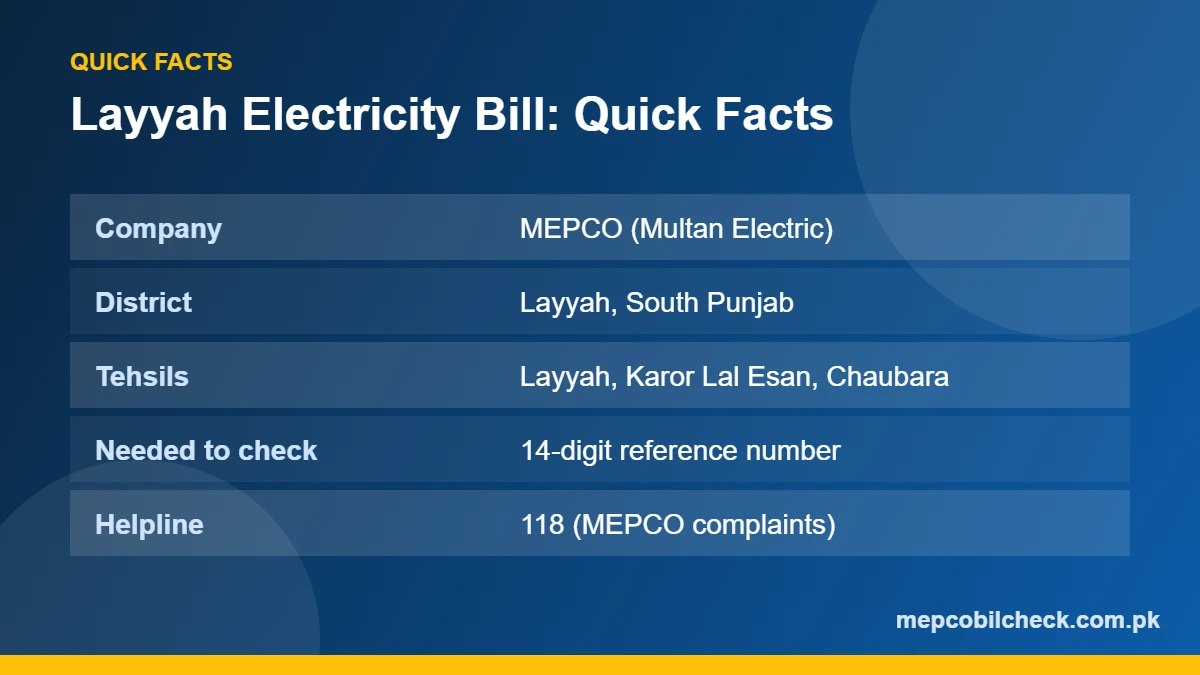
MEPCO Bill Layyah: Quick Overview
Every MEPCO consumer in Layyah district gets a monthly bill with a 14-digit reference number. That number is all you need to see the latest MEPCO bill Layyah online, at any time and free of charge.
| Detail | Information |
|---|---|
| Electricity company | Multan Electric Power Company (MEPCO) |
| District | Layyah, South Punjab |
| Main tehsils | Layyah, Karor Lal Esan, Chaubara |
| Other towns | Fatehpur, Kot Sultan and nearby villages |
| Needed to check bill | 14-digit reference number |
| Complaint helpline | 118 |
| Official bill website | PITC MEPCO bill page |
How to Check MEPCO Bill Layyah Online
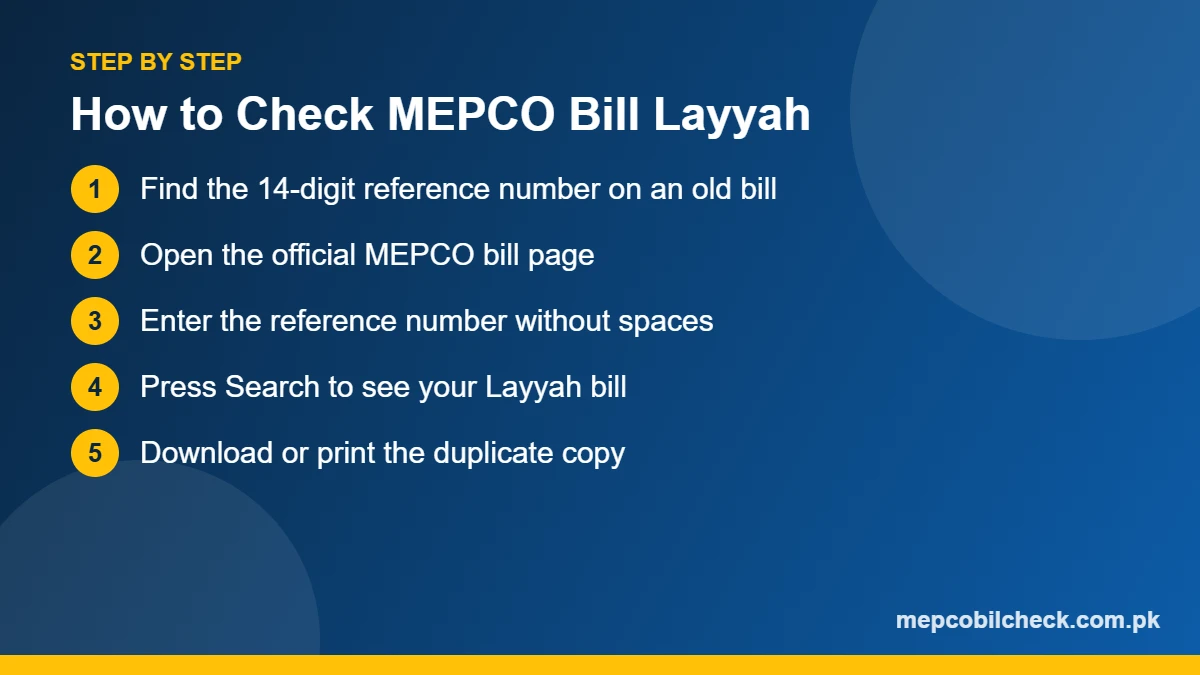
You can check your Layyah electricity bill on a mobile phone or computer. Follow these steps:
- Take an old bill and find the 14-digit reference number printed near the top.
- Open the official MEPCO bill page using the button above, or use our MEPCO bill check tool.
- Type the reference number without spaces or dashes.
- Press the search button.
- Your latest MEPCO bill Layyah appears with units, amount, due date and payment status.
- Use the print or save option to keep a PDF copy.
If you lost your old bill, our guide on MEPCO online bill with 14-digit reference number explains where to find the number. You can also try a MEPCO bill check by CNIC or by name guide for other ways to get it.
Where to Find Your Reference Number
The reference number is printed in the top left section of every MEPCO paper bill. It has 14 digits and sometimes ends with the letter U or R for urban and rural feeders. Do not confuse it with the customer ID, which is a separate number. Save it in your phone notes so you can check your MEPCO bill Layyah even when the paper bill does not arrive.
Areas of Layyah Covered by MEPCO
MEPCO supplies power across the whole of Layyah district. The main service areas include:
- Layyah city and its urban feeders around the city centre, College Road and Chowk Azam Road.
- Karor Lal Esan tehsil and surrounding villages along the Indus.
- Chaubara tehsil in the Thal desert area, where many consumers use tube wells.
- Fatehpur and Kot Sultan towns, plus rural feeders across the district.
- Chowk Azam, a busy trading town on the Layyah–Bhakkar road side.
All these areas use the same online system, so the steps to check the Layyah electricity bill are the same everywhere.
How to Pay Your Layyah Electricity Bill
You do not need to stand in a bank queue. MEPCO bills can be paid through many channels:
- Mobile wallets such as JazzCash and Easypaisa: choose Bill Payment, then Electricity, then MEPCO, and enter the reference number.
- Bank apps of HBL, UBL, MCB, Meezan, Allied, Bank Alfalah and others.
- Bank branches and ATMs that accept utility bills.
- Post offices in Layyah and tehsil towns.
After payment, wait one or two days and check the status again. Our guide on MEPCO bill paid or not shows how to confirm that your payment has been posted. For all payment options, read MEPCO bill payment.
Due Date and Late Payment
The due date is printed on the right side of your bill. If you pay after it, a late payment surcharge is added, usually 10% of the bill amount for most consumers. Bills in Layyah are issued in batches based on the meter reading date, so your neighbour’s due date may be different from yours. Check your own MEPCO bill Layyah a few days after the reading date to know the exact due date.
How to Download a Duplicate Layyah Bill
If your paper bill is lost or did not arrive, you can download a duplicate copy online. Enter your reference number on the official page, open the bill and choose print. Save it as PDF on your phone or computer. Banks and mobile apps accept the duplicate bill in the same way as the original. Our MEPCO duplicate bill guide has more detail, and you can also download the MEPCO e-bill by SMS or email.
Understanding Your Layyah Electricity Bill
A Layyah electricity bill has the same layout as every MEPCO bill. The main parts are:
- Consumer details: name, address, reference number, tariff and sanctioned load.
- Meter reading: previous and present reading, and units consumed.
- Charges: cost of electricity, fixed charges, FPA or FCA adjustment, GST and other taxes.
- Bill history: units and payments for the last 12 months.
- Amount: payable within due date and after due date.
Our how to read MEPCO bill guide explains each box. To estimate next month’s amount, use the MEPCO bill calculator and check the current MEPCO per unit rate.
Layyah Bill Complaints and Help
If your bill shows wrong units, a detection charge or an amount you already paid, act quickly:
- Call 118 from any mobile phone to register a complaint and note the complaint number.
- Visit your MEPCO subdivision office in Layyah, Karor Lal Esan or Chaubara with the bill and a clear meter photo.
- Ask for bill correction before the due date so the surcharge is not added.
Read our MEPCO complaint number guide and MEPCO bill correction guide for the full process. You can also visit the official MEPCO website for notices and office contacts.
Get Your Layyah Bill by SMS or App
If you do not want to open a website every month, you can register for the MEPCO e-bill service. You receive the bill amount and due date by SMS, and a PDF copy by email if you add your email address. Many people in Layyah also use the official PITC mobile app or a bank app that shows the bill as soon as it is issued. Our MEPCO bill app guide compares the options. Using an SMS alert is the easiest way to make sure your MEPCO bill Layyah never gets missed, even if the paper copy is delayed by the meter reader.
Tube Well and Agricultural Bills in Layyah
Agriculture is the main source of income in Layyah, and thousands of farmers run electric tube wells in Thal and along the river. Tube well connections have their own agricultural tariff, which is different from the domestic rate on a normal Layyah electricity bill. The bill format is the same and is checked with the same reference number, but the per-unit rate and fixed charges differ. Farmers can read our MEPCO tube well bill guide for the current agricultural rates and tips to cut pumping costs, such as running motors at off-peak times.
New Connection and Meter Issues in Layyah
To get a new electricity connection in Layyah, apply online through the MEPCO new connection system or visit your subdivision office. You need a copy of your CNIC, proof of ownership or a rent agreement, and a wiring test report. After the demand notice is paid, MEPCO installs the meter. Our MEPCO new connection guide lists the documents and fees. If your existing meter is slow, fast, burnt or damaged, apply for a meter change as explained in MEPCO meter change. A faulty meter is one of the most common reasons for a wrong MEPCO bill Layyah.
Load Shedding in Layyah
Rural feeders in Thal and Chaubara often face longer outages than the city, especially in summer. Feeders with high line losses get more load shedding. Check the latest MEPCO load shedding schedule to plan your day, and see our UPS price in Pakistan guide if you want backup power.
Tips to Keep Your Layyah Bill Low
Winter is a good time to plan for lower bills next summer. Many homes in Layyah are close to the 200-unit limit, so a few changes make a big difference:
- Keep usage at or under 200 units to stay a protected consumer.
- Use LED lights, inverter fans and an inverter AC.
- Run the water motor once a day instead of many short runs.
- Consider a small solar system for daytime loads.
See how to reduce electricity bill for more ideas.
Frequently Asked Questions
How can I check MEPCO bill Layyah online?
Open the official MEPCO bill page, enter your 14-digit reference number and press search. Your latest bill opens with the amount and due date.
Is Layyah under MEPCO?
Yes. Layyah district, including Karor Lal Esan and Chaubara, gets electricity from the Multan Electric Power Company.
Can I pay my Layyah electricity bill with JazzCash or Easypaisa?
Yes. Choose bill payment, select MEPCO and enter your reference number.
What should I do if my bill is wrong?
Call 118 or visit your subdivision office with the bill and a meter photo, and ask for correction before the due date.
Can I download an old Layyah bill?
The official page shows the current bill. The bill history table on it shows the last 12 months of units and payments.
Conclusion
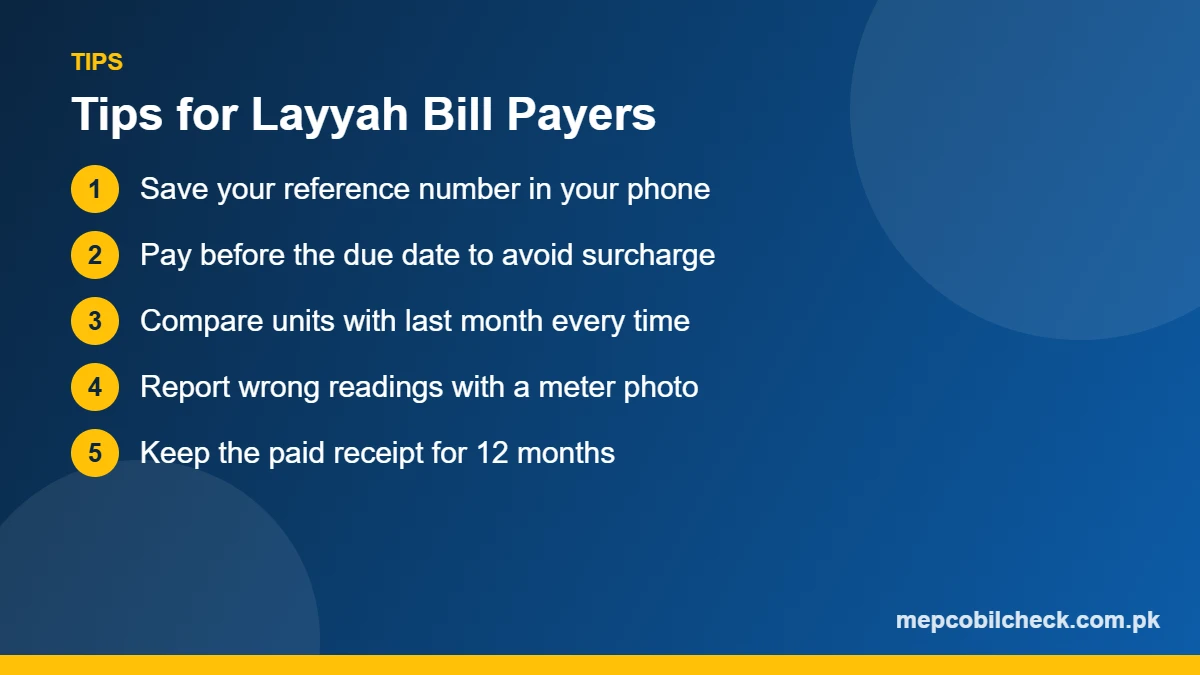
Checking your MEPCO bill Layyah takes less than a minute once you have your reference number. Save the number, check your bill a few days after the reading date, pay before the due date and report any wrong reading quickly. These simple steps keep your Layyah electricity bill accurate and free of extra surcharges.