MEPCO Web Bill 2026: Check, Download & Print Your Bill From PITC
If you have ever searched for your electricity bill online, you have probably landed on a page titled MEPCO web bill. This is the official online copy of your bill, published by the Power Information Technology Company (PITC). In this guide you will learn what the web bill is, how to do a PITC bill check, how to download and print the PITC web bill, where it is accepted and how to fix common errors.
What Is the MEPCO Web Bill?
The MEPCO web bill is a digital copy of the same bill that is printed and delivered to your home. MEPCO’s bills are generated through PITC, a government-owned company that runs billing and IT systems for the former WAPDA distribution companies. PITC publishes each bill on its website as soon as it is generated, under the heading “MEPCO Web Bill, Powered by PITC”.
Because it comes from the same billing system, the web bill shows the same reference number, units, charges, arrears and due date as your paper bill. If a correction is made after the bill is printed, the web copy is usually updated first, so it is often the most current version of your bill.
Who Runs the Web Bill Page?
PITC stands for Power Information Technology Company. It is a public-sector company that provides billing software, data centres and online services to the electricity distribution companies that were once part of WAPDA. Besides the web bill page, PITC also runs the online complaint system (CCMS) and feeder information pages used by MEPCO. That is why the bill link on the official MEPCO website opens a PITC address instead of a MEPCO address. It is still the official source of your bill.
Many people in South Punjab still call their bill a WAPDA bill. Our WAPDA bill online check guide explains why it is the same MEPCO bill.
Why Use the PITC Web Bill?
- Early access: see the bill as soon as it is generated, before the paper copy arrives.
- Lost or damaged bill: print a fresh copy any time.
- Proof of address: many offices, schools and banks accept a printed recent bill.
- Records: keep PDF copies of every month for disputes, refunds or new connection applications.
- Remote checking: family members abroad can check and pay the bill.
How to Do a PITC Bill Check Step by Step
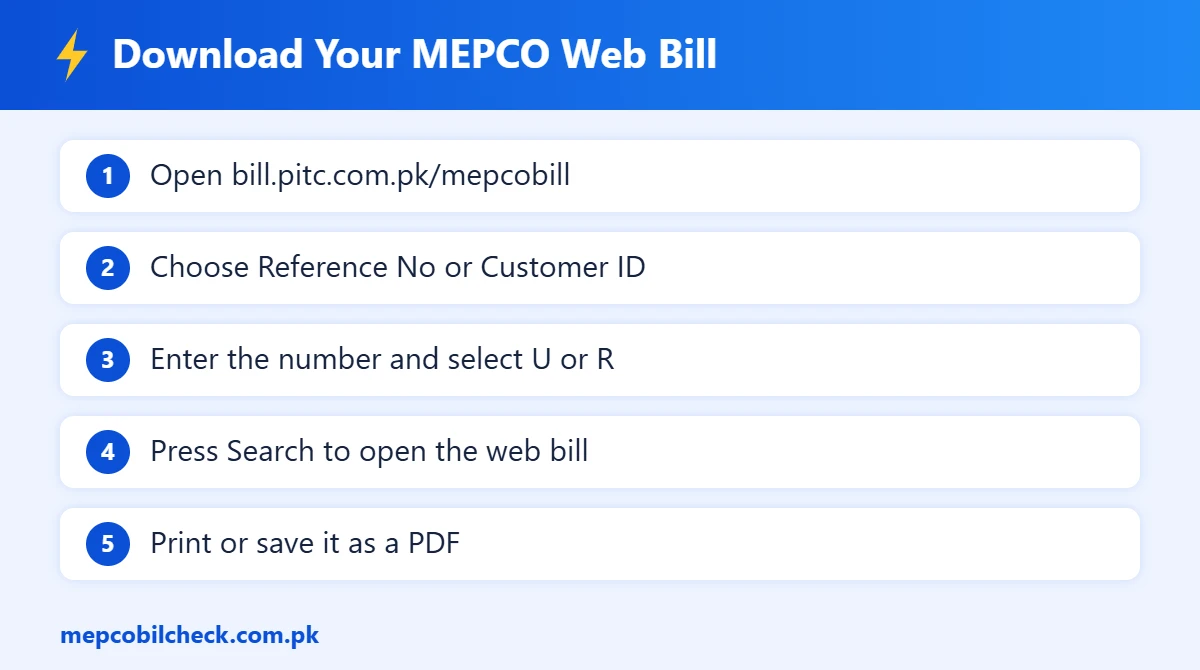
- Open the official MEPCO web bill page or use our MEPCO bill check online tool.
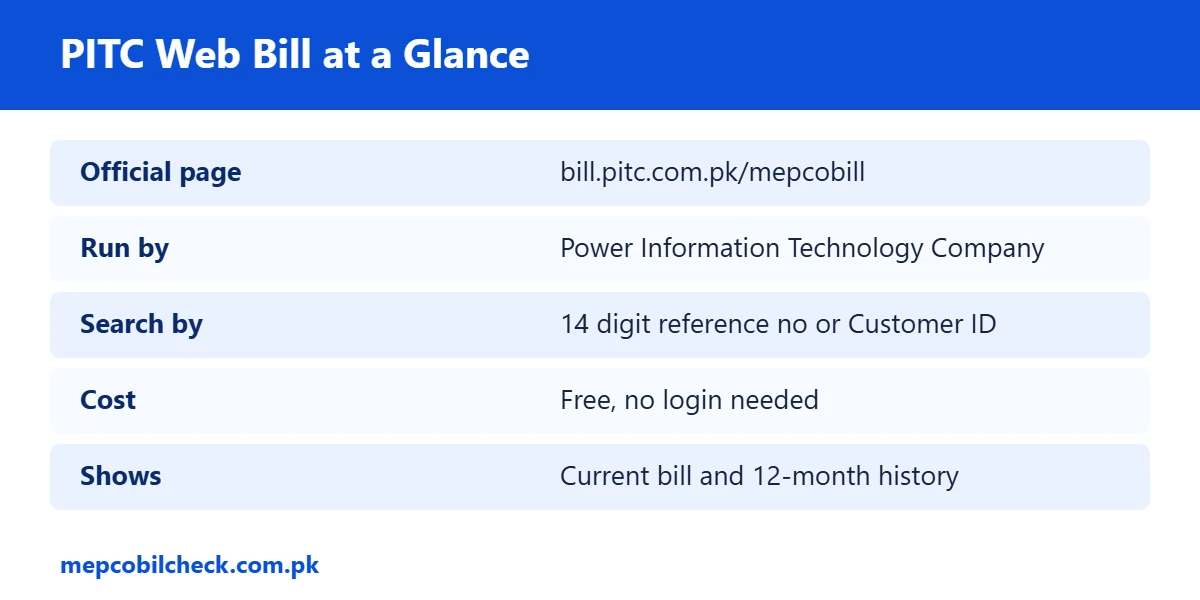
- Choose Reference No to search with the 14 digit reference number, or Customer ID to search with the 10 digit ID.
- Type the number without spaces. The reference number box accepts exactly 14 digits.
- Select U (urban) or R (rural) from the drop-down, as printed on your bill.
- Press Search. Your MEPCO web bill opens in a new view.
- Use the print option to print it or save it as a PDF.
Not sure where the number is? Our guide on MEPCO online bill enter 14 digit shows the exact location on the bill.
What the MEPCO Web Bill Shows
| Part of the web bill | Details |
|---|---|
| Header | Company name, billing month and bill type |
| Connection details | Reference number, Customer ID, tariff, load and meter number |
| Dates | Reading date, issue date and due date |
| Readings | Previous and present reading, units consumed |
| Charges | Energy cost, fixed charges, fuel adjustment, quarterly adjustment and taxes |
| Payable | Amount within due date and after due date |
| History | Month-wise units and payments for the last 12 months |
Since mid-2026 MEPCO has been printing a simpler bill format with a QR code, according to the Power Division. The web bill follows the same data. Learn how the code works in our MEPCO bill QR code guide.
Download the PITC Web Bill as a PDF
On a computer, press the print button on the bill view, choose “Save as PDF” as the printer and save the file. On a phone:
- Open the PITC web bill in Chrome.
- Tap the three dots and choose Share and then Print, or use the page’s print option.
- Select Save as PDF and tap the download icon.
Name the file with the month, for example “MEPCO-bill-November-2026.pdf”, so you can find it later. For more printing tips, read our MEPCO duplicate bill guide.
Is the MEPCO Web Bill Accepted?
For payment, yes. Banks, post offices and wallets only need the reference number, and a printed web bill carries the same number and amount as the original.
For proof of address, most offices accept a recent printed electricity bill, and the PITC web bill is the official online copy. Some departments may still ask for the original paper bill or a copy attested by MEPCO, so check their requirement first.
For official cases such as new connections, name changes or bill corrections, MEPCO offices accept recent bills as supporting documents along with your CNIC and other papers.
Web Bill vs Paper Bill vs Duplicate Bill
| Type | How you get it | Best use |
|---|---|---|
| Paper bill | Delivered to your home by MEPCO | Everyday reference and payment |
| MEPCO web bill | Online on the PITC page, any time | Early check, PDF records, printing |
| Duplicate bill | Printed from the web or issued by the office | Replacement for a lost bill |
In everyday language, the duplicate bill and the web bill are often the same printout. Some people also search for “MEPCO dbill”, which simply means the duplicate bill from the PITC page.
PITC Bill Check Not Working? Quick Fixes
- Invalid number: remove spaces and recount the 14 digits.
- Wrong area letter: switch between U and R according to your bill.
- Old bill showing: the new bill has not been generated yet. Try again in a day or two.
- Page not loading: the server may be busy near due dates. Refresh after a few minutes.
- Blank or cut print: set the paper size to A4 and turn on background graphics in print settings.
If your bill is missing for a long time, file a complaint on the official PITC complaint portal (CCMS) or call 118. Our MEPCO complaint number guide lists every option.
Checking Several Connections
Families often pay bills for more than one house, and shopkeepers may have separate home and shop connections. Keep every reference number in one note on your phone with a short label. Each month, open the MEPCO web bill page, check each number one by one and save the PDFs in a single folder. The whole routine takes a few minutes and makes it easy to notice unpaid arrears or a sudden jump in units on any connection.
Slow Internet? Make the Page Load Faster
The web bill is a light page, but it can be slow on weak signals or busy evenings. Close other apps that use data, switch from Wi-Fi to mobile data or the other way round, and avoid checking in the last hours before the due date when traffic is highest. If the PDF does not open on your phone, the browser’s Print and Save as PDF option almost always works. Our electricity bill online check guide shares more tips for checking and verifying the bill.
Older Bills and Bill History
The MEPCO web bill shows the current bill with a 12-month history table of units and payments. If you need a full copy of an older month, read our MEPCO old bill check guide, and contact your sub-division office for bills that are no longer online.
Avoid Fake Web Bill Pages
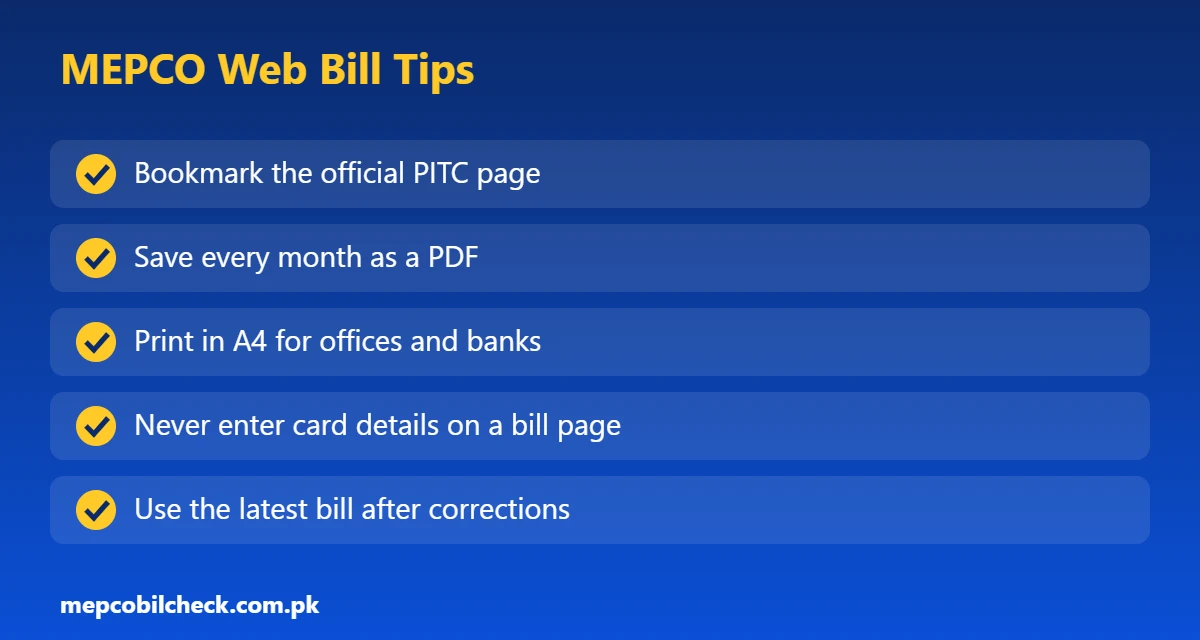
Search results are full of copycat pages using the words “MEPCO web bill” or “PITC”. Some show outdated amounts, others push ads or ask for personal details. Keep these rules in mind:
- The official PITC page address starts with bill.pitc.com.pk.
- A genuine PITC bill check asks only for the reference number or Customer ID, never a password or card number.
- Pay only through banks, wallets, post offices or official apps.
Paying After You Check the Web Bill
After the PITC bill check, pay through your banking app, JazzCash, Easypaisa, a bank branch or a post office using the same reference number. If the amount on the web bill differs from the paper bill because of a correction, pay the updated amount. See all payment channels in our MEPCO bill payment guide, and use the MEPCO bill app if you prefer doing everything on your phone.
Quick Summary: MEPCO Web Bill
- The MEPCO web bill is the official online copy of your bill, published by PITC.
- Search with the 14 digit reference number or the 10 digit Customer ID, plus U or R.
- Print or save the PITC web bill as a PDF for records, payment and proof of address.
- Use only the official page or trusted sites, and never share card details on bill pages.
Frequently Asked Questions
What is the MEPCO web bill?
It is the online copy of your MEPCO electricity bill, generated and published by PITC on its official web bill page.
Is the PITC web bill the same as the original bill?
Yes. It comes from the same billing system and shows the same reference number, units and amount. After a correction, the web copy shows the latest figures.
Can I pay my bill with a printed web bill?
Yes. Banks and wallets need only the reference number, which is printed on the web bill.
Is a PITC bill check free?
Yes. Viewing, printing and downloading your bill on the official page is free and needs no login.
Why does the web bill show last month’s bill?
The new bill has not been generated yet. Check again after your reading date has passed and the bill is issued.
3 Comments